Page 36 Video Conferencing
Making/Receiving a Call
Your video conferencing service will have documentation to make and receive calls. Please
reference this documentation for detailed information.
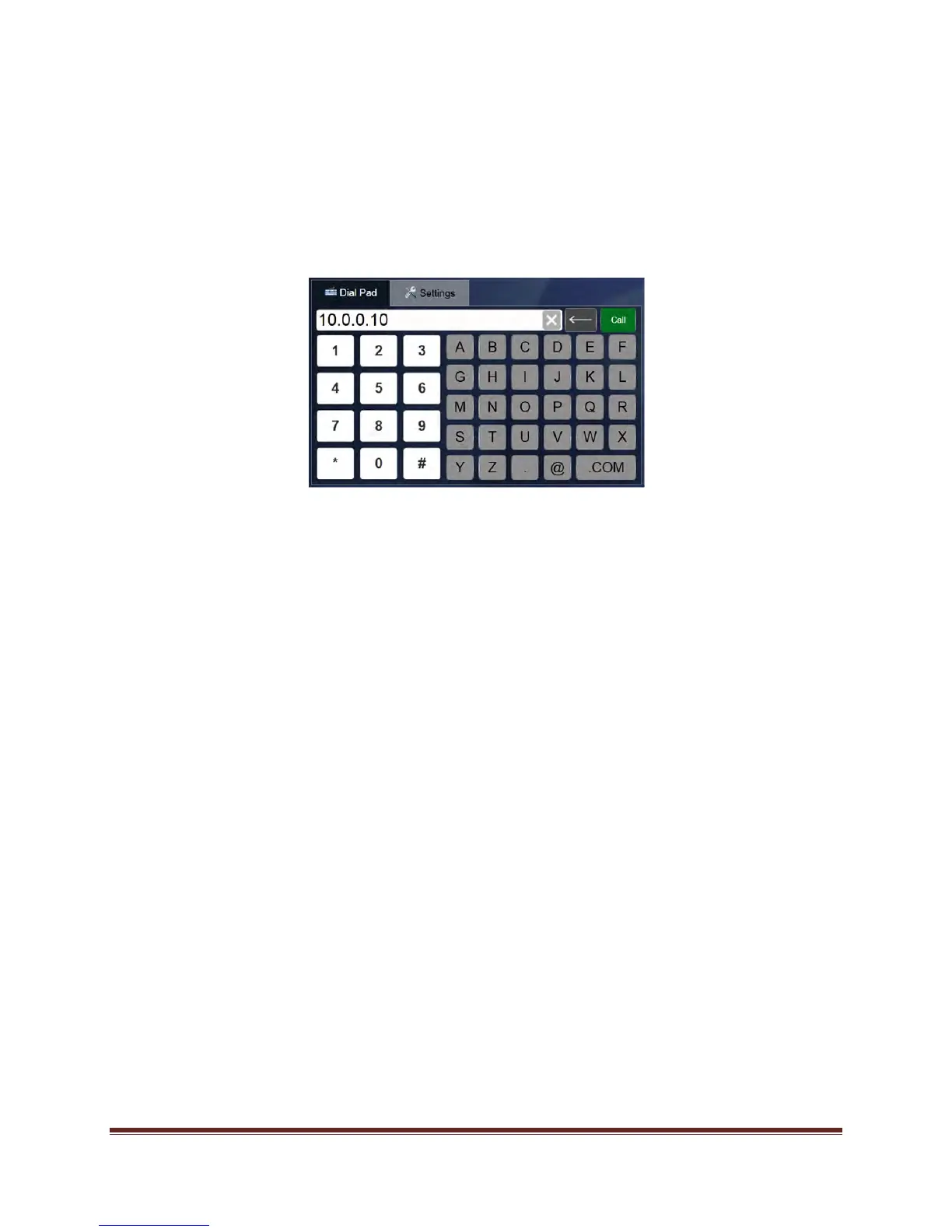
Using the Dial Pad
Enter the other party’s video conferencing address using the Dial Pad and click the Call button.
Alternatively, if the desired party is listed under My Contacts, click the phone icon to place an
audio-only call, or click the camera icon to place a video-conferencing call.
Accepting the Call
Once the call is recognized by your Mondopad, press Accept on the pop-up window to begin
the audio/video conferencing call, or press Ignore to refuse the call.


 To Next Page