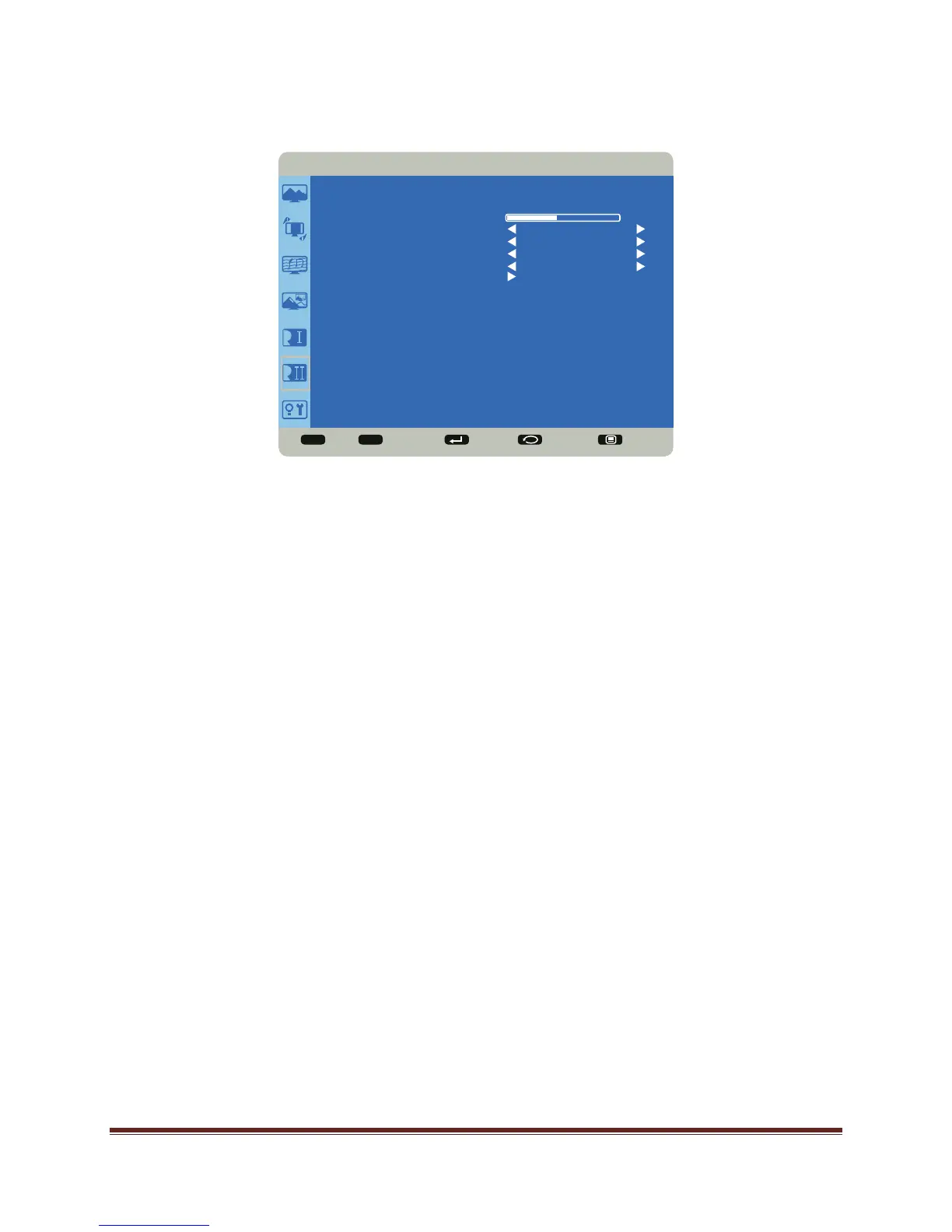
Page 48 OSD (On-Screen Display) Menu System
Configuration 2
OSD Turn Off: controls how many seconds the OSD menu remains on the screen Range:
5-120 (seconds). (Default: 45)
Information OSD: controls how many seconds the Information OSD remains on the screen.
Options include: Off and a range of 1-10 (seconds) in increments of 1. (Default: 10)
Sleep Timer: adjusts the time when the Mondopad™ automatically shuts off. Options
include: Off (default) and range of 1-24 (hours) in increments of 1.
OSD H Position: adjusts the horizontal position of the OSD menu. Range: 0-100. (Default:
50)
OSD V Position: adjusts the vertical position of the OSD menu. Range: 0-100. (Default: 50)
Monitor Information: This read-only submenu displays the model name, serial number,
firmware version and amount of time the product has been powered on (hours/minutes).
Sel Adjust Enter Back Quit
< >
<
<
CONFIGURATION 2
OSD TURN OFF
INFORMATION OSD
SLEEP TIMER
OSD H POSITION
OSD V POSITION
MONITOR INFORMATION
10
OFF
50
50
45


 To Next Page