Page 6
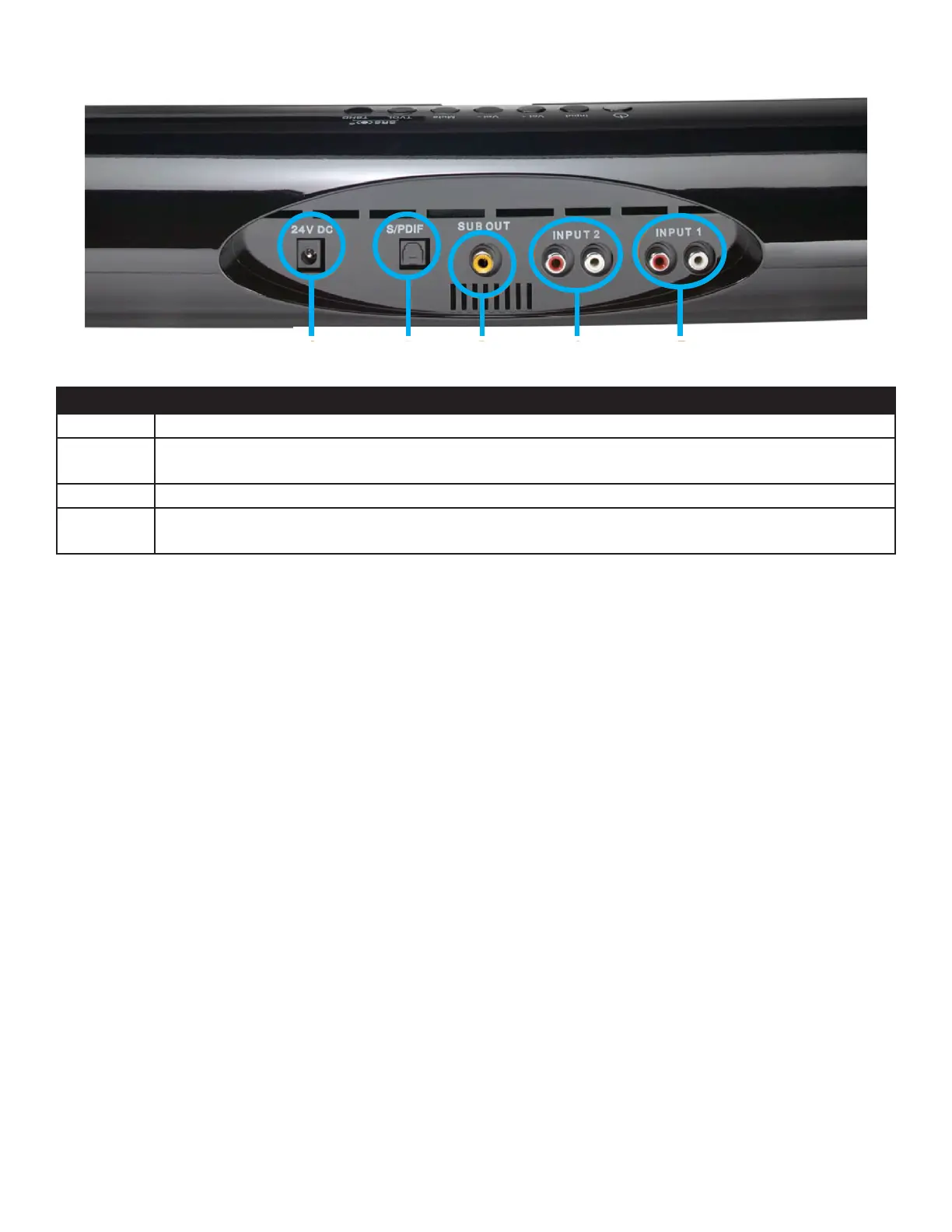
Connecting the Sound Bar to the INF7020
INPUT 2
INPUT 1
S/PDIF
SUB OUT
24V DC
Connector Descripon
24V DC Used for connecng the power adapter.
S/PDIF An SPDIF Opcal connector used with an alternate source device such as a home theater system, amplier, re-
ceiver, set top box or DVD Player.
SUB OUT Used with an amplied subwoofer input.
INPUT 1/2 Analog audio connectors (L/R) used with the INF7020, INF7020 or an alternate source device such as a TV, home
theater system, amplier, receiver, set top box or DVD Player.
1) Connect the analog (RCA L/R) audio cable on the back of the monitor to INPUT 2 on the back of the sound bar.
2) Oponal for use with a sub-woofer: Connect one end of the sub-woofer audio cable to SUB OUT on the back of the sound bar,
and the other end to the analog sub-woofer output of a stereo/home theater system.
1) Oponal for use with a dierent source device: Connect an opcal (SPDIF) cable from the opcal output on the source device to
S/PDIF. Note: Set the source device output mode to PCM. Refer to the source device user documentaon for more informaon.
2) Connect the power adapter cable from the monitor to the 24V DC jack on the back of the sound bar.
3) Turn the Power buon ON using the sound bar control panel or remote.
4) Press the INPUT buon on the sound bar or the remote to toggle between the sources (INPUT 2 is the default).



 To Next Page