Introduction 3
Introduction
Projector features
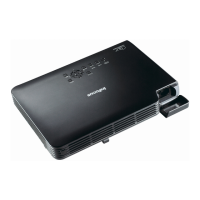
The projector integrates high-performance optical engine projection and a user-
friendly design to deliver high reliability and ease of use.
The projector offers the following features.
• Wall color correction allowing projection on surfaces of several predefined
colors
• Quick auto search speeding up the signal detecting process
• Selectable password protected function
• Up to 11 sets of picture modes providing multiple choices for different projection
purposes
• 3D color management allowing color adjustments to your liking
• Detachable keypad on the projector to prevent stealing
• Splash Screen lock to prevent unauthorized use
• Selectable quick cooling function makes the projector cool in a shorter time
• Presentation timer for a better control of time during presentations
• One-key auto-adjustment to display the best picture quality
• Digital keystone correction to correct distorted images
• Adjustable color balance control for data/video display
• High brightness projection lamp
• Ability to display 16.7 million colors
• Multi-language On-Screen Display (OSD) menus
• Switchable normal and Economic modes to reduce the power consumption
• Built-in speaker provides mixed mono audio when an audio input is connected
• Powerful AV function to provide high quality video image
• Component HDTV compatibility (YP
bPr)
• HDCP compatibility
• The apparent brightness of the projected image will vary depending on the ambient
lighting conditions, selected input source contrast/brightness settings, and is directly
proportional to projection distance.
• The lamp brightness will decline over time and may vary within the lamp manufacturers
specifications. This is normal and expected behavior.



 To Next Page
 Loading...