LP340/340B/350 Service Manual 35
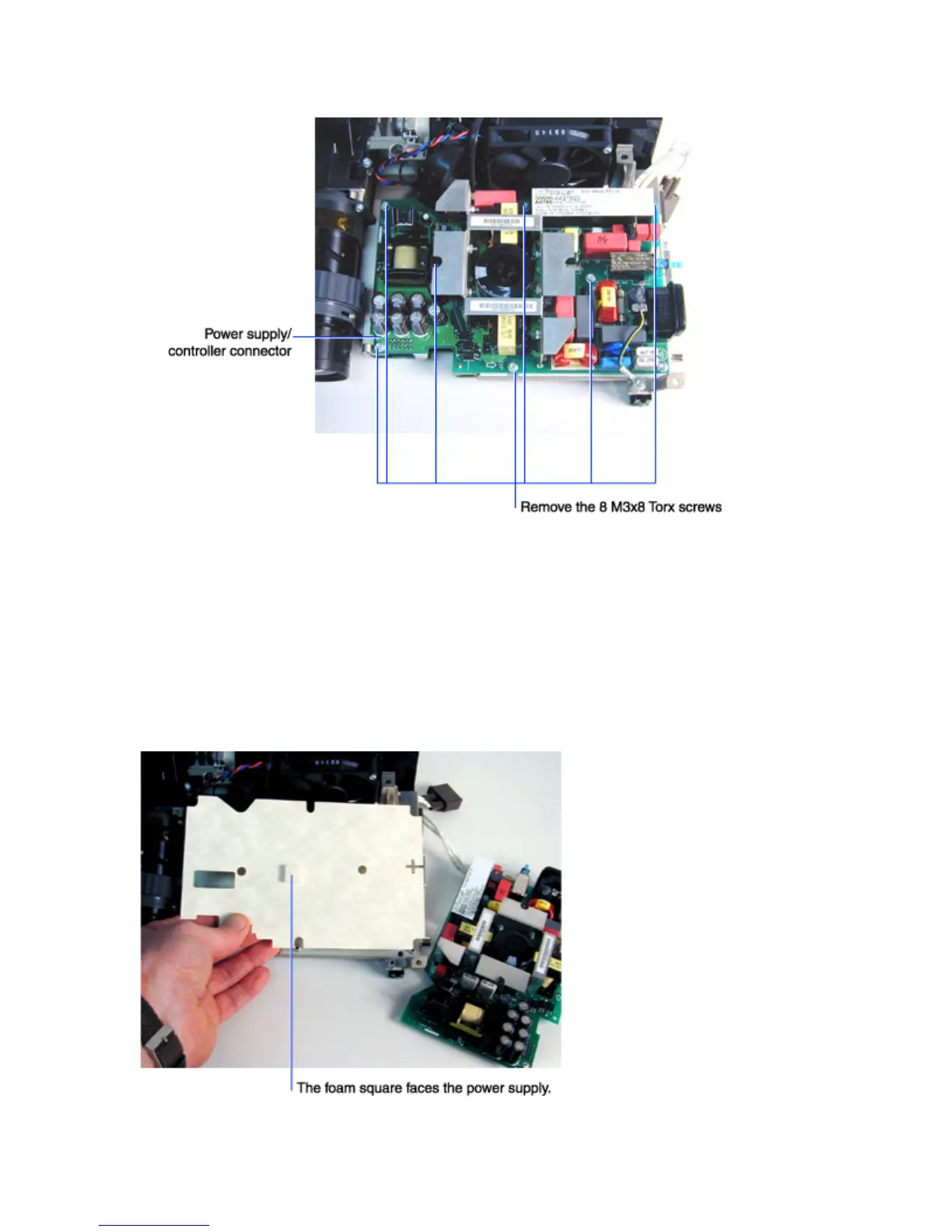
6 Remove the eight M3x8 Torx screws that fasten the power supply to the chassis.
7 Disengage the power supply/controller connector, then lift the power supply off of the chassis.
To do this, gently lift the corner of low voltage power supply nearest to the front of the projection
lens. See illustration above.
Assembly Notes
♦ Before installing the power supply, make sure the paper insulator (120-0147-xx) is in good condition.
If it appear damaged or is missing, replace it. The insulator is keyed to tabs on the chassis. Note that
foam square (circled below) faces the power supply.
♦ Torque the screws to 6 in.-lbs. (.678 N m)



 To Next Page