Note: Workbenches use ports 11600 - 12300 to open a TCP connection to the Enterprise Server.
Ensure that these ports are accessible from the Workbench Web Server and not blocked by, for example,
network firewalls.
Workbench deployment
To activate the workbench as a web application, an administrator must deploy it from an additional file.
The additional file must be present on the Enterprise Server, for example through distribution using
the standard PMC tools. The administrator starts the deployment using the Workbench Applications
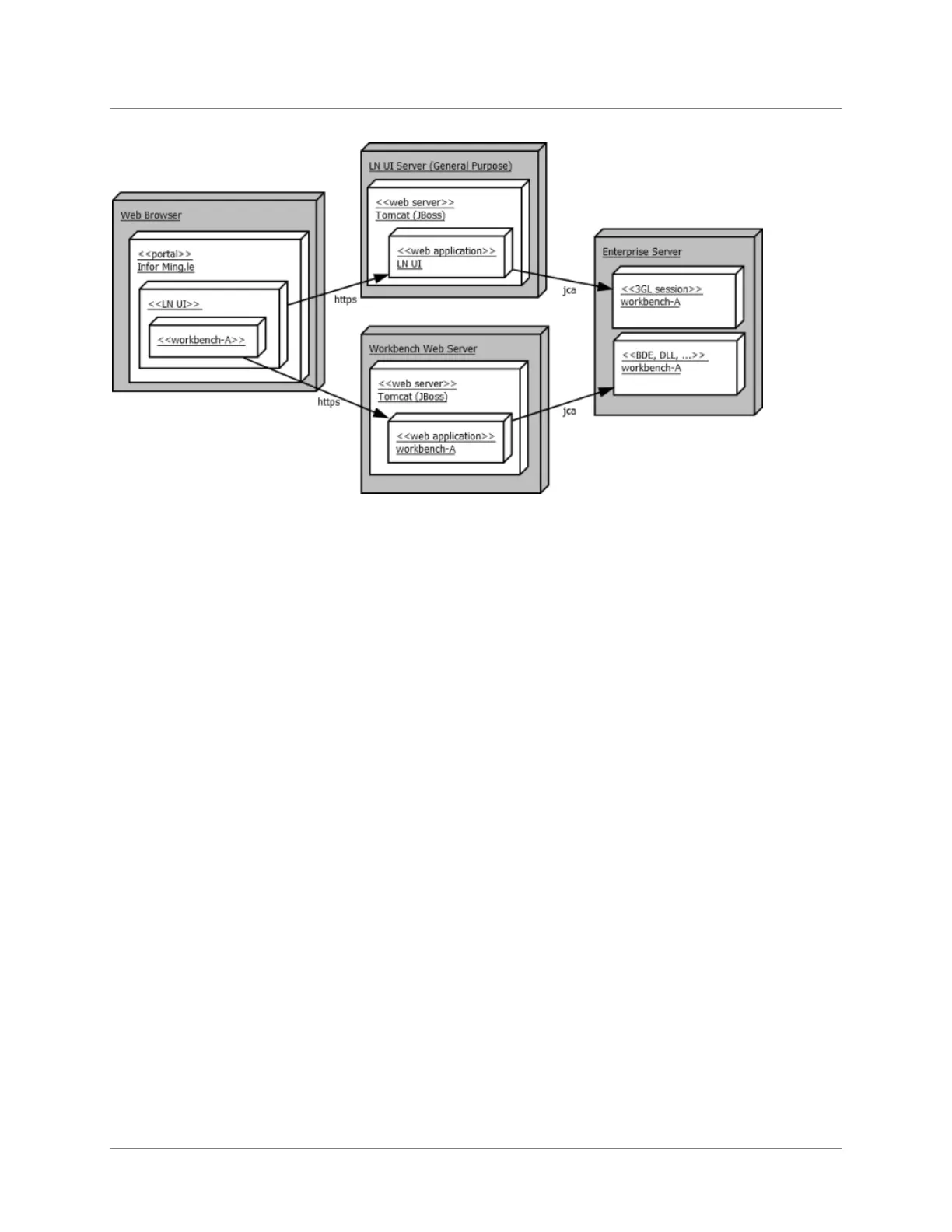
session; this step requires that LN UI is operational on the workbench web server.
This diagram shows the operational LN UI on the workbench web server:
Infor LN HTML5 Workbench Administration Guide | 7
Introduction



 To Next Page