6
PURCHASE & REFUNDS
PURCHASE
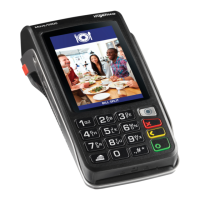
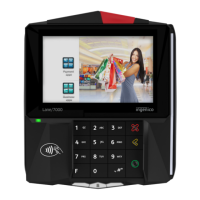
• At the READY screen swipe the card from the top to the bottom
of the terminal
• Enter the last four digits on the card face
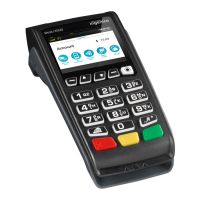
• Press Enter (Green ‘O’ key) when complete
• Select the transaction type:
PURCHASE followed by Enter (Green ‘O’) key
• Enter the PURCHASE amount /Rand value; and
press Enter (Green ‘O’) key
If the PURCHASE amount is over R300, the terminal will give you
the option to select between straight and budget.
STRAIGHT
• Select Straight Option followed by Enter (Green ‘O’) key
• Confirm the amount Entered by Pressing Enter (Green ‘O’) key
• If the amount Entered is incorrect, Press Cancel (Red Key)
• The terminal will connect to the bank for authorisation and print two
receipts, one for the merchant and another for the cardholder
BUDGET
• Select Budget Option followed by Enter (Green ‘O’) key
• Select the Budget period required and Enter
• Confirm the purchase amount
• Press Enter (Green ‘O’) key
B. CREDIT CARD TRANSACTIONS /
SWIPE


 To Next Page
 Loading...