ITC-2000 User Manual
Inkbird Tech. Co., Ltd. www.ink-bird.com
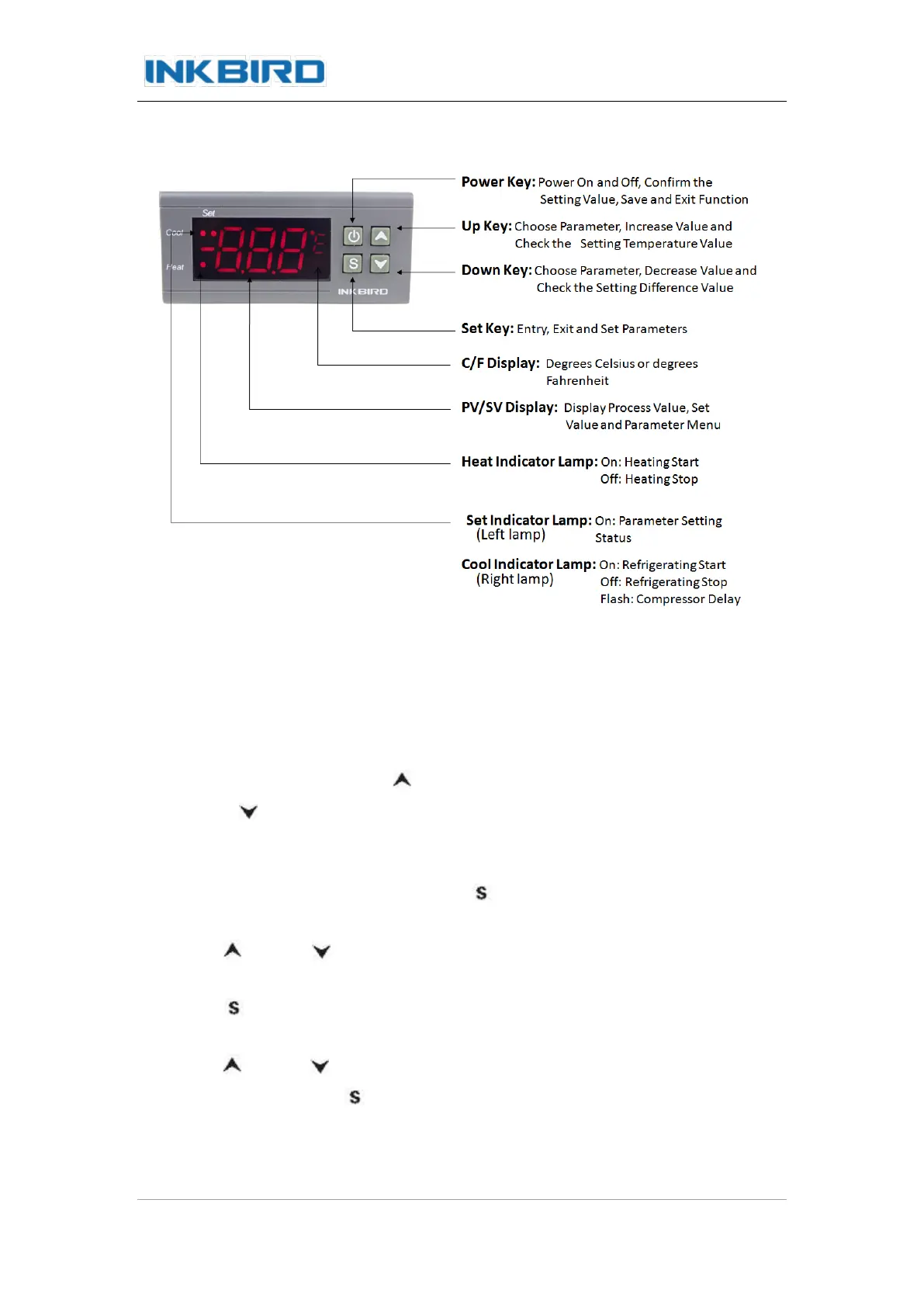
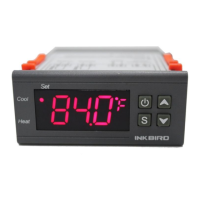
4. Keys Instruction
5. Key Operation Instruction
5.1 Check Parameter:
In normal working status, press “ ” key once, it will display the setting temperature
value; press “ ” key once, it will display the difference value.
5.2 Parameter Setting:
In normal working status, keep pressing “ ” for more than 3s to enter set mode, set
indicator lamp is on, screen displays the first menu code “TS”.
Press “ ” key or “ ” key to move up or down the menu item and display the menu
code.
Press “ ” key to enter the parameter setting of current menu, the parameter value
starts to flash.
Press “ ” key or “ ” key to adjust the parameter value of current menu.
After the set, press “ ” key to exit the parameter setting of current menu,
the parameter value stops to flash. User can set the other functions as above steps.
Conseguilo en: https://gmelectronica.com.ar (011) 4953-0417


 To Next Page