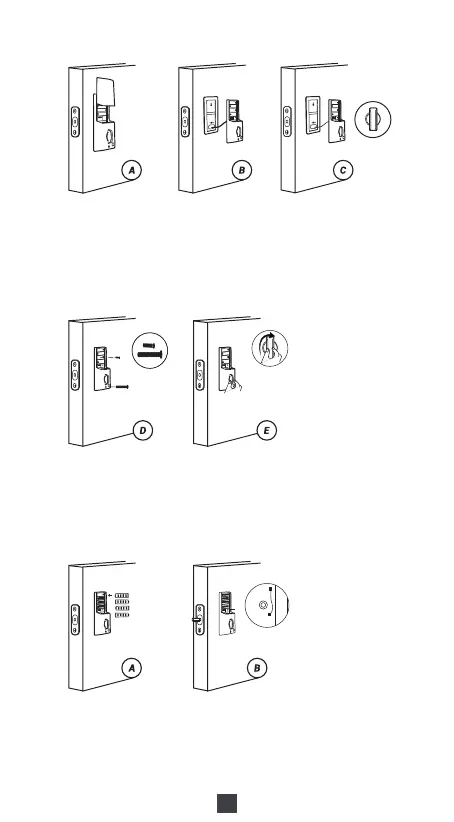
D.Use a short screw to tighten the inner battery groove on the back
panel, then use a long screw to attach the back panel to the door
M: Long & Short Screw Set.
E.After installing the back panel, rotate the thumb turn to test if it works
with the latch.
If that doesn't work, take out the back panel and turn the torque blade
around 90 degrees and try to install it again until it works with the latch.
6) Insert Battery and Install Back Battery Cover
A.While the door is open and unlocked, insert 4 (AA) 1.5V Alkaline
batteries into the back panel.
B.Press and hold the reset button on the back panel.
C.Keep holding the reset button until you hear “Factory reset successfully”.
The lock will automatically go into the locked position. This is to let the
smart lock memorize the orientation of the door.
Notes:
A.Alkaline batteries are recommended to stabilize the power supply. If
you don't use alkaline, battery performance will be reduced greatly.
B.All settings will be saved even if all batteries are completely discharged.
Having a Type-C USB port can power the lock and activate the keyboard.
06



 To Next Page