Installation Manual
Note: Install and test the lock with the door open to avoid being locked out.
Tools Needed
Screwdriver; Tape Measure; Pencil; Other Chiseling Tools; Size Reference
Card.
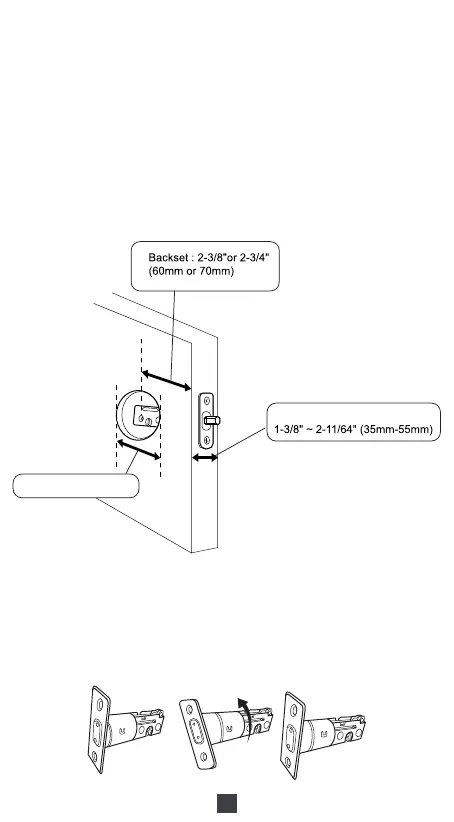
1. Check Door Dimensions
1) Backset Determination
Backset is a distance from door edge to center of hole on door face.
Backset can be 2-3/8"or 2-3/4"(60mm or 70mm).
2) Hole Diameter
Using the marks as guide to drill holesΦ3/8"(10mm)
----Fasten Smart door lock( Optional)Hole : Φ2-1/8"(54mm)
3) Door Thickness
The door thickness between 1-3/8" and 2-11/64" (35mm-55mm) are all
suitable for the keypad deadbolt handle set.
2. Installation Steps
1) Adjust Latch Length
03
Door Thickness
Hole : Φ2-1/8"(54mm)



 To Next Page