15.3 How to install APKs
Download the desired APK from a trusted source and connect your INMO Air2 device to
your computer via USB.
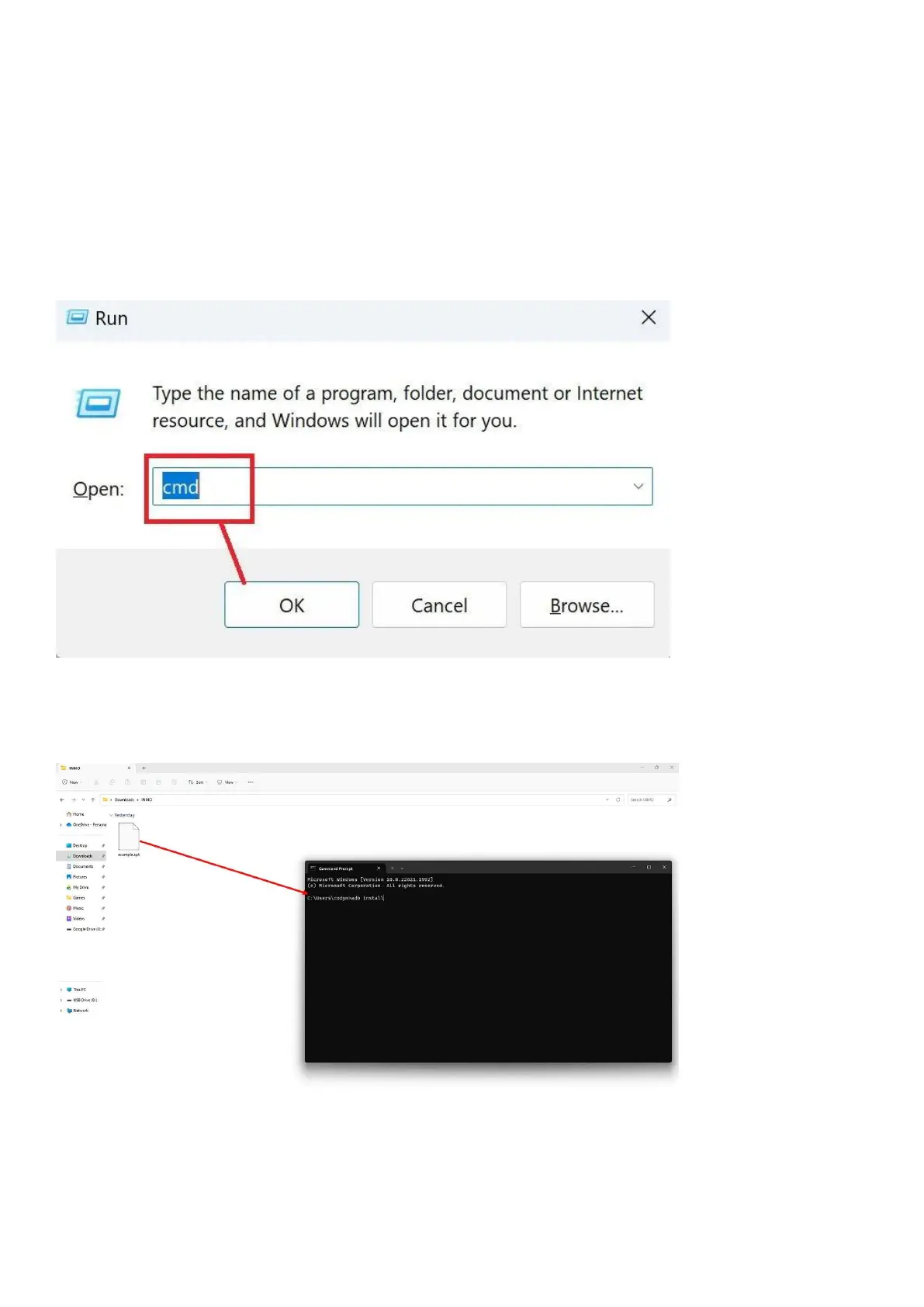
Use [Windows key] + [r] shortcut to open the [Run] dialogue box, enter [CMD] and press
enter to open the command prompt window.
Type adb install and drag the APK file you wish to install into the command line window.
After dragging the APK into the window, the file path of the APK will be automatically.


 To Next Page