TWO: Mode of Interaction
1. Glasses Legs Touch
1.1 Left touch area
1. Double-click: Show / hide the control center
2. Single finger up and down: adjust the screen brightness
3. Slip back and forth: adjust the volume
1.2 Left touch area
1. Click: OK
2. Double click: Return
3. Up/down/front/back slide: Move the selected items
4. Double fingers sliding back and forth: fast move selected items
2. Voice Assistant
- Step1: "Settings" - "sound and gesture", open "Wake-up Free Commands"
- Step2: In daily use, say the 16 command words on the screen, and the glasses will
automatically recognize your speech and respond
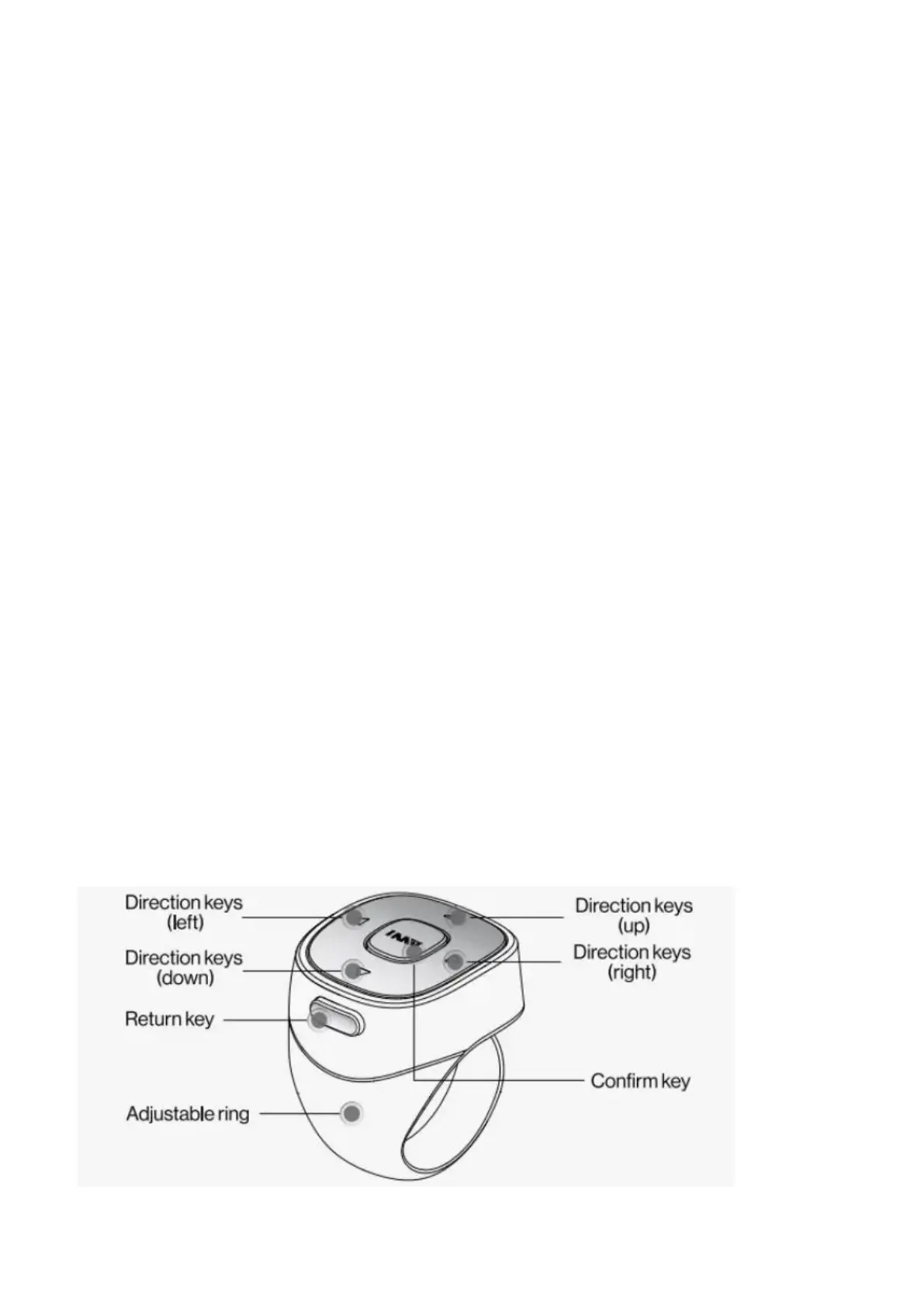
3. Control Ring


 To Next Page