①
②
7
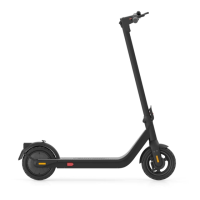
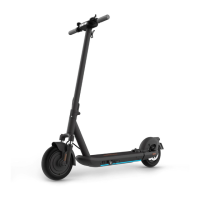
4 Scooter assembly
1. Straighten the mast of the scooter and fix it.
(Be gentle while moving the handlebar components).
3. Get the folding ring from the box, align the hole
of the folding ring with the corresponding position
of the mast and tighten the 2 screws.
Folding ring
4. After installation, check the power on/off and
other functions to ensure everything is normal.
Check the screws again and tighten them
before riding the scooter.
① ②
④ ⑤
③
①
②
Longer-end upward
① Bluetooth display: The Bluetooth icon is on, while the vehicle is connected to the mobile device.
② Power display: Display the remaining battery power through 5 horizontal bars.
③ Speedometer: display the current speed of the scooter.
④ Turning arrow: When the vehicle turns to the right, the right arrow lights up. When it turns to leave,
the left arrow lights up.
⑤ Start button: long press the button for more than 3s to turn on/off the vehicle. On power-on state,
click once to turn on / off the headlights. Double-click to switch the driving mode.
⑥ Pushing-assist mode: Easier to push the scooter by walking.
⑦ Headlight display: to indicates that the headlight is on/off.
⑧ Sport mode: "S" is sport mode (powerful, suitable for experienced riders).
⑨ Standard mode: "D" is a standard mode for common commuting, ( For riders who are familiar to ride
this scooter).
⑩ Energy-saving mode: "ECO" is an energy-saving mode (suitable for beginners).
⑪ Error display: The error icon lights up when the scooter encounters a fault, please stop using it.
After the fault removed, the icon will disappear.
2. Install the head assembly on the mast,
and tighten 5 screws (2 screws on each side,
1 screw in the middle of the three holes on
the back of the mast) with the hexagon
wrench provided.



 To Next Page