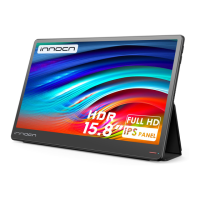
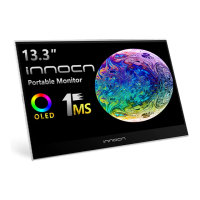
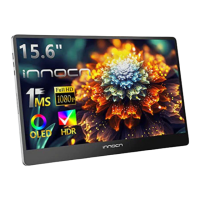
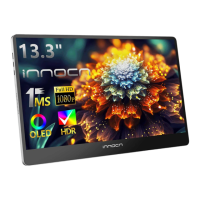
The Innocn PU15-PRE is a portable monitor designed to extend your visual workspace, offering a versatile display solution for various applications. Its primary function is to provide an additional screen for laptops, smartphones, and other compatible devices, enhancing productivity and entertainment on the go.
Function Description
The PU15-PRE serves as a secondary display, capable of receiving video signals via HDMI and USB Type-C connections. This allows users to mirror or extend their primary device's screen, facilitating multitasking, presentations, and immersive media consumption. The monitor features an On-Screen Display (OSD) menu, accessible via a short press of the power button or a two-finger swipe down on the left corner of the monitor, which provides comprehensive control over its settings.
The OSD menu is organized into several categories:
- Home: This section allows for quick adjustments of brightness, contrast, and volume. It also provides access to various display profiles, including Custom Mode, Reading Mode, Movie Mode, Game Mode, sRGB Mode, Adobe Mode, and Eye Protection Mode, each optimized for different viewing scenarios.
- Color Temperature: Users can fine-tune the color balance by adjusting the Red, Green, and Blue channels when "USER" mode is selected. Preset options like 6500K and 9300K are also available.
- Color: This menu enables manual adjustment of chrominance, color saturation, and sharpness, allowing for personalized visual preferences.
- TYPE-C / HDMI: These options are used to select the active signal source, ensuring the monitor displays content from the correct input.
- OSD: This section allows users to customize the OSD menu itself, including its display duration and transparency.
- Gravity Sensor: This feature enables automatic screen rotation, allowing the device to switch between vertical and horizontal display modes based on its orientation. It also includes options for "PC connection flipped" and "Mobile phone connection flipped" for specific setup needs.
- Battery Display: When selected, this option indicates that the monitor is supplying power to external devices, highlighting its capability as a power source.
- Reset: This function restores all display settings to their factory defaults.
- EXIT: This option closes the OSD menu.
The monitor's touch functionality is a key feature, particularly when connected via USB Type-C. For HDMI input sources, a separate USB-A to USB Type-C cable (not included) is required to enable touch interaction.
Usage Features
The PU15-PRE is designed for ease of use and portability.
- Connectivity: It offers flexible connectivity with two USB Type-C ports and one Mini HDMI port, accommodating a wide range of devices. The inclusion of a Type-C data cable, Mini HDMI cable, and USB Type-C power cable ensures that users have the necessary accessories for immediate setup.
- Controls: The monitor features a power button, an "Up" key, and a "Down" key. The power button controls the monitor's on/off state and opens the OSD menu with a short press. The "Up" and "Down" keys are used to adjust volume (long press) and display the volume level (short press), as well as navigate and select options within the OSD menu. An LED indicator provides visual feedback on the monitor's status: blue for on, orange for standby, and dark for off.
- Portability: The device comes with a protective sleeve, making it easy and safe to transport. Its compact design and lightweight nature contribute to its excellent portability, allowing users to set up an extended workspace almost anywhere.
- Automatic Orientation: The gravity sensor intelligently adjusts the display orientation, providing a seamless viewing experience whether the monitor is used vertically or horizontally.
- Power Management: The monitor can supply power to external devices, adding to its utility as a portable hub. It is powered by a charger and a USB Type-C power cable, ensuring reliable operation.
Maintenance Features
To ensure the longevity and optimal performance of the Innocn PU15-PRE, several maintenance guidelines are provided:
- Cleaning: The device includes a lens cloth for cleaning the screen, helping to keep the display clear and free of smudges.
- Environmental Care: Users are advised to avoid exposing the device to direct sunlight, sustained heat, or moisture to prevent damage. It should be placed in a well-ventilated area, and nothing should be placed on top of it that could obstruct heat dissipation.
- Power Safety: It is crucial to use the genuine INNOCN power adapter and avoid overloading power strips or extension cords to prevent fire or electric shock. The grounding prong on the power plug should never be removed. If the device will not be used for an extended period, the power plug should be disconnected from the AC outlet.
- Physical Handling: The LCD screen should not be subjected to excessive pressure, as this can cause permanent damage. Plastic bags should be kept away from children to avoid suffocation.
- Troubleshooting: The manual provides a comprehensive troubleshooting guide for common issues such as no display, missing pixels, or control panel malfunction. For instance, if there is no display, users are advised to check cable connections, input source selection, and ensure the computer/phone's USB Type-C port supports video output. If the screen appears yellow, users should check if "Eyes Care mode" is enabled. If control panel keys do not work, pressing only one key at a time and ensuring a valid video signal is recommended.
- Professional Repair: Users are explicitly warned against attempting to repair the product themselves, as opening the back cover exposes high voltages and other hazards. In case of visual smoke or sparks, the power cord should be unplugged immediately, and customer service should be contacted.
- Accessory Replacement: If any accessories are damaged, it is recommended to exchange them with original INNOCN accessories to ensure compatibility and safety.
By adhering to these guidelines, users can maintain the Innocn PU15-PRE in excellent condition, ensuring a reliable and enjoyable portable display experience.

 Need help?
 General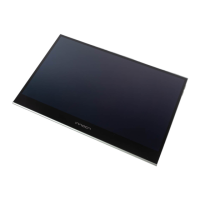

 To Next Page