8
1. Rotate the FUNCTION knob to the “CD” posion to enter CD mode, then load a CD.
2. While the CD is stopped, press the PLAY MODE buon.
3. “PROG” indicator blinks, and “01” appears on the display.
4. Press (
or ) to select a track number.
5. Press the PLAY MODE buon again to set the current track.
6. “02” is displayed. Repeat steps 4 thru 5 to program the addional tracks.
7. When the selecon of track numbers has been finished, press the PLAY/PAUSE buon (
) to start
program playback.
8. To stop the playback, press the STOP (
).
To check the programmed order
In stop mode, press (
or ) repeatedly to show the track numbers that have been programmed.
To add a track to the end of the programmed order:
In stop mode, press the PLAY MODE buon.
Select a track number by pressing (
or ), then press the PLAY MODE buon.
The current track will be added to the end of the program.
To clear the programmed order:
Press STOP (
) when the CD is already stopped, or press OPEN/CLOSE, POWER, or rotate the FUNCTION
knob to FM, AM or PHONO posion.
LISTENING TO THE RADIO
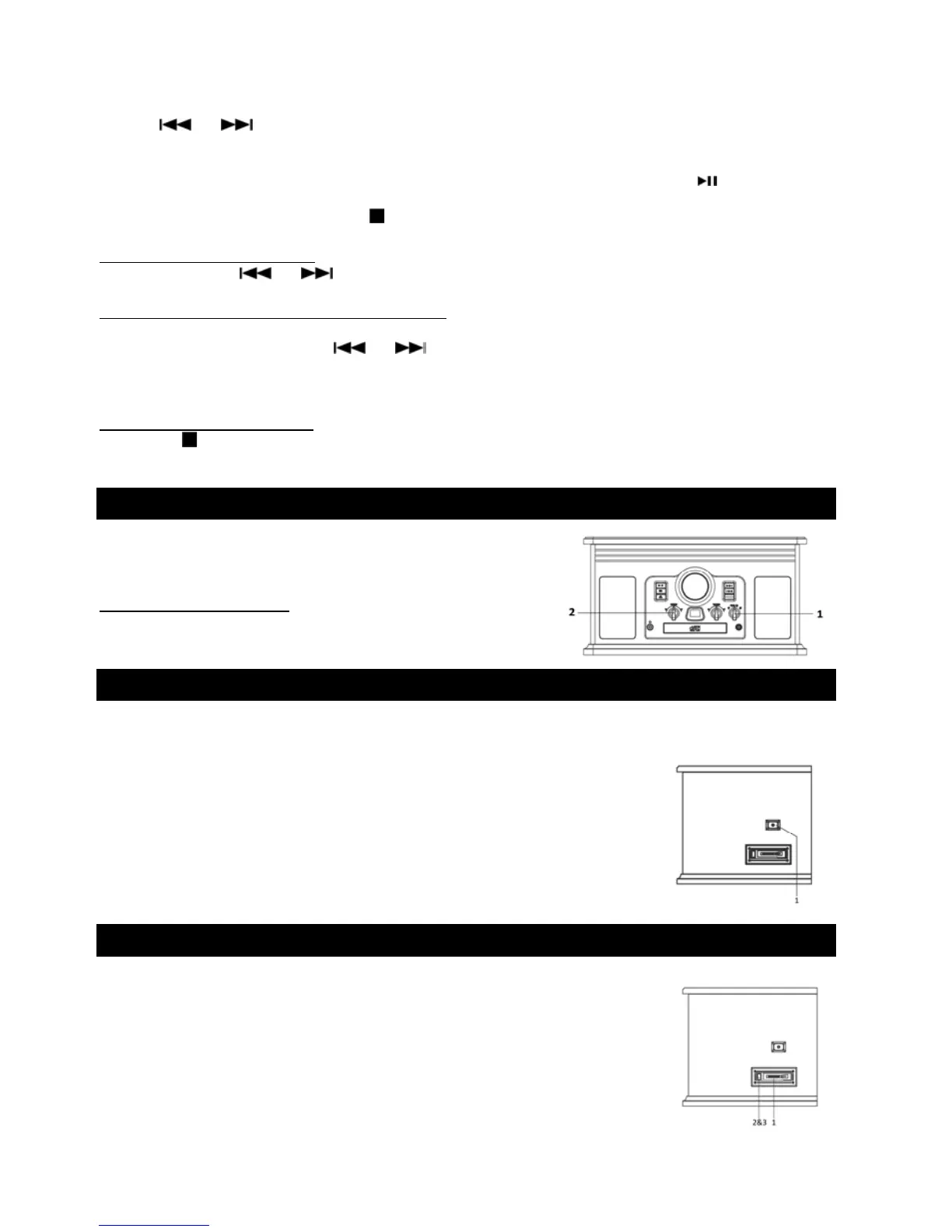
1. Rotate the FUNCTION knob to either “FM” or “AM” posion.
2. Tune to the desired staon using the Radio Tuner Knob.
Adjusng for Best Recepon
AM broadcast: Rotate the unit to find the best posion.
FM broadcast: Extend and reposion the FM antenna.
LISTENING TO AN EXTERNAL AUDIO DEVICE (AUX MODE)
In AUX (auxiliary) mode, this unit can play audio from an external audio source (iPod, MP3 Player, Portable CD
Player, etc.)
1. Plug one end of the AUX IN cable (included) into the AUX IN jack (at the side of
the unit).
2. Plug the other end of the cable into
the headphone jack of the external audio
source.
3. Other working funcon will be deacvated.
4. Turn on the external audio source and set it to play.
5. Adjust the sound on the
external audio source if possible.
6. Then adjust the sound on the unit accordingly.
LISTENING TO A CASSETTE TAPE
There is no separate switch for cassee. When a cassee tape is inserted, it will stop the current playing
funcon except the AUX funcon.
1. Load an audio cassee tape into the unit (located on the
le side of the unit). Playback will automacally begin.
2. Press the buon halfway to
Fast Forward the tape.
Press the buon lightly and playback will resume.
3. Press the buon completely down to end playback and eject Tape.



 To Next Page