6
SETUP / BASIC OPERATION
Setup
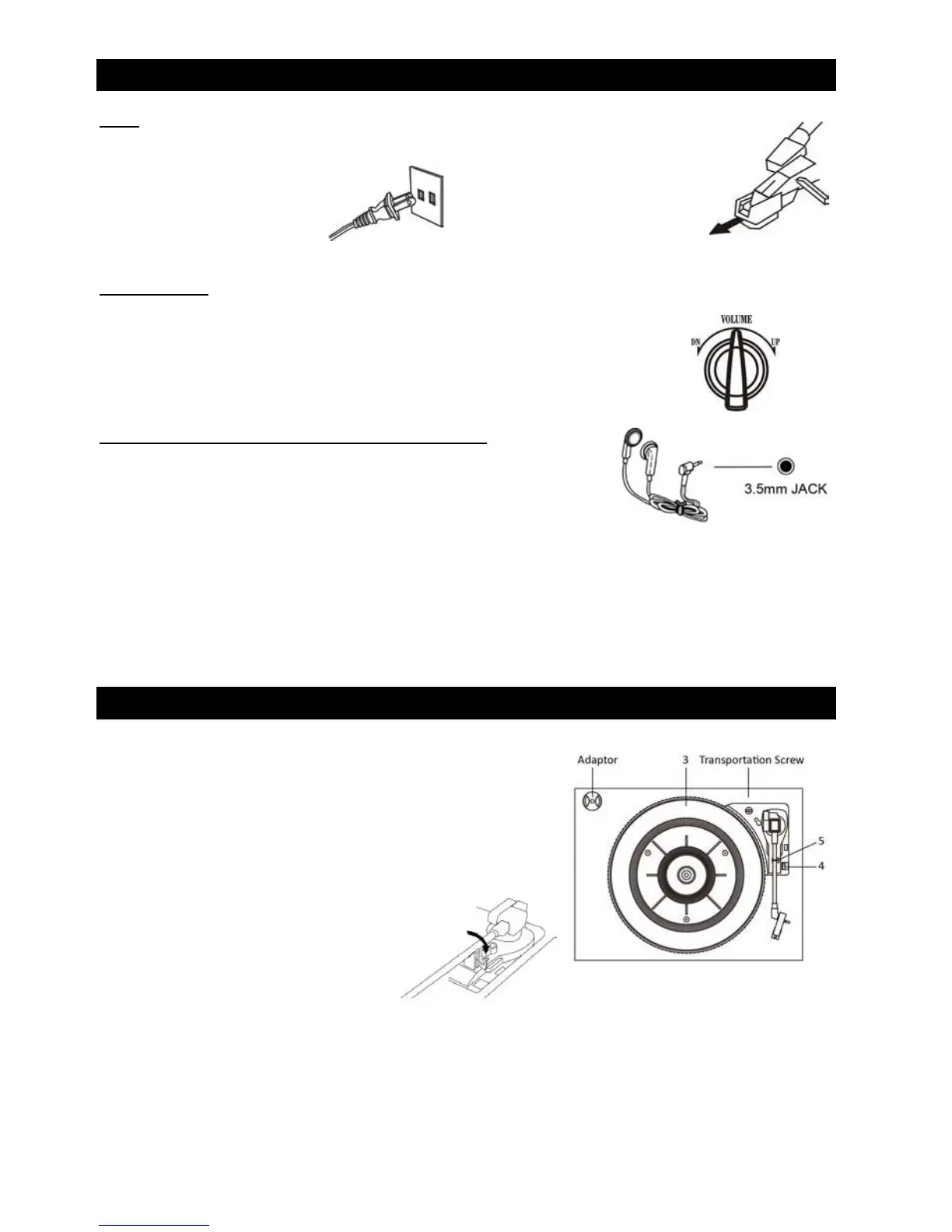
1. Remove white protecve needle cover by gently pulling towards front of unit.
2. Remove any packaging materials from the unit.
3. Connect the AC power cord
to a wall outlet.
Note: To prevent interference, avoid bundling audio signal cables together with the AC power cord.
Basic Operaon
1. Push the POWER buon to turn the unit on.
2. Select the source by rotang the FUNCTION knob to the corresponding posion
(CD / PHONO / FM / AM).
3. Rotate the VOLUME knob to adjust to the
desired sound level.
Listening through Earphones/Headphones (not included)
For private listening, first reduce the volume level to minimum.
Insert your headphones’ plug into the 3.5mm headphone jack on the front
of the unit, then adjust the volume up by turning the VOLUME knob.
Note: The speakers will automacally be deacvated while
headphones are plugged in.
CONDENSATION WARNING:
When the unit is moved from a cold or warm place, or is used following a sudden temperature change, there is the danger
that water vapor in the air may condense on the unit, prevenng proper operaon. In such
cases, leave the unit for 1-2 hours
aer plugging it into an AC outlet to allow it to stabilize at the temperature of its surroundings.
LISTENING TO A VINYL RECORD
1. Rotate the FUNCTION knob to the “PHONO” posion.
2. Gently open the top cover.
Note: Be careful not to pinch your finger when
opening/closing the top cover.
3. Place a vinyl record on the turntable (3).
When playing a 45 RPM record,
use the included adaptor.
4.
Select the appropriate speed (4).
5. Gently push tone arm clip (5)
to the right to release the tone arm.
6. Li the tone arm off the tone arm support and move the tone
arm gently to the edge of the record (or
the starng point of a track).
The
turntable will begin to turn.
7. Gently lower the tone arm slowly onto the record.
8. When playback is finished, the tone arm will stop at the center of the record and the turntable will stop.
9. Aer use, li the tone arm back to the tone arm support and relock the tone arm.



 To Next Page