6 PROGRAMMING THE SMART HOPPER
The SMART Hopper must be programmed with a dataset to recognise different currencies
and denominations of coins. The Hopper will leave the factory pre-programmed with the
required dataset, however it may be necessary to re-program the hopper as new coins are
introduced or updates are made to the dataset. To program the SMART hopper a PC must
be used running the ITL SMART PIPS software version 1.4.5 or later.
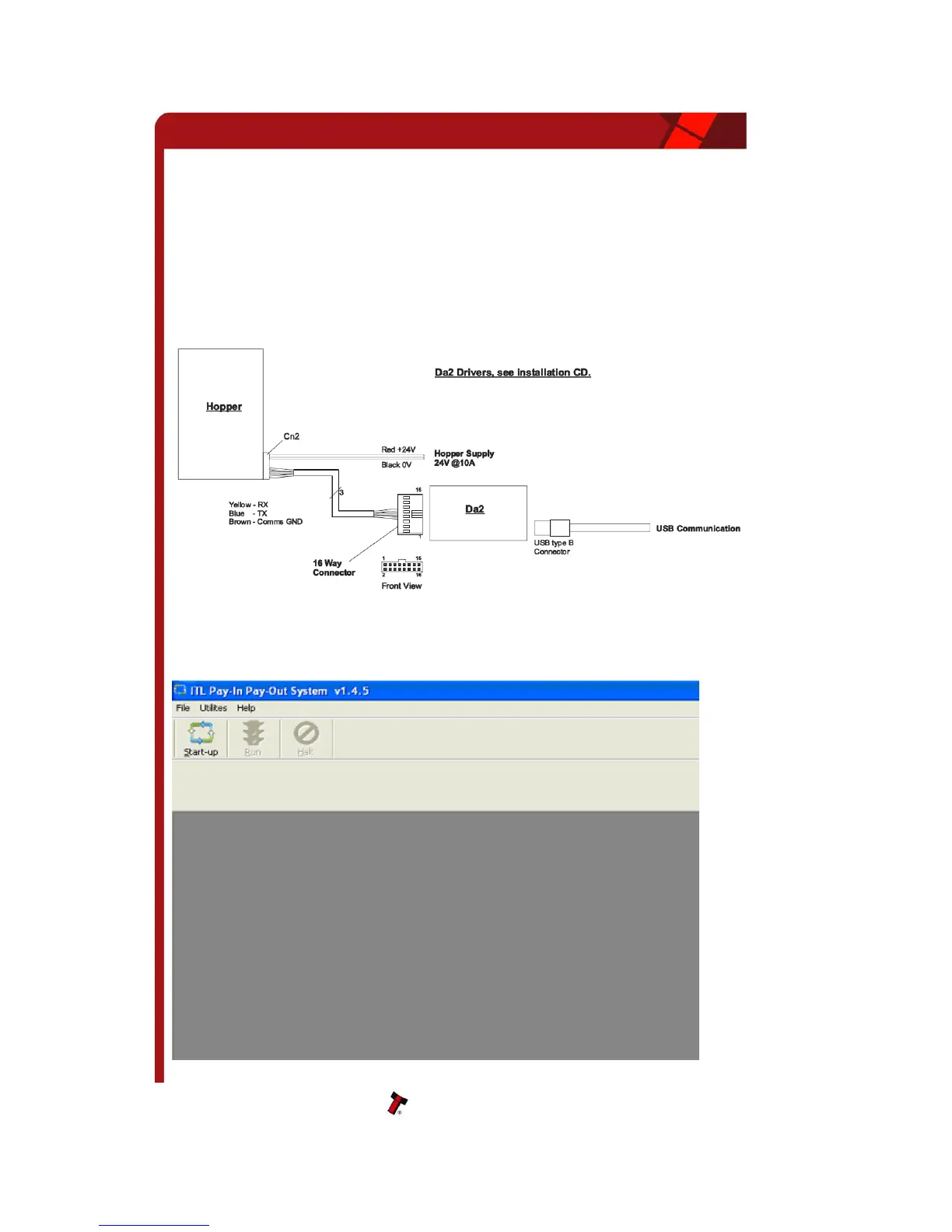
Connect the hopper to the PC via a DA2 with cable assemblies CN385 and CN389 as
shown in Figure 3 - Connecting the SMART hopper to a PC
Figure 3 - Connecting the SMART hopper to a PC
Using SMART PIPS software, select Utilities – Run PIPS System. Or press the Start-up
Button.


 To Next Page