EasyManua.ls Logo

Inovance GL10-0032ETN - User Manual

Inovance GL10-0032ETN
2 pages
Print Icon
To Next Page IconTo Next Page
Loading...
1. Overview
Thank you for purchasing the GL10-0032ETN digital output expansion module developed and manufactured
independently by Inovance.
This product provides NPN outputs, and is used together with the AM600CPU, GL10-RTU-ECT, GL10-RTU-COP,
GL10-RTU-DP and H3U modules to expand the digital output ports.
This guide describes the speci󶍾cations, characteristics and using methods of GL10-0032ETN digital output
expansion module. Read this guide carefully before using to ensure more safe usage. See the Medium-Sized PLC
Programming Manual to understand the use of the user program development environment and design method of
the user program of the product. You can download the latest materials from
w
w
w
.
i
n
o
v
a
n
c
e
.
c
o
m
.
2. Safety Information and Precautions
Safety information and precautions are identi󶍾ed into two grades: Warning and Caution. Please make sure to
operate properly with adequate safety assurance.
WARNING
Indicates the improper operation which, if not avoided, may cause death or serious injury;
CAUTION
Indicates the improper operation which, if not avoided, may cause moderate or minor injury,
as well as equipment damage.
In some cases, even failure to follow"Cautions" may also lead to serious consequences. Please make sure to follow
both warnings and cautions, otherwise, it may cause death or serious injury, as well as product and relevant
equipment and system damage.
Please keep this guide well so that it can be read when necessary and forward this guide to the end user.
During control system design
WARNING
Provide a safety circuit outside the PLC so that the control system can still work safely once external power
failure or PLC fault occurs.
Add a fuse or circuit breaker because the module may smoke or catch 󶍾re due to long-time overcurrent
caused by operation above rated current or load short-circuit.
1
During control system design
CAUTION
An emergency stop circuit, a protection circuit, a forward/reverse operation interlocked circuit, and a
upper position limit and lower position limit interlocked circuit must be set in the external circuits of PLC to
prevent damage to the machine.
To ensure safe operation, for the output signals that may cause critical accidents, please design external
protection circuit and safety mechanism;
Once PLC CPU detects abnormality in the system , all outputs may be closed; however, when a fault occurs
in the controller circuit, the output may not be under control. Therefore, it is necessary to design an
appropriate external control circuit to ensure normal operation;
If the PLC's output units such as relays or transistors are damaged, the output may fail to switch between ON
and OFF states according to the commands;
The PLC is designed to be used in indoor electrical environment (overvoltage category II). The power supply
must have a system-level lightning protection device, assuring that overvoltage due to lightning shock can't
be applied to the PLC's power supply input terminals, signal input terminals and output terminals and so
forth, so as to avoid damage to the equipment.
During installation
WARNING
Installation must be carried out by the specialists who have received the necessary electrical training and
understood enough electrical knowledge.
Disconnect all external power supplies of the system before module assembly/disassembly and wiring.
Failure to do so may result in electric shock, module fault or malfunction. Failure to do so may result in
electric shock, module fault or malfunction.
Do not use the PLC where there are dust, oil smoke, conductive dust, corrosive or combustible gases, or
exposed to high temperature, condensation, wind & rain, or subject to vibration and impact. Electric shock,
󶍾re and malfunction may also result in damage or deterioration to the product.
The PLC is open-type equipment that must be installed in a control cabinet with lock (cabinet housing
protection level >IP20). Only the personnel who have received the necessary electrical training and
understood enough electrical knowledge can open the cabinet.
CAUTION
Prevent metal 󶍾lings and wire ends from dropping into ventilation holes of the PLC during installation.
Failure to comply may result in 󶍾re, fault and malfunction.
Ensure there are no foreign matters on ventilation surface. Failure to comply may result in poor ventilation,
which may cause 󶍾re, fault and malfunction.
Ensure the module is connected to the respective connector securely and hook the module 󶍾rmly. Improper
installation may result in malfunction, fault or fall-o󶍽.
During wiring
WARNING
Wiring must be carried out by personnel who have received the necessary electrical training and understood
enough electrical knowledge.
Disconnect all external power supplies of the system before wiring. Failure to comply may result in electric
shock, module fault or malfunction.
Install the terminal cover attached to the product before power-on or operation after wiring is completed.
Failure to comply may result in electric shock.
Perform good insulation on terminals so that insulation distance between cables will not reduce after cables
are connected to terminals. Failure to comply may result in electric shock or damage to the equipment.
CAUTION
Prevent dropping metal 󶍾lings and wire ends drop into ventilation holes of the PLC at wiring. Failure to
comply may result in 󶍾re, fault and malfunction.
The external wiring speci󶍾cation and installation method must comply with local regulations. For details,
see the wiring section in this guide.
To ensure safety of equipment and operator, use cables with su󶎀cient diameter and connect the cables to
ground reliably.
Wire the module correctly after making clear of the connector type. Failure to comply may result in module
and external equipment fault.
Tighten bolts on the terminal block in the speci󶍾ed torque range. If the terminal is not tight, short-circuit,
󶍾re or malfunction may be caused. If the terminal is too tight, fall-o󶍽, short-circuit, 󶍾re or malfunction may
be caused.
If the connector is used to connect with external equipment, perform correct crimping or welding with the
tool speci󶍾ed by manufacturer. If connection is in poor contact, short-circuit, 󶍾re or malfunction may be
caused.
A label on the top of the module is to prevent foreign matters entering the module. Do not remove the label
during wiring. Remember to remove it before system operation, facilitating ventilation.
Do not bundle control wires, communication wires and power cables together. They must be run with
distance of more than 100 mm. Otherwise, noise may result in malfunction.
In application scenarios with serious interference, shielded cables should be used as the input or output
cables of high-frequency signals to ensure the resistance to interference.
During maintenance & inspection
WARNING
Maintenance & inspection must be carried out by personnel who have the necessary electrical training and
experience.
Do not touch the terminals while the power is on. Failure to comply may result in electric shock or
malfunction.
Disconnect all external power supplies of the system before cleaning the module or re-tightening screws on
the terminal block or screws of the connector. Failure to comply may result in electric shock.
Disconnect all external power supplies of the system before removing the module or connecting/removing
the communication wirings. Failure to comply may result in electric shock or malfunction.
CAUTION
Get acquainted with the guide and ensure safety before online modi󶍾cation, forcible output, and RUN/STOP
operation.
Disconnect the power supply before installing/removing the extension card.
At disposal
CAUTION
Treat scrapped module as industrial waste. Dispose the battery according to local laws and regulations.
3. Product Information
Model and Nameplate
(-&5/
.BSL %FTDSJQUJPO
-
-PDBMNPEVMF
.BSL 4FSJFT

TFSJFT
.BSL %FTDSJQUJPO
(
.BSL *01PJOU
PVUQVUQPJOUT
.BSL 0VUQVU5ZQF
5SBOTJTUPSTJOL5/
(FOFSBM.PEVMF
.BSL *01PJOU

JOQVUQPJOU
.BSL .PEVMF5ZQF
-PHJD*0FYQBOTJPO&
.PEFM
*OQVU
0VUQVU
4FSJBM/P
/BNFQMBUF
.0%&-盘(-&5/
108&3*/165盘/0/&
065165盘/0/&
9999999999999999
7FSTJPO/P
7&399999
9999999999999999
Figure 1 Description of model and nameplate
Model Classi󶍾cation Description Applicable to
GL10-0032ETN Digital output module
32-point DO module;
transistor output (Drain)
AM600 series, H3U
External Port
36 35
2 1
CN1
90.00
1
2
3
4
Figure 2 Diagram of digital output module interface
2 3
User Guide
GL10
-0032ETN
Digital Output Module
*19011105A01*
19011105A01
Question and Answer IconNeed help?

Do you have a question about the Inovance GL10-0032ETN and is the answer not in the manual?

Summary

1. Overview

2. Safety Information and Precautions

During Control System Design

Safety measures for PLC control system design, preventing accidents and ensuring operational integrity.

3. Product Information

Model and Nameplate

Details on product model, nameplate information, and its components for identification.

Classification

Categorization of the digital output module and its applicability to specific PLC series.

4. Mechanical Design Reference

Mounting Dimensions

Specifications for the physical dimensions and mounting requirements of the module.

5. Electrical Design Reference

Cable Preparing Procedures

Step-by-step guide for preparing cables and connecting them to the module terminals.

6. Wiring Precautions

INOVANCE Warranty Agreement

Terms and conditions of the Inovance warranty for the digital output module.

Overview

This document provides a comprehensive guide for the GL10-0032ETN Digital Output Module, an expansion module designed and manufactured by Inovance. It offers detailed information on the module's functions, usage, and safety precautions, ensuring proper and safe operation.

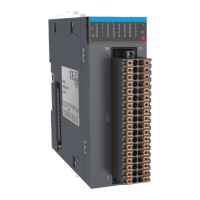
The GL10-0032ETN module is specifically designed to provide NPN outputs and is intended for use with AM600CPU, GL10-RTU-ECT, GL10-RTU-COP, GL10-RTU-DP, and H3U modules to expand digital output ports. This allows for increased flexibility and scalability in control systems by extending the number of available digital output channels. The module supports 32-channel digital output and utilizes a 40-pin high-density terminal for user connections, facilitating extensive control capabilities.

Function Description

The GL10-0032ETN module serves as a digital output expansion unit, enabling control systems to manage a greater number of output devices. It features signal indicators that correspond to various output signals, with "ON" indicating an active output and "OFF" indicating an inactive output. This visual feedback is crucial for monitoring the status of the outputs at a glance.

The module incorporates a local expansion module back-end interface for connecting to other back-end modules, though it does not support hot plugging. Similarly, a local expansion module front-end interface allows connection to front-end modules, also without hot plugging. User input terminals are organized into four groups, each with eight channels, providing a structured approach to input management.

The internal circuitry of the module is designed with opto-coupler isolation, which provides electrical separation between the control side and the output side. This isolation enhances safety and protects the control system from potential electrical disturbances originating from the output devices. The output action display is activated when the opto-coupler driving is applied, further confirming the operational status. The module also features a short-circuit-proof output, adding a layer of protection against overcurrent conditions.

Power for the output groups is supplied via dedicated terminals: +24V_0 and COMO supply 24V power for the first output group, while +24V_1 and COM1 supply 24V power for the second output group. This segregated power supply ensures stable operation for each output group.

Usage Features

The GL10-0032ETN module is designed for indoor electrical environments (overvoltage category II) and requires a system-level lightning protection device for its power supply to prevent damage from lightning shocks. It is an open-type equipment that must be installed in a control cabinet with a lock, ensuring a protection level greater than IP20. Access to the cabinet should be restricted to personnel with the necessary electrical training and knowledge.

For wiring, it is crucial to disconnect all external power supplies of the system before module assembly, disassembly, or wiring to prevent electric shock, module fault, or malfunction. Metal filings and wire ends must be prevented from dropping into the ventilation holes of the PLC during installation and wiring to avoid fire, fault, or malfunction. The module should be securely connected to its respective connector and firmly hooked to prevent malfunction, fault, or fall-off.

Cable preparation involves stripping the wire outer coating by 6 mm, passing the cable through a tube of proper wire size, inserting the exposed end into the cable lug, and crimping it with a recommended crimping tool. The cable lug is then placed onto the terminal, and the screw is tightened with a screwdriver, with a maximum tightening torque of 0.45 N.m. This meticulous process ensures reliable and secure connections.

It is important not to bundle terminal connection cables with power cables (high voltage, large current) that produce strong interference signals. These cables should be separated from other cables and parallel cabling should be avoided to minimize noise. In scenarios with serious interference, shielded cables should be used for high-frequency signals to enhance resistance to interference.

Maintenance Features

Maintenance and inspection of the GL10-0032ETN module must be performed by personnel with the necessary electrical training and experience. It is critical not to touch the terminals while the power is on to prevent electric shock or malfunction. Before cleaning the module, re-tightening screws on the terminal block, or removing/connecting communication wirings, all external power supplies of the system must be disconnected.

For safety during online modification, forcible output, and RUN/STOP operation, users should familiarize themselves with the guide and ensure safety protocols are followed. The power supply must be disconnected before installing or removing any extension cards.

In the event of disposal, the scrapped module should be treated as industrial waste, and the battery should be disposed of according to local laws and regulations.

The module is designed to be robust, but external protection circuits are essential. An emergency stop circuit, a protection circuit, a forward/reverse operation interlocked circuit, and upper/lower position limit interlocked circuits must be set in the external circuits of the PLC to prevent machine damage. For output signals that could cause critical accidents, external protection circuits and safety mechanisms should be designed. If the PLC CPU detects an abnormality, all outputs may be closed. However, if a fault occurs in the controller circuit, the output may not be under control, necessitating an appropriate external control circuit for normal operation. If the PLC's output units (relays or transistors) are damaged, the output may fail to switch between ON and OFF states as commanded.

A safety circuit outside the PLC should be provided to ensure the control system can still operate safely even if an external power failure or PLC fault occurs. Additionally, a fuse or circuit breaker should be added to prevent the module from smoking or catching fire due to long-time overcurrent caused by operation above rated current or load short-circuit.

The module comes with an 18-month free warranty from the date of manufacturing for failures or damages under normal use conditions. However, maintenance will be charged for damages resulting from improper use, unauthorized repair/modification, natural disasters, abnormal voltage, hardware damage from dropping or transportation, operations not following user instructions, or damage from external device factors. The maintenance fee is determined by Inovance's latest Maintenance Price List. For service issues, users should contact Inovance's agent or Inovance directly. Inovance reserves the right to final explanation of the warranty agreement.

Inovance GL10-0032ETN Specifications

General IconGeneral
Product TypeControl Unit
SeriesGL10
ModelGL10-0032ETN
Points32
Input Voltage24V DC
Digital Inputs16
Digital Outputs16
Program Memory64KB
Storage Temperature-20°C to 70°C
Communication PortsEthernet
Humidity5% to 95%

Related product manuals