11
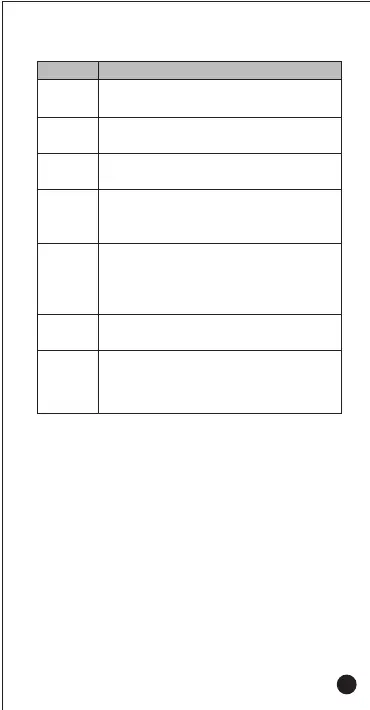
Simple Troubleshooting
Problems
Terminal
Crash
●
Too many APPS on processing.Force some programs to quit or
restart the terminal.
Buttons
Not Working
White
Screen Error
●
The buttons may not work temporarily, restart the terminal.
●
The buttons are broken, contact the dealer or our company.
●
Display screen may not work temporarily, restart the device.
●
The display screen is damaged, contact the dealer or our company.
Unable to
Detect
SIM Card
●
The SIM card may be incorrectly installed. Remove and re-insert
the SIM card.
●
The SIM card may be not working due to dirt or damage. Clean
the electrical contact or replace it.
Echo or Noise
During
Connecting
●
The signal may be weak, make sure the terminal is within
network coverage.
●
The speaker may be covered, clean the speaker surface.
Unable to
Locate
● The signal is weak and the radio can’t receive the signal. Move
to open and flat area and try again.
Unable to
Connect
the Network
● SIM card cannot work properly or cannot be used. Make sure
the SIM card have balance and not overdue.
● Terminal network is not enabled, swift on the SIM card network
and contact the network operator to activate the cellular network.
Solutions



 To Next Page