EasyManua.ls Logo

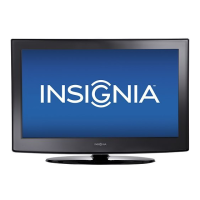
Insignia NS-37L760A12 - User Manual

Insignia NS-37L760A12
58 pages
Print Icon
To Next Page IconTo Next Page
Loading...
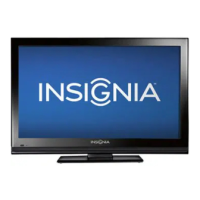
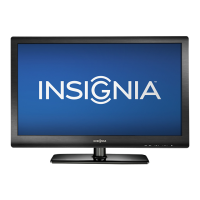
37" LCD, 60Hz 1080p
NS-37L760A12
User Guide

Table of Contents

Other manuals for Insignia NS-37L760A12

Questions and Answers

  • B
    Barbara LyonsAug 19, 2025
    How to fix 'No signal' error on Insignia LCD TV?
    • B
      Brandy MartinezAug 19, 2025
      If your Insignia LCD TV displays a 'No signal' error message, first, press the INPUT button to ensure you've selected the correct input source for your device or service. If you're using a cable or satellite box, use its remote to change channels. Confirm that the correct input is selected to view channels from the cable or satellite box.
  • J
    Joe RichardsonAug 21, 2025
    Why is there no sound on my Insignia LCD TV?
    • M
      Madeline WilsonAug 21, 2025
      If your Insignia LCD TV has good picture but no sound, try the following: * Increase the volume. * Make sure the sound isn't muted. * Disconnect any headphones. * Ensure the correct audio mode is selected. * Check that the audio cables are securely connected to your TV. * If using an antenna, ensure the digital channel signal is adequate. * The audio cables may be faulty; try a new set.
  • L
    leonardmichaelAug 25, 2025
    Why is my Insignia LCD TV showing no picture or sound?
    • L
      Laura HaleAug 25, 2025
      If your Insignia LCD TV has no picture and no sound, try the following: * Press on the TV or the remote control. * Ensure the power cord is plugged in. * Make sure the video cables are connected securely to your TV. * Make sure that Audio Only option is set to Off. * Select the correct video input source. * Adjust the contrast and brightness. * Try another channel to rule out station issues. * Make sure that the incoming signal is compatible. * Check that the antenna or cable TV is connected correctly and securely. * Check the closed caption settings, as some TEXT modes can block the screen.
  • R
    Ruben WilsonAug 26, 2025
    Why won't my Insignia NS-37L760A12 LCD TV turn on?
    • C
      Carolyn MillerAug 26, 2025
      If your Insignia LCD TV has no power, ensure the power cord is correctly connected to both the TV and the power outlet. Try unplugging the power cord, waiting 60 seconds, and then plugging it back in before turning on the TV. Also, other devices (for example, surround sound receiver, external speakers, fans, or hair dryers) may be interfering with your TV. Try turning off one device at a time to determine which device is causing interference. Once you have determined which device is causing interference, move it further from the TV to eliminate the interference.
  • C
    Chad DavisAug 28, 2025
    What to do if Insignia LCD TV has sound but no picture?
    • R
      Richard RodriguezAug 28, 2025
      If your Insignia LCD TV displays a dark, poor, or no picture (but the screen is lit) while the sound is good, try changing the channel to rule out station problems. Ensure that your antenna or cable TV is connected correctly and securely. Adjust the brightness and make sure the correct picture mode is selected. If you're using an antenna, the digital channel signal may be low; adjust the antenna or use a highly directional outdoor antenna or set-top antenna with a built-in amplifier. Also, make sure that the video cables are connected securely to your TV. The video cables may be faulty, so try a new set.
  • S
    sloanarielAug 30, 2025
    How to stop audio noise on Insignia LCD TV?
    • L
      Linda TaylorAug 30, 2025
      If you are experiencing audio noise with your Insignia LCD TV, it may be due to interference from other devices such as surround sound receivers, external speakers, fans, or hair dryers. Try turning off one device at a time to determine which device is causing the interference. Once you have determined which device is causing interference, move it further from the TV to eliminate the interference.
  • J
    Jerry PerezSep 1, 2025
    How to adjust screen size on Insignia LCD TV?
    • K
      Kevin WalkerSep 1, 2025
      If the picture on your Insignia LCD TV does not fill the screen and there are black bars around it, change the aspect ratio. Digital TV and movies are increasingly presented in widescreen (16:9).
  • M
    Margaret SawyerSep 3, 2025
    Why is the color wrong on my Insignia NS-37L760A12?
    • J
      Joshua HansonSep 3, 2025
      If your Insignia LCD TV displays no color, a dark picture, or incorrect colors, first try changing the channel to rule out station issues. Adjust the color settings, and make sure the video cables are connected correctly and securely to your TV. Also, ensure that the antenna or cable TV is connected correctly and securely. If you're using an antenna, the digital channel signal may be low; adjust the antenna or use a highly directional outdoor antenna or set-top antenna with a built-in amplifier.
  • T
    Todd ThompsonSep 5, 2025
    How to improve color on Insignia NS-37L760A12?
    • S
      Stephanie HallSep 6, 2025
      If your Insignia LCD TV has a good sound but poor color, adjust the contrast, color, and brightness settings.
  • D
    Derek PhillipsSep 8, 2025
    Why does my Insignia NS-37L760A12 only show static?
    • K
      kelly70Sep 8, 2025
      If your Insignia LCD TV displays only snow (noise) on the screen, try changing the channel to rule out station problems. Ensure that the antenna or cable TV is connected correctly and securely. If you are using an antenna, the digital channel signal may be low; adjust the antenna or use a highly directional outdoor antenna or a set-top antenna with a built-in amplifier.

Summary

Child Safety

Tune into Safety

Safety tips for using your flat panel display to prevent injury from tip-overs or improper placement.

Important Safety Instructions

Warnings and Cautions

Covers essential warnings regarding electric shock, lightning, power lines, and handling the LCD panel.

Cautions

Remote Control Overview

Making Connections

What Connection Should I Use?

Guidance on selecting the best connection type for video quality when connecting devices.

Connecting a Cable or Satellite Box

Using the Remote Control

Turning on TV for the First Time

Understanding TV Basics

Turning TV On or Off

How to power the TV on, put it in standby, and disconnect power.

Adjusting the Picture

Adjusting TV Picture

Guide to adjusting picture settings like mode, brightness, contrast, color, tint, and sharpness.

Adjusting Sound Settings

Changing Channel Settings

Setting Parental Controls

Using Closed Captioning

Adjusting Time Settings

Using INlink

Using a USB Flash Drive

Troubleshooting

Video and Audio Issues

Solutions for common problems related to video and audio output.

Troubleshooting Picture Issues

Troubleshooting Other Issues

Insignia NS-37L760A12 Specifications

General IconGeneral
BrandInsignia
ModelNS-37L760A12
CategoryLCD TV
LanguageEnglish

Related product manuals