EasyManua.ls Logo

Insignia NS-32L120A13 - User Manual

Insignia NS-32L120A13
67 pages
Print Icon
To Next Page IconTo Next Page
Loading...
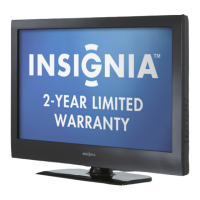
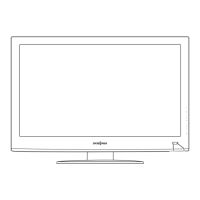
NS-32L120A13
NS-32L240A13
NS-46L240A13
User Guide
32"/46" LCD TV

Table of Contents

Other manuals for Insignia NS-32L120A13

Questions and Answers

  • Z
    zcollierSep 18, 2025
    How to prevent after images on Insignia LCD TV?
    • O
      Oscar MitchellSep 18, 2025
      If after images appear on your Insignia LCD TV, do not display a still image, such as a logo, game, or computer image, for an extended period of time. This can cause a permanent after-image to be burned into the screen. This type of damage is not covered by your warranty.
  • P
    paulalittleAug 25, 2025
    How to fix Insignia NS-32L120A13 LCD TV remote control not working?
    • J
      Julie BuckleyAug 25, 2025
      If your Insignia LCD TV remote isn't working, try these steps: * Ensure the TV's power cord is properly connected to both the TV and a working power outlet. * Make sure there are no obstructions between the remote and the TV's sensor. * Point the remote directly at the sensor on the TV. * Remove any plastic wrapping from the batteries. * Verify the batteries are correctly installed. * Replace old batteries with new ones.
  • D
    David HarrisAug 25, 2025
    What to do if my Insignia LCD TV says 'No Signal'?
    • R
      Ryan HunterAug 26, 2025
      If your Insignia LCD TV displays a 'No Signal' error message, try the following: * Press the INPUT button to select the correct input for your device or service. * If using a cable or satellite box, use its remote to change channels. * Ensure the correct input is selected for viewing channels from your cable or satellite box.
  • G
    gdominguezAug 27, 2025
    What to do if my Insignia NS-32L120A13 LCD TV exhibits a distinct change in performance?
    • O
      Olivia MezaAug 27, 2025
      If your Insignia LCD TV exhibits a distinct change in performance, unplug it from the power outlet and refer servicing to qualified service personnel.
  • R
    Rebecca FerrellSep 22, 2025
    Why are some settings grayed out on my Insignia LCD TV?
    • J
      John GraySep 22, 2025
      If some settings cannot be accessed on your Insignia LCD TV, it means that the setting is not available in the current video input mode.
  • D
    Dr. Cynthia PetersonSep 23, 2025
    Why does my Insignia NS-32L120A13 cabinet creak?
    • E
      Edward GillSep 23, 2025
      When the Insignia LCD TV is in use, the temperature rises naturally and may cause the cabinet to expand or contract which can cause a creaking noise. This is not a malfunction.
  • S
    Sheri KellySep 10, 2025
    How to improve poor picture quality on Insignia NS-32L120A13 LCD TV?
    • B
      Brittany Wright DDSSep 10, 2025
      If your Insignia LCD TV has a poor picture, make sure that the room is not too bright because light reflecting off the screen can make the picture difficult to see. If an S-VHS camera or a camcorder is connected while another connected device is turned on, the picture may be poor, turn off one or more devices.
  • S
    Scott WalshSep 12, 2025
    Why are there no channels after auto channel search on Insignia LCD TV?
    • E
      Eric AdamsSep 12, 2025
      If after performing an Auto Channel Search on your Insignia LCD TV there are no channels, make sure the antenna or cable/satellite TV is connected securely to your TV. Try replacing the cable between the antenna/cable or cable/satellite box and your TV. Reception can vary by channel depending on the broadcast power level of a given station.
  • G
    Gloria RussoSep 3, 2025
    Why does my Insignia NS-32L120A13 only show snow?
    • R
      Rebecca HolmesSep 3, 2025
      If your Insignia LCD TV displays only snow (noise) on the screen, try these steps: * Try switching to another channel to rule out station issues. * Ensure the antenna or cable TV is securely connected. * If you're using an antenna, the digital channel signal may be low. Consult the manual on how to check the digital signal strength. * If the signal strength is low, adjust the antenna or consider using a directional outdoor antenna or a set-top antenna with a built-in amplifier.
  • A
    Amber AguirreSep 1, 2025
    Why is my Insignia NS-32L120A13 screen dark but the sound is good?
    • O
      ocallahanSep 1, 2025
      If your Insignia LCD TV has a dark, poor, or no picture but the sound is good, here are some troubleshooting steps: * Try switching to another channel to rule out station-specific issues. * Ensure that the antenna or cable TV is securely connected. * Adjust the brightness settings. * Select the correct picture mode. * If using an antenna, check the digital channel signal strength. If it's low, adjust the antenna or use a directional antenna with an amplifier. * Make sure the video cables are securely connected. * Try using a new set of video cables, as the current ones may be faulty.

Summary

Child Safety

Important Safety Instructions

Crucial guidelines for safe operation and product longevity.

Introduction

Installing the stand or wall-mount bracket

Instructions for attaching the stand or wall mount to your TV.

Making connections

What connection should I use?

Guidance on selecting the best video/audio connection type.

Connecting power

Steps to connect the TV to an electrical power source.

Connecting a cable or satellite box

Instructions for connecting external video sources.

Connecting a DVD or Blu-ray player

Steps to connect a DVD or Blu-ray player to the TV.

Connecting a computer

Steps to connect a computer to the TV for display.

Turning on your TV for the first time

Adjusting the picture

Adjusting the TV picture

How to modify visual settings for optimal TV display.

Adjusting the computer image

Steps to optimize the display when connected to a computer.

Adjusting the sound

Setting parental controls

Setting or changing the password

Procedure to set or modify the parental control access password.

Setting parental control levels

How to configure rating limits for TV and movie content.

Using closed captioning

Using INlink

Using a USB flash drive

Troubleshooting

Video and audio

Solutions for common picture and sound issues.

Programming universal remote controls

One-year limited warranty - Insignia Televisions

Insignia NS-32L120A13 Specifications

General IconGeneral
Screen Size32 inches
Display TypeLCD
Resolution1366 x 768
Refresh Rate60 Hz
HDMI Ports2
USB Ports1
Aspect Ratio16:9
InputsHDMI, USB, Composite

Related product manuals