EasyManua.ls Logo

Insignia NS-32L430A11 - User Manual

Insignia NS-32L430A11
60 pages
Print Icon
To Next Page IconTo Next Page
Loading...
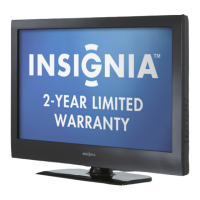
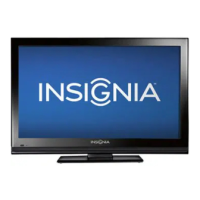
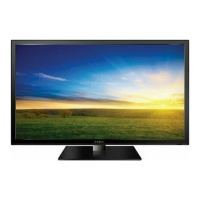
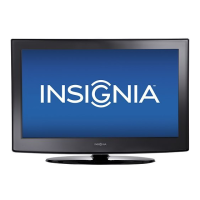
32" LCD TV, 720p
NS-32L430A11
User Guide

Table of Contents

Other manuals for Insignia NS-32L430A11

Questions and Answers

  • M
    Melissa WhiteJul 30, 2025
    How to fix no picture or sound on Insignia NS-32L430A11?
    • S
      Sara HansenJul 30, 2025
      If your Insignia LCD TV screen is black and there's no sound, ensure the power cord is properly plugged into the power outlet. Press the power button. Try changing channels in case the problem is with the TV station. Press the INPUT button to select a different video source. Adjust the brightness and color saturation. Make sure the antenna or cable TV is correctly connected. Adjust the antenna, and move the TV away from noise sources like cars or hair dryers. Consider using a highly directional outdoor antenna or switching to cable or satellite TV. Note that a few bright or dark dots on an LCD screen are normal and don't affect the TV's operation.
  • J
    John KingAug 4, 2025
    Why is there good picture but no sound on my Insignia NS-32L430A11?
    • R
      Renee WeeksAug 5, 2025
      If your Insignia LCD TV shows a good picture but has no sound, first increase the volume. If that doesn't work, press the MUTE button to ensure the sound isn't muted. Also, check that the audio mode is set to Stereo or Mono. Finally, move any radio frequency communication equipment, like a cordless phone, away from the TV.
  • M
    Mark GilesAug 9, 2025
    What to do if Insignia LCD TV remote control does not work?
    • T
      Terri KruegerAug 9, 2025
      If your Insignia LCD TV remote control isn't working, first ensure there are no obstructions between the remote and the sensor on the TV's front. Clean the remote sensor. Bright or fluorescent lighting may interfere with the signal, so try turning off the light or moving the TV. Replace the batteries, making sure the + and – symbols align correctly in the battery compartment. As an alternative, you can purchase a separate learning remote control.
  • A
    Alison WalkerAug 14, 2025
    What to do if buttons do not work on Insignia NS-32L430A11 LCD TV?
    • L
      lewisrebeccaAug 14, 2025
      If your Insignia LCD TV buttons are not working, unplug the power cord for a few seconds, then plug it back in and turn on the TV. Also, make sure that the Button Lock option is set to Off.
  • T
    Trevor MooreAug 19, 2025
    Why Insignia LCD TV cannot tune to channels?
    • K
      Kayla DavisAug 19, 2025
      If you cannot tune to one or more channels on your Insignia LCD TV, it might be because the program is blocked through the parental controls, or the channel may have been skipped from the channel list. You can tune to the channel by pressing the number buttons or add the channel back to the channel list. Also, if a setting or option is grayed out, it is not available in the current video input mode.
  • D
    deborah93Aug 25, 2025
    Why is my Insignia LCD TV cabinet creaking?
    • M
      Michelle HowardAug 25, 2025
      The creaking noise from your Insignia LCD TV cabinet is normal. When the TV is on, the temperature inside the cabinet increases, causing the cabinet to expand or contract, which produces the creaking noise. This is not a malfunction.

Summary

Child Safety

Tune into Safety

Tips for safe TV placement and handling to prevent tip-overs.

Important Safety Instructions

Warnings and Precautions

Specific warnings regarding electric shock, lightning, power lines, LCD panel handling, etc.

Introduction

Installing the Stand or Wall-Mount Bracket

Instructions for attaching the TV stand or a wall mount.

Using the Remote Control

Programming the Universal Remote

Steps to program the remote to control other devices.

Making Connections

Connecting Video Sources

Guides for connecting antennas, cable boxes, HDMI, component, and composite devices.

Turning on Your TV for the First Time

Initial Setup Wizard Guide

Walkthrough of the initial TV setup process using the wizard.

Understanding the Basics

Selecting the Video Input Source

How to choose the active video input on the TV.

Adjusting the Picture

Adjusting TV Picture Settings

How to modify picture parameters like brightness, contrast, and color.

Adjusting the Sound

Adjusting Sound Settings

Fine-tuning audio parameters like treble, bass, and balance.

Changing Channel Settings

Setting Parental Controls

Setting or Changing the Password

Procedures for setting up or modifying the parental control password.

Setting Parental Control Levels

Defining rating levels to block specific content.

Using Closed Captioning

Adjusting Menu Settings

Troubleshooting

Remote Control Issues

Solutions for problems with the remote control not working.

Video Problems

Troubleshooting steps for picture-related issues like no image or incorrect colors.

Two-Year Limited Warranty

US and Canada Markets Warranty

Warranty details, coverage, and service for US and Canadian customers.

Mexico Market Warranty

Warranty details, coverage, and service for Mexican customers.

Insignia NS-32L430A11 Specifications

General IconGeneral
Screen Size32 inches
Display TypeLCD
Resolution1366 x 768
Refresh Rate60Hz
HDMI Ports3
USB Ports1
Sound Output20W
Audio OutputDigital Optical
InputsHDMI, USB, Composite, RF

Related product manuals