EasyManua.ls Logo

Insignia NS- DPF0812W - User Manual

Insignia NS- DPF0812W
36 pages
Print Icon
To Next Page IconTo Next Page
Loading...
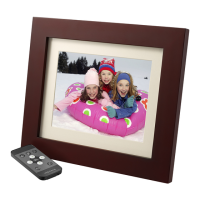
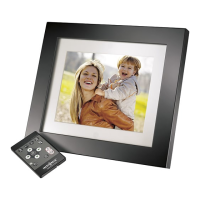
8" Digital Picture Frame
NS- DPF0812W
User Guide

Questions and Answers

Insignia NS- DPF0812W Specifications

General IconGeneral
Screen Size8 inches
Resolution800 x 600
Aspect Ratio4:3
Supported Media FormatsJPEG
Built-in Memory128MB
Power SourceAC Adapter
FeaturesClock, Calendar, Slideshow
Memory Card SlotSD, MMC, MS
ConnectivityUSB

Summary

Safety and Setup

Safety Information

Essential safety precautions to reduce risks of fire, shock, and injury during use.

General Safety Precautions

Key warnings for safe operation and handling of the device.

Placement and Environmental Guidelines

Rules for positioning and protecting the frame from hazards.

Initial Setup

Remote Control Preparation

Steps to prepare the remote control for use by removing the battery tab.

Frame Setup and Power

Instructions for positioning the frame and connecting the power adapter.

Operation and Data Management

Using Your Picture Frame

Overview of basic frame operations and features.

Playing Slideshows

Instructions for playing instant and manual slideshows from various sources.

Data Management

Procedures for copying and deleting pictures to/from the frame.

Copying Pictures

Steps to copy pictures to internal memory or a PC.

Deleting Pictures

Procedures for deleting pictures from the frame or via a PC.

Customization, Settings, and Support

Customizing Slideshows and Display

Adjusting slideshows, rotation, and zoom for pictures.

Viewing Options and System Settings

Navigating setup menu for various configurations like display and power.

Maintenance and Troubleshooting

Frame care, issue resolution, and technical details.

Maintenance Procedures

Instructions for cleaning the frame and replacing the remote battery.

Troubleshooting Common Problems

Solutions for operational issues like power or media recognition.

Product Specifications

Technical details of the picture frame, including screen size and memory.

Legal Notices and Warranty

Compliance, restrictions, and warranty terms.

Related product manuals