
 To Next Page
R
Ruth WilliamsAug 4, 2025
How to fix Insignia Remote Control when the LED does not turn on?
- LLauren DavisAug 4, 2025
If the LED on your Insignia Remote Control doesn't light up when you press a button, try replacing the batteries.

How to fix Insignia Remote Control when the LED does not turn on?
If the LED on your Insignia Remote Control doesn't light up when you press a button, try replacing the batteries.
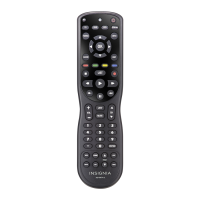
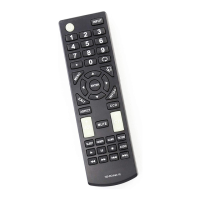
What to do if Insignia NS-RMT8D21 Remote Control LED turns on, but it doesn't control the device?
If the LED on your Insignia Remote Control lights up but the device isn't responding, ensure that the remote is correctly programmed for your device. Also, verify that your remote is set to the appropriate mode, such as TV, STB, STREAM, AUDIO, AUX, or BLURAY.
Instructions for installing AA batteries into the remote control.
Guide to programming the remote using brand-specific SimpleSet tables.
Instructions for programming the remote using device codes.
Process for teaching the remote functions from an original remote.
Procedure to remove learned functions from the remote.
How to set the remote to control volume for a specific device.
Procedure to restore individual volume control for each device.
Guide to programming colored buttons for quick channel access.
How to program buttons for launching apps on smart devices.
Details on setting up and using the Watch TV Activity mode.
Details on setting up and using the Listen to Music Activity mode.
Details on setting up and using the Watch Movie Activity mode.
Step-by-step guide to programming custom Activities.
How the INPUT button functions within an Activity.
How the power button functions within an Activity.
 General
| Brand | Insignia |
|---|---|
| Model | NS-RMT8D21 |
| Type | Remote Control |
| Power Source | Battery |
| Battery Type | AAA |
| Number of Batteries | 2 |
| Color | Black |
| Compatible with | Insignia TVs |
| Compatible Devices | Televisions |