EasyManua.ls Logo

Insignia NS-UZ53WH9 - User Manual

Insignia NS-UZ53WH9
20 pages
Print Icon
To Next Page IconTo Next Page
Loading...
Before using your new product, please read these instructions to prevent any damage.
USER GUIDE
5.3 Cu. Ft.
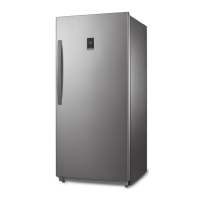
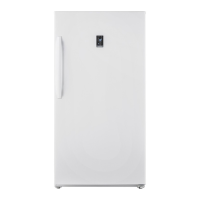
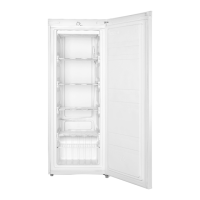
Upright Freezer – White
NS-UZ53WH9
NS-UZ53WH9_17-0865_MAN_V2_EN.fm Page 1 Wednesday, December 6, 2017 10:10 AM

Questions and Answers

  • M
    mistythorntonAug 16, 2025
    How to troubleshoot an Insignia NS-UZ53WH9 Freezer that won't turn on?
    • J
      jpinedaAug 16, 2025
      If your Insignia Freezer isn't working, first ensure it's securely plugged into a working outlet. Then, verify that your power source supplies the correct voltage, which is indicated on the label at the back of the freezer. Finally, inspect the house fuse or circuit breaker and replace the fuse or reset the breaker if necessary.
  • S
    Sandra AdamsAug 19, 2025
    How to get rid of bad smell in Insignia Freezer?
    • T
      thompsonmatthewAug 19, 2025
      To eliminate a bad odor in your Insignia Freezer, start by ensuring all strong-smelling foods, like onions, are securely wrapped or stored in airtight containers. Consider that some containers and wrapping materials (paper, foil, plastic) can cause odors, so try alternative options. Check for and remove any spoiled food. Finally, clean the inside of your freezer thoroughly.
  • V
    vhallAug 22, 2025
    Why does my Insignia Freezer compressor run so much?
    • B
      Bradley FranklinAug 22, 2025
      Several factors can cause your Insignia Freezer's compressor to run for extended periods or cycle on and off frequently. The room temperature may be too high. Also, adding a large amount of food at once or frequently opening the door can affect it. A dirty door gasket can also cause this issue, so clean it. If the freezer was recently disconnected, allow about four hours for it to cool before adding food. Lastly, check that the temperature isn't set too low; adjust the control knob to a higher temperature if needed.
  • M
    Mr. Jon ReyesAug 25, 2025
    What to do if my Insignia NS-UZ53WH9 Freezer door won't close?
    • P
      preedAug 26, 2025
      If your Insignia Freezer door won't close completely, first check for any food packages obstructing the door. Ensure the door gasket (seal) is clean. If the gasket isn't sealing properly, try heating it with an electric hair dryer and then letting it cool. Lastly, make sure your freezer is level.
  • T
    Thomas WestAug 28, 2025
    Why is the outside of my Insignia NS-UZ53WH9 Freezer hot?
    • D
      David BondAug 28, 2025
      The outside of your Insignia Freezer may feel hot due to heat dissipation from the condenser, which is normal, especially if the room temperature is high. This can also occur if you have too much food in your freezer, or if you open and close the door excessively.
  • E
    Edward NewtonAug 31, 2025
    Why is my Insignia Freezer door so hard to open?
    • S
      Sean RobinsonAug 31, 2025
      When you open the Insignia Freezer door, warm air enters, creating a vacuum when you close it, which can make it hard to reopen immediately. If the door is difficult to open at other times, try rubbing paraffin wax or petroleum jelly along the edges of the entire gasket.
  • S
    Stephanie ReevesSep 3, 2025
    Why is my Insignia NS-UZ53WH9 Freezer making unusual noises?
    • G
      Gabriel FoxSep 3, 2025
      Unusual noises or vibrations from your Insignia Freezer can be normal. Metal parts expand and contract with temperature changes. The refrigerant circulating may also cause noises. However, ensure you've removed any items from the top of the freezer and that it is level. Also, make sure it's not touching any walls and that the shelves are correctly installed.
  • R
    Rhonda WolfeSep 5, 2025
    Why is water condensing on the outside of my Insignia NS-UZ53WH9 Freezer?
    • G
      George ChungSep 5, 2025
      Condensation on the exterior of your Insignia Freezer and door seal is normal when the room humidity is high. It's also normal when warm, moist air meets the cold, dry air inside the freezer when you open the door.
  • W
    williamslarrySep 9, 2025
    How do I fix the light inside my Insignia NS-UZ53WH9 Freezer?
    • J
      Jared WatsonSep 9, 2025
      First, make sure that your Insignia Freezer is plugged into a working outlet. Then, check to see if the light is damaged. If the light is damaged, have it replaced by a qualified service technician.
  • J
    John NixonSep 12, 2025
    What causes the water pan in my Insignia Freezer to overflow?
    • G
      Geoffrey GalvanSep 12, 2025
      The water pan in your Insignia Freezer may overflow if you have too much food in the freezer or if the stored food contains too much water, leading to heavy defrosting. It can also happen if the doors are not closed correctly, which increases defrosting.

Summary

Introduction

Important Safety Instructions

Grounding Requirement

Details the electrical grounding requirements for safe operation of the freezer.

Freezer Features

Package Contents

Lists the items included with the freezer unit.

Freezer Dimensions

Provides the physical measurements of the freezer for placement.

Setting Up Your Freezer

Initial Setup and Cleaning

Steps to take before initial power-up, including cleaning and initial run.

Finding a Suitable Location

Guidance on selecting an appropriate and safe placement for the freezer.

Leveling Your Freezer

Instructions on adjusting the freezer's feet for stability and proper door seal.

Reversing the Freezer Door

Step-by-step guide on how to change the door swing direction.

Operating and Maintaining Your Freezer

Power Connection and Temperature Control

Details on connecting to power, operating controls, and setting temperature.

Cleaning, Defrosting, and Storage

Procedures for cleaning, defrosting, and preparing the freezer for storage.

Moving and Energy Saving

Instructions for safely moving the freezer and tips for energy efficiency.

Troubleshooting Common Issues

Freezer Specifications

One-Year Limited Warranty

Insignia NS-UZ53WH9 Specifications

General IconGeneral
BrandInsignia
ModelNS-UZ53WH9
CategoryFreezer
LanguageEnglish

Related product manuals