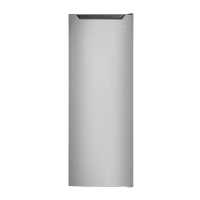
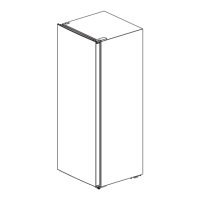
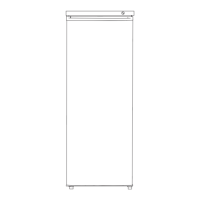
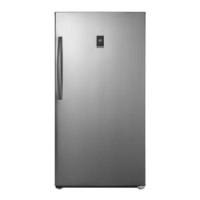
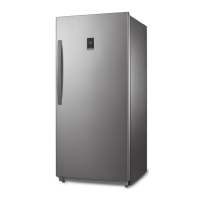
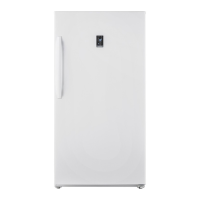
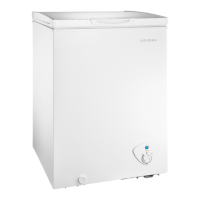
This document is a user guide for the Insignia 7 Cu. Ft. Convertible Upright Freezer, models NS-UZ70SS4, NS-UZ70WH4, NS-UZ70SS4-C, and NS-UZ70WH4-C. It provides comprehensive instructions for setting up, using, maintaining, and troubleshooting the appliance.
Function Description
The Insignia 7 Cu. Ft. Convertible Upright Freezer is a versatile appliance designed for household use, capable of operating in both freezer and refrigerator modes. Its primary function is to provide a controlled cold environment for food storage. The convertible feature allows users to switch between freezing and refrigerating modes, offering flexibility based on storage needs. The freezer is designed to be free-standing and is garage-ready, meaning it can operate effectively in a wide range of ambient temperatures, specifically from 0° F (-17.7° C) to 110° F (43.3° C) when in freezer mode.
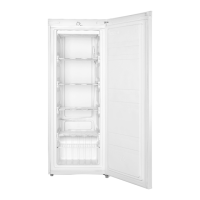
The appliance features a temperature control knob located inside the unit, allowing users to adjust the internal temperature. This knob has settings for OFF, FRIDGE, and FREEZER modes, with recommended settings indicated by a black dot with a snowflake in the middle of each zone. The internal layout includes glass shelves and a crisper drawer, which are adjustable to accommodate various food items. The door is reversible, providing flexibility in placement within a kitchen or storage area.
Usage Features
Before initial use, it is recommended to remove all packaging and clean the interior with a damp, warm cloth and a baking soda solution. The freezer should be leveled using the adjustable leveling feet to ensure proper door closure and sealing, which is crucial for efficient cooling and to prevent frost and moisture problems. The appliance requires a 115V, 60Hz power supply and must be plugged into a 3-prong grounded outlet. Extension cords and ungrounded adapters should not be used.
When setting up, ensure adequate ventilation by allowing at least 2 inches (5 cm) of space on the left, right, and top sides, and at least 5 inches (12.7 cm) at the back. Avoid direct sunlight, heat sources, and moist areas. After plugging in, allow the freezer to run for 24 hours to reach the correct temperatures before storing food.
To adjust the temperature, turn the control knob clockwise to switch from OFF to FRIDGE mode, and further clockwise to enter FREEZER mode. The more clockwise the knob is turned, the colder the freezer gets. To switch back, turn the knob counterclockwise.
The shelves inside the freezer are adjustable. To reposition a shelf, open the door fully, lift the shelf, and pull it out. To replace, slide it into the desired compartment and lower it into position.
The door is reversible, a process that requires specific tools (Phillips head screwdriver, flat head screwdriver, T-shaped socket wrench (8mm), and adjustable wrench) and careful steps. This involves tilting the freezer back, removing hinge covers, screws, and hinges, then reattaching them on the opposite side. It is crucial to ensure the freezer is stable during this process and that the door gasket makes a good seal after reversal.
Maintenance Features
Regular cleaning is essential for efficient and odor-free operation. Before cleaning, unplug the freezer and remove all food. The exterior, handles, and cabinet surfaces should be cleaned with a mild detergent and warm water. The interior should be cleaned with a solution of warm water and baking soda. Shelves and drawers can be cleaned with a mild detergent and soft cloth. It is important to keep the door gaskets clean to ensure a tight seal, and all surfaces and removable parts must be dry before plugging the freezer back in.
The freezer requires manual defrosting when the interior frost exceeds 1/4 inch thick to maintain optimal cooling performance. Defrosting should also be done before converting from freezer to refrigerator mode to prevent water overflow. If the drain hole is blocked, it should be cleaned.
For long-term shutdown (several months), the freezer should be turned off, unplugged, emptied, and cleaned. The door should be left slightly open to prevent condensation, mold, and odors.
When moving the freezer, turn it off, unplug it, remove all food, tape down loose items, and secure the doors. The exterior should be protected with moving blankets or pads, and the freezer should remain in an upright position during transportation.
Tips for saving energy include locating the freezer in the coolest part of the room, allowing hot foods to cool before storing, wrapping foods correctly, organizing and labeling food, and avoiding lining shelves with foil or paper.
Tips for storing food emphasize storing cooked meats above raw meats, wrapping items separately to prevent flavor transfer and drying, allowing hot food to cool, limiting door openings, and using lidded containers. It also advises against storing easily perishable foods at low temperatures, blocking air vents, or refreezing thawed food.
When shopping for frozen foods, users are advised to check storage guidelines and "Best Before" dates, ensure packaging is in perfect condition, buy frozen products last, keep them together during transport, and use insulated bags. Freezing food in small quantities and adjusting the temperature to a lower range for large amounts of fresh food can improve efficiency.



 To Next Page
 General