EasyManua.ls Logo

Insignia NS-UZ70SS4 - User Manual

Insignia NS-UZ70SS4
19 pages
Print Icon
To Next Page IconTo Next Page
Loading...
Before using your new product, please read these instructions to prevent any damage.
USER GUIDE
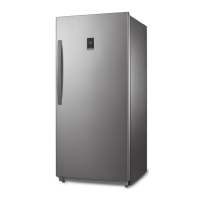
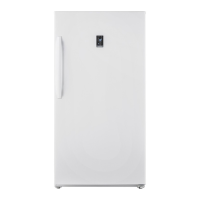
7 Cu. Ft. Convertible
Upright Freezer
NS-UZ70SS4/NS-UZ70WH4/NS-UZ70SS4-C/NS-UZ70WH4-C

Questions and Answers

  • N
    Nathaniel AdkinsAug 14, 2025
    What to do if my Insignia NS-UZ70SS4 does not work?
    • H
      Heidi OconnorAug 14, 2025
      First, ensure that your Insignia freezer is securely plugged into a working outlet and that the power source has the correct voltage (check the label on the back of your freezer for its voltage rating). Also, check your house fuse or circuit breaker box, and replace the fuse or reset the circuit breaker if necessary.
  • C
    Colleen GoodmanAug 17, 2025
    What to do if my Insignia NS-UZ70SS4 does not keep food frozen?
    • S
      Stacie SmithAug 17, 2025
      Check that your Insignia freezer is securely plugged into a working outlet. Also, make sure the freezer door is fully closed, and the gasket seals properly against the cabinet. If the issue persists, adjust the temperature control to a colder setting (clockwise).
  • T
    Todd StanleyAug 20, 2025
    Why is the temperature too warm in my Insignia NS-UZ70SS4 Freezer?
    • R
      Robin NobleAug 20, 2025
      The temperature in your Insignia freezer might be too warm because the door was left open too long or opened too frequently. Ensure nothing is blocking the door from closing correctly.
  • S
    Scott HatfieldAug 23, 2025
    Why is there frost in my Insignia NS-UZ70SS4 Freezer?
    • M
      Matthew GreerAug 25, 2025
      Frost can accumulate on the interior walls of your Insignia freezer if it's opened frequently or left open for extended periods. Ensure that air outlets are not blocked by food and that the doors are fully closed.
  • T
    theresabestAug 27, 2025
    How to get rid of bad odor in Insignia NS-UZ70SS4?
    • J
      Jordan AdamsAug 27, 2025
      To eliminate bad odors from your Insignia freezer, ensure all strong-smelling foods (like onions) are wrapped or stored in airtight packaging. Also, consider that certain containers and wrapping materials (paper, foil, or plastic) can cause odors, so try different containers or brands. Check for and remove any spoiled food.
  • A
    Amber HoffmanAug 31, 2025
    Why does the compressor in my Insignia Freezer run for a long time?
    • C
      Calvin WrightAug 31, 2025
      The compressor in your Insignia freezer may run longer if the room temperature is high, or if you've just added a large amount of food. Frequent door openings, a dirty door gasket, or having the temperature set too low can also cause this. Additionally, if the freezer has been disconnected for a while, allow it to cool completely before adding food.
  • S
    Scott ObrienSep 3, 2025
    What to do if Insignia NS-UZ70SS4 Freezer door doesn't close completely?
    • R
      Robert LopezSep 3, 2025
      Make sure that no food packages are blocking the door of your Insignia freezer. Also, check that the door gasket (seal) is clean. If the door gasket does not seal, try heating, then cooling the seal. You can use an electric hair dryer to heat the seal. Ensure your freezer is level.
  • D
    deanna03Sep 6, 2025
    Why does my Insignia NS-UZ70SS4 make unusual noises?
    • A
      albertgrahamSep 6, 2025
      Some sounds are normal, such as compressor running noises, air movement noise from the fan motor, popping during defrosting, and clicking before the compressor starts. Unusual noises or vibrations may occur if you have items on top of the freezer, if the freezer is not level, if it's touching walls, or if the shelves or drawers are installed incorrectly. Remove any items from the top, ensure the freezer is level, move it away from walls, and check the shelf/drawer installation.
  • W
    williamsjenniferSep 9, 2025
    Why is the door of my Insignia NS-UZ70SS4 hard to open?
    • E
      Elizabeth HaynesSep 9, 2025
      When you open the Insignia freezer door, warm air rushes inside, creating a vacuum when you close it, which makes it hard to open for about 10 to 15 seconds. If it's hard to open at other times, try rubbing paraffin wax or petroleum jelly along the edges of the entire gasket. If the door is hard to close, try slightly loosening the tension on the door hinges.

Summary

Important Safeguards

Grounding Requirement

Ensures proper electrical grounding for safety and to prevent shock. Consult an electrician if unsure.

Features

Package Contents

Lists items included with the 7 Cu. Ft. Convertible Upright Freezer, such as the freezer and user guide.

Dimensions

Provides the external dimensions of the freezer in inches and centimeters.

Exterior Overview

Interior Overview

Setting Up Your Freezer

Before Using Your Freezer

Initial steps before connecting power, including cleaning and initial positioning.

Finding a Suitable Location

Guidance on selecting an appropriate environment for optimal freezer operation and longevity.

Providing Correct Ventilation

Specifies required clearance around the freezer for proper air circulation and cooling efficiency.

Providing the Correct Power Source

Details the required voltage, frequency, and outlet type for safe and effective freezer operation.

Leveling Your Freezer

Instructions on using leveling feet to ensure the freezer door closes and seals properly.

Reversing the Freezer Door

Using Your Freezer

Adjusting Freezer Shelves

Instructions on how to remove, adjust, or replace shelves within the freezer compartment.

Maintaining Your Freezer

Cleaning Your Freezer

Step-by-step guide to cleaning the interior and exterior of the freezer for optimal performance.

Defrosting Your Freezer

Procedures for manual defrosting to maintain cooling performance and prevent frost buildup.

Shutting Down for Long Periods

Instructions for safely shutting down and preparing the freezer for extended periods of non-use.

Moving Your Freezer

Guidance on how to safely move the freezer, including unplugging and securing components.

Disposing of Your Freezer

Information on responsible disposal of the appliance according to local regulations.

Helpful Tips

Tips on Saving Energy

Strategies to optimize freezer operation for reduced energy consumption.

Tips on Storing Food

Best practices for storing various food items to maintain quality and prevent spoilage.

Tips for Shopping for Frozen Foods

Advice for purchasing frozen foods to ensure quality and proper handling.

Tips on Defrosting

Guidance on when and how to defrost the freezer for optimal performance.

Troubleshooting Common Issues

Technical Specifications

One-Year Limited Warranty

Overview

This document is a user guide for the Insignia 7 Cu. Ft. Convertible Upright Freezer, models NS-UZ70SS4, NS-UZ70WH4, NS-UZ70SS4-C, and NS-UZ70WH4-C. It provides comprehensive instructions for setting up, using, maintaining, and troubleshooting the appliance.

Function Description

The Insignia 7 Cu. Ft. Convertible Upright Freezer is a versatile appliance designed for household use, capable of operating in both freezer and refrigerator modes. Its primary function is to provide a controlled cold environment for food storage. The convertible feature allows users to switch between freezing and refrigerating modes, offering flexibility based on storage needs. The freezer is designed to be free-standing and is garage-ready, meaning it can operate effectively in a wide range of ambient temperatures, specifically from 0° F (-17.7° C) to 110° F (43.3° C) when in freezer mode.

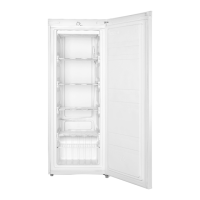
The appliance features a temperature control knob located inside the unit, allowing users to adjust the internal temperature. This knob has settings for OFF, FRIDGE, and FREEZER modes, with recommended settings indicated by a black dot with a snowflake in the middle of each zone. The internal layout includes glass shelves and a crisper drawer, which are adjustable to accommodate various food items. The door is reversible, providing flexibility in placement within a kitchen or storage area.

Usage Features

Before initial use, it is recommended to remove all packaging and clean the interior with a damp, warm cloth and a baking soda solution. The freezer should be leveled using the adjustable leveling feet to ensure proper door closure and sealing, which is crucial for efficient cooling and to prevent frost and moisture problems. The appliance requires a 115V, 60Hz power supply and must be plugged into a 3-prong grounded outlet. Extension cords and ungrounded adapters should not be used.

When setting up, ensure adequate ventilation by allowing at least 2 inches (5 cm) of space on the left, right, and top sides, and at least 5 inches (12.7 cm) at the back. Avoid direct sunlight, heat sources, and moist areas. After plugging in, allow the freezer to run for 24 hours to reach the correct temperatures before storing food.

To adjust the temperature, turn the control knob clockwise to switch from OFF to FRIDGE mode, and further clockwise to enter FREEZER mode. The more clockwise the knob is turned, the colder the freezer gets. To switch back, turn the knob counterclockwise.

The shelves inside the freezer are adjustable. To reposition a shelf, open the door fully, lift the shelf, and pull it out. To replace, slide it into the desired compartment and lower it into position.

The door is reversible, a process that requires specific tools (Phillips head screwdriver, flat head screwdriver, T-shaped socket wrench (8mm), and adjustable wrench) and careful steps. This involves tilting the freezer back, removing hinge covers, screws, and hinges, then reattaching them on the opposite side. It is crucial to ensure the freezer is stable during this process and that the door gasket makes a good seal after reversal.

Maintenance Features

Regular cleaning is essential for efficient and odor-free operation. Before cleaning, unplug the freezer and remove all food. The exterior, handles, and cabinet surfaces should be cleaned with a mild detergent and warm water. The interior should be cleaned with a solution of warm water and baking soda. Shelves and drawers can be cleaned with a mild detergent and soft cloth. It is important to keep the door gaskets clean to ensure a tight seal, and all surfaces and removable parts must be dry before plugging the freezer back in.

The freezer requires manual defrosting when the interior frost exceeds 1/4 inch thick to maintain optimal cooling performance. Defrosting should also be done before converting from freezer to refrigerator mode to prevent water overflow. If the drain hole is blocked, it should be cleaned.

For long-term shutdown (several months), the freezer should be turned off, unplugged, emptied, and cleaned. The door should be left slightly open to prevent condensation, mold, and odors.

When moving the freezer, turn it off, unplug it, remove all food, tape down loose items, and secure the doors. The exterior should be protected with moving blankets or pads, and the freezer should remain in an upright position during transportation.

Tips for saving energy include locating the freezer in the coolest part of the room, allowing hot foods to cool before storing, wrapping foods correctly, organizing and labeling food, and avoiding lining shelves with foil or paper.

Tips for storing food emphasize storing cooked meats above raw meats, wrapping items separately to prevent flavor transfer and drying, allowing hot food to cool, limiting door openings, and using lidded containers. It also advises against storing easily perishable foods at low temperatures, blocking air vents, or refreezing thawed food.

When shopping for frozen foods, users are advised to check storage guidelines and "Best Before" dates, ensure packaging is in perfect condition, buy frozen products last, keep them together during transport, and use insulated bags. Freezing food in small quantities and adjusting the temperature to a lower range for large amounts of fresh food can improve efficiency.

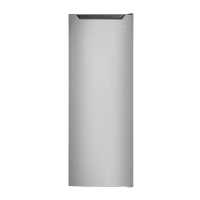
Insignia NS-UZ70SS4 Specifications

General IconGeneral
BrandInsignia
ModelNS-UZ70SS4
TypeUpright Freezer
Capacity7.0 cu. ft.
ColorStainless Steel
Energy Star CertifiedNo
Door SwingRight
Shelves4
Temperature ControlMechanical
Defrost TypeManual

Related product manuals