Need help?
Do you have a question about the Inspur SA5112M4 and is the answer not in the manual?
Overview of the server's platform and general capabilities.
Detailed technical specifications and features of the server.
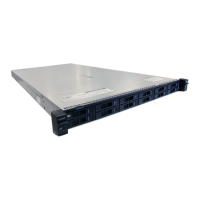
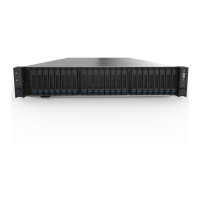
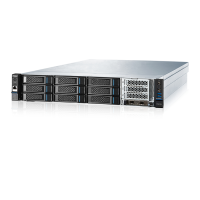
Identifies components on the server's front panel.
Details buttons and LED indicators on the front control panel.
Explains LEDs associated with hard drive bays and their status.
Details components and ports located on the server's rear panel.
Defines the PCI slots available on the system board.
Identifies various components located on the server's system board.
Explains the purpose and location of system board jumpers.
Instructions for powering on the server.
Procedures for safely shutting down the server.
Steps to safely pull the server out of its rack.
Instructions for removing the server's access panel.
Procedures for reinstalling the server's access panel.
Steps to remove the PCI riser cage.
Procedures for installing the PCI riser cage.
Instructions for removing the server's air baffle.
Guidelines for selecting an optimal environment for server installation.
Important safety warnings related to rack installation and stability.
Lists items included in the server's shipping carton.
Guidance on installing additional hardware options into the server.
Steps for correctly installing the server into a rack.
Procedures for installing a supported operating system on the server.
General guidance for installing hardware options.
Instructions for installing or replacing the server's processor.
Guidance on installing or replacing system memory modules.
Steps for installing a hot-pluggable hard drive.
Procedures for safely removing a hot-pluggable hard drive.
Instructions for installing a redundant hot-plug power supply.
Information on installing various expansion boards.
Steps for replacing the server's air baffle.
Cabling instructions for external RAID/SAS cards.
Cabling instructions for onboard SATA ports.
How to access and navigate the BIOS setup utility.
Details of various BIOS configuration settings.
Procedures for updating the BIOS and ME firmware.
Overview of the Baseboard Management Controller (BMC) and its functions.
Description of the Inspur Server Management System's functional modules.
How to log in and use the web-based management interface.
Information regarding storage controller, drives, and enclosure.
Features for remote server management like KVM and power control.
Monitoring and management of power supplies and cooling fans.
Configuration settings for BMC network, services, and user management.
Accessing and managing system and BMC event logs.
Procedures for diagnosing and troubleshooting common server faults.
Tasks related to system maintenance, firmware updates, and defaults.
How to use command-line interface for BMC management.
A table listing various time zones and their offsets.
Lists common issues encountered with the server.
Provides steps for diagnosing and resolving common faults.
Information on unique regulatory model numbers for compliance.
FCC rules and emission limits for electronic devices.
Requirements for using shielded cables for compliance.
EU directives and CE marking compliance information.
Guidelines for proper disposal of electronic waste.
Compliance notice for Korean regulations.
Compliance notice for Chinese regulations.
Warnings and instructions regarding battery replacement.
Precautions to prevent damage from static electricity.
Methods for proper grounding to prevent ESD.
 General
| Product Model | Inspur SA5112M4 |
|---|---|
| Category | Server |
| Processor | Intel Xeon Scalable Processors |
| Processor Sockets | 2 |
| Storage | Up to 12 x 3.5" HDD/SSD |
| RAID Support | RAID 0, 1, 10, 5 |
| Network | 2 x 10GbE |
| Power Supply | Redundant Power Supplies |
| Operating System Support | Windows Server, Linux |

 To Next Page