Need help?
Do you have a question about the Inspur NF8260M5 and is the answer not in the manual?
General warnings and safety advice for operating the server, covering potential hazards and best practices.
Comprehensive safety instructions including power handling, electrical safety, and environmental considerations.
Safety guidelines for rack installation, component handling, and preventing physical injury.
An introduction to the Inspur NF8260M5 server, its design, and target applications.
Detailed features and specifications, including processor, memory, I/O, storage, and expansion slots.
Information regarding the server's power efficiency ratings and performance metrics.
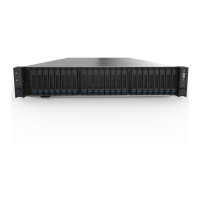
Identification of components located on the server's front panel.
Identification of components and connectors on the server's rear panel.
Identification of key components and connectors on the server's motherboard.
Procedures for powering the server on and off, including critical warnings.
Steps for extending the server from the rack and removing access panels or cages.
Guidelines for optimal server installation environment, including space and airflow requirements.
Requirements for electrical power connections and proper grounding techniques.
Safety warnings related to rack installation and identification of server shipping carton contents.
Procedures for installing hardware options, the server into a rack, and the operating system.
Instructions for installing processors and memory modules, including compatibility and best practices.
Procedures for installing hot-plug HDDs and redundant hot-plug power supplies.
Steps for replacing the air baffle for proper cooling system maintenance.
Basic operations for accessing and navigating the BIOS setup, including login procedures and hotkeys.
Configuration options for UEFI and Legacy boot modes and related settings.
How to view detailed system information including CPU, memory, and storage status.
Procedures for updating the BIOS firmware using UEFI Shell or Linux tools.
An overview of the BMC system, its architecture, and main features.
Configuration of IPMI protocols, network parameters, and LAN interface settings.
Guide to using the web GUI for server management, monitoring, and control.
Monitoring the health and status of system components like CPU, memory, and storage.
Management of system logs, event alerting, and diagnostic tools for troubleshooting.
Managing user accounts, privileges, and security settings for BMC access.
Procedures for updating BMC and BIOS firmware via Web GUI or command line.
Troubleshooting common hardware problems such as power failure, display issues, and component errors.
Troubleshooting common software issues including installation, memory, and network problems.
Procedure for replacing the real-time clock battery, including safety warnings.
Information regarding Federal Communications Commission (FCC) rules and device classifications.
Compliance information related to European Union directives and CE marking.
Guidelines for proper battery disposal and safety precautions for handling batteries.
Measures to prevent damage from electrostatic discharge when handling system components.
Methods and tools for proper grounding to protect against electrostatic discharge.
Details on warranty coverage, service levels, and how to obtain support.
Conditions and circumstances that are excluded from the warranty coverage.
Reference data on neodymium content in various drive models for compliance purposes.
 General
| Processor | Intel Xeon Scalable Processors |
|---|---|
| Max Processors | 2 |
| Storage | Up to 24 x 2.5" or 12 x 3.5" drives |
| Memory | Up to 3TB |
| Power Supply | Redundant Power Supply |
| Management | IPMI 2.0 |
| Form Factor | 2U Rackmount |
| Power Supply Options | 650W, 800W, 1200W |

 To Next Page