Need help?
Do you have a question about the Inspur NF5280M6 and is the answer not in the manual?
Critical safety warnings regarding high voltages, electrical hazards, and proper handling.
Important considerations to prevent component damage or data loss.
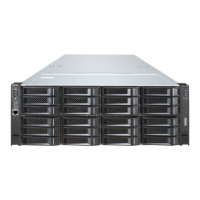
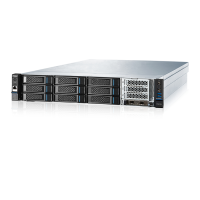
Overview of the NF5280M6 server and its target applications.
Comprehensive list of the server's hardware features and technical specifications.
Information on the power efficiency ratings of the server's power supplies.
Description and illustration of the server's front panel components.
Description and illustration of the server's rear panel connectors.
Diagram and identification of motherboard connectors and components.
Explanation and procedure for using motherboard jumpers, especially for CMOS clearing.
Overview of the system's physical layout and component placement.
Instructions for securely installing the server into a rack.
Procedures for powering the server on and off safely.
Essential steps to follow before disassembling or re-assembling server components.
General guidelines and steps for disassembling and re-assembling server components.
Step-by-step guide for removing and installing the server's access panel.
Step-by-step instructions for replacing DIMMs (memory modules).
Detailed steps for replacing the Processor and Heatsink Module (PHM).
Procedure for removing and installing PCIe expansion cards.
Instructions for replacing hot-swappable storage drives.
Procedure for replacing hot-swappable Power Supply Units (PSUs).
Precautions to prevent damage from static electricity during handling.
Methods and tools for proper grounding to prevent ESD.
Common hardware issues and their troubleshooting solutions.
Common software issues and their troubleshooting solutions.
Specifications for operating and storage temperature and humidity.
Thermal limitations and restrictions for various server configurations.
Specifications for the electromagnetic environment and compatibility.
Requirements for the AC power supply system and configurations.
Requirements for the DC power supply system and configurations.
Recommendations for optimal AC power supply usage and stability.
Specific requirements for HVDC power supply systems.
General requirements for DC power supply stability and deployment.
Details on warranty service types, duration, and support channels.
Overview of Inspur's Service Level Agreements (SLAs).
Conditions and circumstances not covered by the product warranty.
Glossary of acronyms and abbreviations used in the manual.
Configuration settings for backplane DIP switches.
 General
| Product Series | NF5280M6 |
|---|---|
| Model | NF5280M6 |
| Processor | Intel Xeon Scalable processors |
| Max Processors | 2 |
| Memory | DDR4 |
| Form Factor | 2U |
| Storage | Up to 12x 3.5" drives |
| Network | Multiple options including 10Gb Ethernet |
| PCIe Slots | Up to 7 |
| Power Supply | Dual redundant 800W/1200W |
| Management | IPMI 2.0 |
| Operating System Support | Windows Server, Linux |


 To Next Page