Need help?
Do you have a question about the Inspur NF5488A5 and is the answer not in the manual?
Essential safety measures for power, environment, handling, and preventing injury.
Precautions for system placement, battery handling, disposal, and safe rack installation.
Procedures for handling wet systems, accessing internal components, and cable management safety.
Safety guidelines for modem, telecom, LAN options, and handling connectors.
Procedures to prevent static discharge damage and safe handling of internal components.
Safe methods for removing components from racks and ensuring proper ventilation.
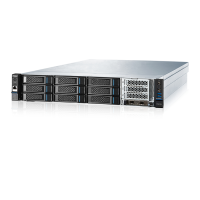
Introduces the NF5488A5 server's high scalability, performance, and features for AI computing.
Details processor, memory, GPU, I/O, PCIe, display, drive, and power specifications.
Provides details on external dimensions, weight, operating, and storage environmental conditions.
Identifies and describes components located on the front panel of the server.
Identifies and describes components located on the rear panel of the server.
Identifies and describes various components located on the server's motherboard.
Instructions for powering the server on/off and safely extending it from the rack.
Detailed steps for safely removing the server's access panel.
Steps to install the server into the rack and remove the GPU BOX.
Procedure for safely removing the IO BOX from the chassis.
Guidelines for selecting an appropriate location and ensuring proper airflow for the server.
Specifies temperature limits and electrical regulations for server installation and operation.
Rack safety warnings, power distribution, and electrical grounding requirements.
Guidance on server rack installation and installing hardware options.
Steps for OS installation, peripheral connection, and electrical safety warnings.
Instructions and precautions for installing or replacing the server's processor.
Detailed steps for handling the CPU fixing cover and opening the CPU holder.
Steps for inserting the CPU into the holder and securing it.
Procedures for securing the CPU holder and installing the heatsink.
Guidelines and procedures for installing memory modules (DIMMs).
Guidelines for populating DIMM slots and inserting DIMMs.
Steps for checking hard drive status, backing up data, and installing/removing hard drives.
Instructions for installing power supplies and air baffles.
Guides for routing SAS, power, and SlimSAS cables.
Instructions for signal and power cable connections between motherboard and switch board.
Diagnoses and suggests solutions for power-on failures.
Troubleshooting steps for no display output and abnormal status LEDs.
Troubleshooting steps for power module LEDs and HDD status LEDs.
Addresses fan noise, alarm sounds, and keyboard/mouse/USB problems.
Solutions for system install, memory capacity, and network connectivity issues.
Instructions and warnings for replacing the real-time clock battery.
Explains regulatory model numbers and FCC rules.
Details EU directives, CE marking, and waste disposal guidelines.
Korean and Chinese regulatory compliance statements.
Repeats warnings about handling and replacing batteries.
Precautions to prevent ESD and methods for proper grounding.
Outlines the 3-year warranty period and service types.
Details on warranty exclusions and returning defective parts.


 To Next Page
 General