18
User Manual
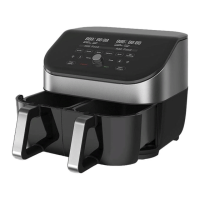
Dual Zone cooking:
1. Press 1 or 2 to select the zone you want to change.
2. Press Time and use the Control Dial to increase or decrease
cooking time.
3. Then press the Control Dial to confirm the change.
4. Press Start to continue cooking.
If you don’t press Start, cooking continues using the former settings.
Changing cooking temperature during cooking
You can change the cooking time after you’ve started a Smart Program.
Single Zone cooking:
1. Press Temperature and use the Control Dial to increase
or decrease cooking temperature.
2. Then press the Control Dial to confirm the change.
3. Press Start to continue cooking.
If you don’t press Start, cooking continues using the former settings.
Dual Zone cooking:
1. Press 1 or 2 to select the zone you want to change.
2. Press Temperature and use the Control Dial to increase
or decrease cooking temperature.
3. Then press the Control Dial to confirm the change.
4. Press Start to continue cooking.
If you don’t press Start, cooking continues using the former settings.




 To Next Page