EasyManua.ls Logo

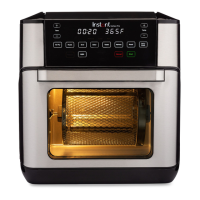
Instant VTAFO131-BK - User Manual

Instant VTAFO131-BK
28 pages
Print Icon
To Next Page IconTo Next Page
Loading...
INSTANT
TM
VORTEX
AIR FRYER OVEN

Questions and Answers

  • A
    Angela CaseAug 7, 2025
    What to do if my Instant Fryer will not turn on?
    • O
      oliviagomezAug 7, 2025
      If your Instant Fryer isn't turning on, first ensure the power cord is firmly plugged into the outlet. Next, test the outlet by plugging in another appliance to see if it's powered. Finally, make sure the door is fully closed.
  • A
    Alejandro MartinAug 17, 2025
    Why is black smoke coming from my Instant VTAFO131-BK?
    • S
      summer57Aug 17, 2025
      Black smoke may appear due to using an oil with a low smoke point, food residue on the heating coil, in the cooking chamber, or on the accessories. To resolve this, cancel the Smart Programme, unplug the cooker, and allow it to cool. If the oil is the problem, choose a neutral oil with a high smoke point, such as Canola, Avocado, Soybean, Safflower, or Rice Bran. If the issue is food residue, remove all accessories and thoroughly clean the cooking chamber and accessories. If neither of these resolves the issue, there may be an appliance malfunction.
  • M
    Michael ReynoldsAug 27, 2025
    Why is white smoke coming from my Instant VTAFO131-BK?
    • K
      Keith RobinsonAug 27, 2025
      White smoke can occur when cooking foods high in fat, like bacon or sausages, or when water is vaporizing. It can also be caused by seasoning blowing onto the element. To mitigate this, avoid air frying high-fat foods and remove excess oil from the cooking chamber. Pat dry moist ingredients and avoid adding liquids during air frying. When seasoning, spray food with oil first to help the seasoning stick.

Summary

Important Safeguards

Placement

Guidelines for safely positioning the appliance on a stable surface.

General Use Precautions

Precautions for safe general operation and handling of the appliance.

Air Frying Cautions

Specific safety advice for using the air frying function.

Accessories, Care, and Storage

Guidelines for accessory use, cleaning, and safe storage.

Power Cord and Electrical Safety

Safety advice regarding the power cord and electrical connections.

Whats in the Box

Air Fryer Oven Components

Diagram and labels identifying the main components of the air fryer oven.

Included Accessories

Illustration of included accessories like rotisserie spit, forks, and drip pan.

Using Your Air Fryer Oven

Control Panel Overview

Explanation and labeling of the air fryer's control panel buttons and display.

Customizing Appliance Settings

How to adjust sounds, temperature scale, and reset smart programs.

Initial Setup and Test Run

Steps for unpacking, cleaning, placement, and performing a test run.

Cooking Guide

Cooking Safety and Food Placement

Warning about hot surfaces and guidance on using cooking trays and accessories.

Cooking Process Steps

Instructions for preparing, preheating, and cooking food using trays.

Turning and Finishing Cooking

Instructions on turning food, program completion, and reminders.

Rotisserie Cooking Preparation

Steps for preparing meat and inserting the spit for rotisserie cooking.

Rotisserie Cooking Operation

Instructions for cooking with rotisserie and safely removing the spit and food.

Adjusting and Cancelling Cooking

How to change time/temperature during cooking or cancel the program.

Smart Programmes

Air Fry, Roast, and Bake Programmes

Details for using Air Fry, Roast, and Bake smart programs.

Grill and Dehydrate Programmes

Details for using Grill and Dehydrate smart programs.

Reheat, Proof, and Toast Programmes

Details for using Reheat, Proof, and Toast smart programs.

Cleaning and Maintenance

Cleaning Instructions by Component

Specific cleaning guidance for cooking trays, oven door, cooking chamber, and power cord.

Troubleshooting

Common Operational Issues

Solutions for common problems like no power, black smoke, and white smoke.

Error Codes

Temperature Sensor Errors

Actions to resolve error codes E1 and E2 related to temperature sensors.

Learn More and Support

Product Registration and Customer Care

Information on registering the product and contacting customer care.

Additional Resources and Specifications

Links to app, recipes, parts, community, and product specifications.

Warranty Information

Warranty Terms and Exclusions

Details on warranty coverage, limitations, and excluded damages.

Warranty Service and Recycling

Procedure for obtaining warranty service and information on product recycling.

Instant VTAFO131-BK Specifications

General IconGeneral
BrandInstant
ModelVTAFO131-BK
CategoryFryer
LanguageEnglish

Related product manuals