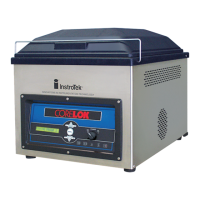
4. Aggregate Testing Using the InstroTek
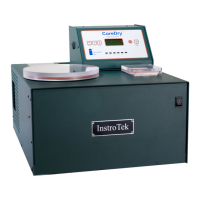
CoreDry™
The CoreDry can be used for determination of aggregate
moisture content. Use the following procedure to dry
aggregates and to determine moisture content:
1. Set the CoreDry to program 2 (PR2) by pressing the
Menu key. Change the program number to program 2.
2. Remove the wire mesh sample holder and the flow
plate from the sample chamber.
3. Place the bottom portion of the aggregate fixture on a
scale capable of reading to 0.1 gram and tare the
scale.
4. Place approximately 100-500 grams of aggregates in
the aggregate fixture. Please refer to the following
table for aggregate quantities to use in the fixture.
Record weight.
5. When you determine the sample weight, re-tare the
scale.
6. Replace the lid and tighten the fasteners on the
aggregate fixture.
7. Weight the entire fixture with the aggregate on the
scale. Record this as weight A. This is the weight of the
entire fixture with wet aggregates.
8. Place the aggregate fixture in the chamber. The fixture
will be in direct contact with the bottom of the sample
chamber.
9. Place the chamber lid on top of the sample chamber
and press Enter.
10. The unit will start the drying operations.
11. When the unit stops, remove the aggregate fixture and
place on the scale. Record this weight as weight B. This
is the weight of the fixture and the dry aggregate.
Caution: The aggregate fixture might be hot to the
touch, when it’s removed from the sample chamber.


 To Next Page