6. Maintenance
Tank filters- Clean Frequently (Replacement part number
977.1004)
1. The two particle filters cover the tank ports. Remove the
filters when dust or debris is present and replace with
two new filters. These filters are used to protect your
pump from damage due to particles and debris. A
screen will alert you as to when it is recommended to
change the filters. Once that screen has appeared and
after you change the filters go into the Menu option 9 to
reset the timer for the next change.
Change Oil – Every 80 hours of normal use (this will be indicated
on the LCD readout and can be checked under the Main Menu
option 2). (Replacement part number 419.0005)
1. Turn the ON/OFF switch to OFF position.
2. Unplug the power cord from the wall outlet.
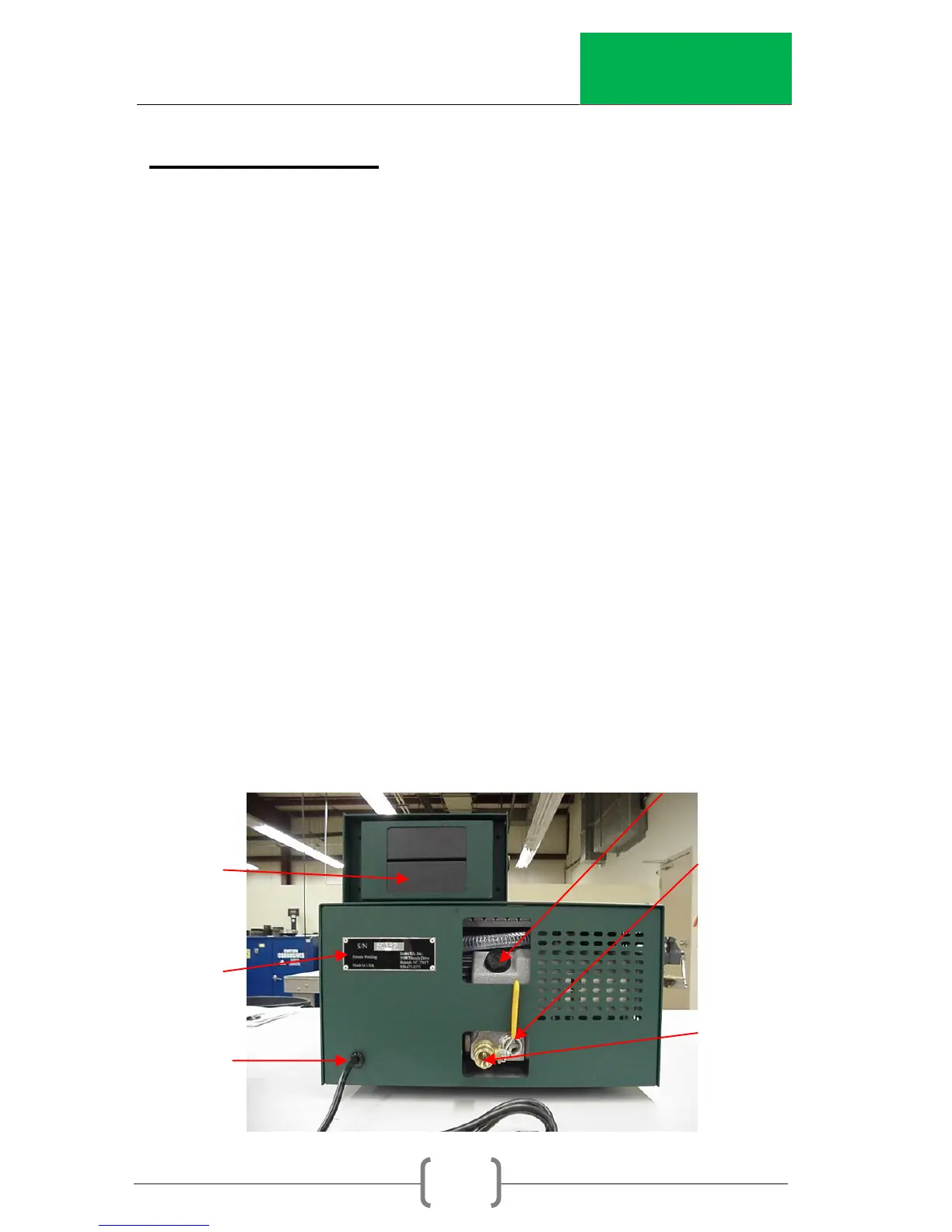
3. Slide the unit around so that the back panel can be
accessed.
4. Remove the fill cap. Place a 2”-3” block or book under
the front of the CoreDry to tilt the drain.


 To Next Page