DPS-5.4
ID NUMBER AND DATA SETTING
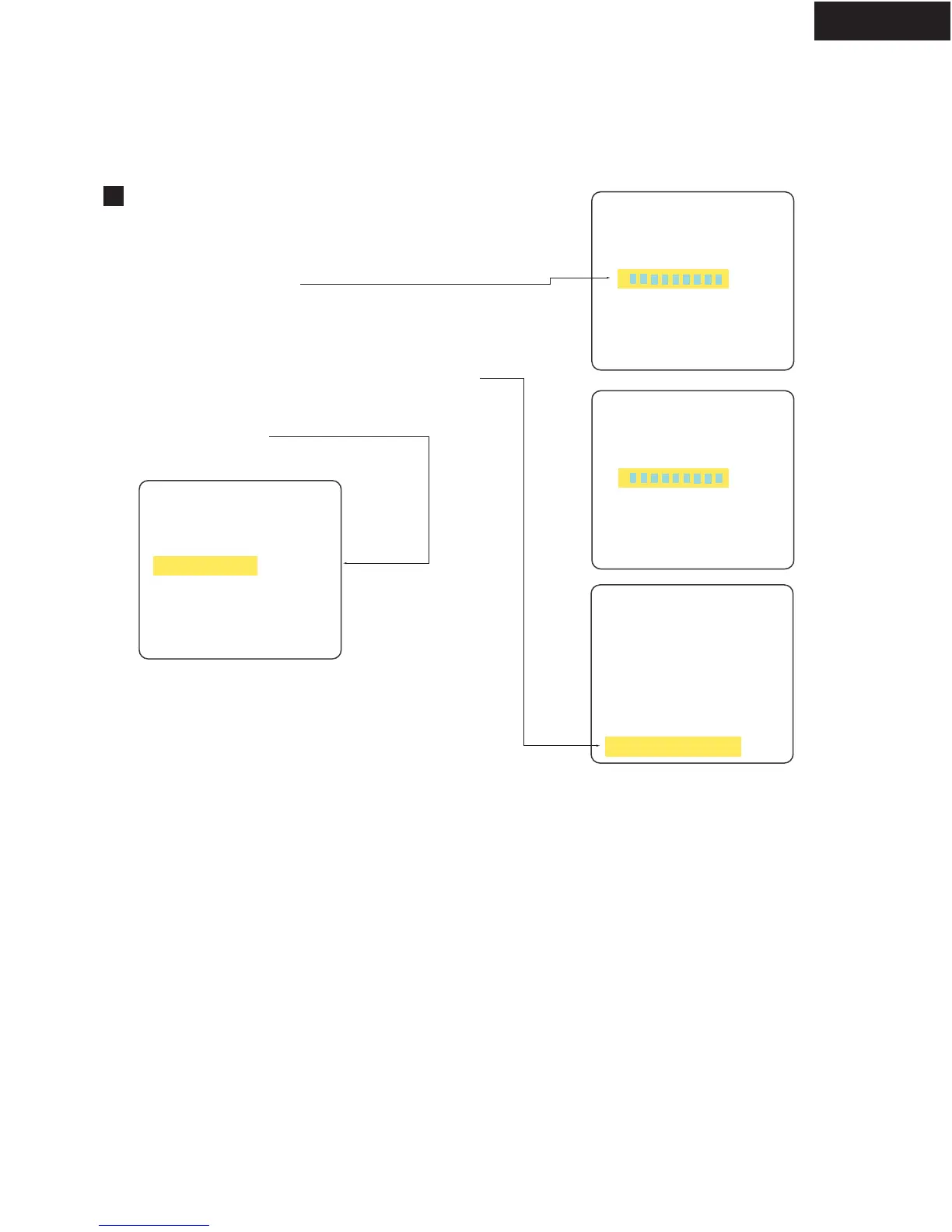
B : ID DATA Input Mode
1. Press "DVD" and "1" at the same time.
2. Press "RETURN" key and "STEREO" key.
3. Enter a 9-digit ID data.
4. After entering all 9 digits, when you press the "PLAY" key,
the unit enters Compare mode.
5. Entering 9- digits again, and press the "PLAY" key.
6. Insert the data disc on the tray of the unit.
7. Writing the data, automatically.
About 2 minutes.
[ Remote controller RC-484M]
[Player's ID Number Setting]
ID Number ?
>00151
****
compare
>
<STEREO> ID Data Setting Mode
Input ID Number !
TV monitor
******
***
[Player's ID Number Setting]
ID Number ?
>00151
****
compare
>
Input ID Number !
*********
<PLAY> Enter
<STOP> Memory Clear
<STEREO> ID Data Setting Mode
OK?
[Player's ID Number Setting]
Insert The Data Disc !
<CLEAR> Exit
[Player's ID Number Setting]
<CLEAR> Exit
Rom Write OK !
Compete
8. Press open the tray of the unit, and take out a disc.
9. Push the power switch off (Mechanical switch) .
Push the power switch, standby switch on and
close the tray.



 To Next Page