EasyManua.ls Logo

Integra DTR-6.6 - User Manual

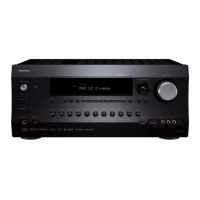
Integra DTR-6.6
96 pages
Print Icon
To Next Page IconTo Next Page
Loading...
DTR-7.6/6.6
Instruction Manual
AV Receiver
DTR-7.6,6.6.book Page 1 Monday, September 26, 2005 1:40 PM

Table of Contents

Other manuals for Integra DTR-6.6

Question and Answer IconNeed help?

Do you have a question about the Integra DTR-6.6 and is the answer not in the manual?

Summary

Important Safety Instructions

Fire and Electric Shock Warnings

Critical warnings about fire and electric shock risks, advising against exposing to moisture and opening the unit.

Precautions

General Precautions

Guidance on unit care, power handling, safety with wet hands, and general handling notes.

Regulatory Compliance

Information on compliance with FCC rules for US models and Canadian standards.

Supplied Accessories

Included Accessories List

List of all accessories provided with the AV receiver.

Features Overview

DTR-7.6 and DTR-6.6 Common Features

Features common to both DTR-7.6 and DTR-6.6 models, covering audio, video, and tuner.

Model-Specific Features

Features exclusive to either the DTR-7.6 or DTR-6.6 model.

THX Select2 Certification

Explanation of THX Select2 certification and its performance benefits.

Before Using the AV Receiver

Remote Controller Setup

Instructions for installing batteries and operating the remote controller.

Getting to Know the AV Receiver: Front Panel

Front Panel Controls Overview

Identification and explanation of all controls on the AV receiver's front panel.

AV Receiver Display Indicators

Display Indicators and Message Area

Explanation of the receiver's display indicators for muting, zone, tuning, and messages.

AV Receiver Rear Panel Overview

Rear Panel Connectors Identification

Identification and explanation of all connectors and ports on the AV receiver's rear panel.

Rear Panel Connection Details

Digital Audio Connections

Description of optical and coaxial digital audio input/output jacks.

RI Remote Control Connection

Explanation of the RI jack for remote and system control.

Remote Controller Modes and Operation

Remote Controller Modes Explained

Explanation of various remote controller modes for different components.

Remote Controller Functions

Basic Operation Buttons

Buttons for basic power, input selection, volume, muting, and setup access.

Navigation and Mode Selection Buttons

Buttons for navigating menus, selecting modes, and controlling Zone 2.

Specialized Function Buttons

Buttons for specialized functions like display light, macros, sleep timer, and audio adjustments.

Tape Mode Operation

Specific operational details for the Tape mode on the remote.

Remote Controller: DVD Mode Operation

DVD Mode Controls Explained

Explanation of remote control buttons when operating a DVD player.

Remote Controller: CD, MD, CDR Modes

CD;MD;CDR Mode Controls Explained

Explanation of remote control buttons for CD, MD, and CDR devices.

Remote Controller: HDD Mode Operation

HDD Mode Controls Explained

Explanation of remote control buttons when operating an HDD-compatible component.

Connecting Your Speakers: Home Theater Setup

Speaker Placement Guidance

Guidance on optimal placement of all speakers for home theater sound.

Speaker Connection and Configuration

Speaker Configuration Table

Table indicating which speaker channels to use based on the number of speakers.

Connecting a Powered Subwoofer

Instructions for connecting a powered subwoofer to the receiver.

Speaker Terminal Color Coding

Explanation of color-coded speaker terminals for easy identification.

Speaker Connection Precautions and Procedure

Speaker Connection Precautions

Important safety and quality precautions before connecting speakers.

Connecting Speaker Cables

Step-by-step guide for properly connecting speaker cables.

Antenna Connection Guide

Connecting FM and AM Antennas

Instructions for connecting the supplied indoor FM and AM loop antennas.

Antenna Connection Options

Outdoor Antenna Connection

Guidance for connecting external outdoor FM and AM antennas.

TV;FM Antenna Splitter Usage

Advice on using an antenna splitter for simultaneous TV and FM reception.

AV Connections and Cables

About AV Connections and Optical Jacks

General advice on AV connections and handling optical digital jacks.

AV Connection Color Coding

Explanation of color coding for RCA-type AV connections.

Video and Audio Cables Explained

Descriptions of common video and audio cables and their jacks.

Component Connection Strategies

Connecting Audio;Video Signals Overview

How connecting audio and video signals allows for simultaneous source switching.

Choosing the Right Connection Format

Guidance on selecting appropriate video and audio connection formats.

Video and Audio Connection Formats Explained

Details on composite, S-Video, component video, and digital/analog audio formats.

Connecting a TV or Projector

TV;Projector Video and Audio Connections

Steps for connecting a TV or projector using various video and audio methods.

Connecting a DVD Player

DVD Player Video and Audio Connections

Steps for connecting a DVD player using various video and audio methods.

Multichannel DVD Input Connection

Connecting Multichannel Audio Sources

How to connect DVD players with multichannel audio outputs.

Connecting VCR;DVD Recorder for Playback

VCR;DVD Recorder Playback Connections

Steps to connect VCR/DVD recorders for playback and TV audio input.

Connecting VCR;DVD Recorder for Recording

VCR;DVD Recorder Recording Connections

Steps to connect VCR/DVD recorders for recording video sources.

Connecting Satellite;Cable Boxes

Satellite, Cable, Set-top Box Connections

Steps for connecting satellite, cable, or set-top boxes.

Connecting Other Video Devices

Camcorder, Games Console, Other Device Connections

Steps for connecting camcorders, game consoles, or other devices.

Connecting Audio Sources

CD Player Connection

Steps for connecting a CD player using analog or digital audio.

Turntable Connection

Instructions for connecting a turntable, including ground wire and MC cartridge considerations.

Connecting Recorders and Amplifiers

Cassette, CDR, MiniDisc, DAT Recorder Connections

Steps for connecting various audio recorders.

Connecting a Power Amplifier

How to connect an external power amplifier for increased power.

RI Component Connection and Features

Connecting RI Components

How to connect Integra components using RI for system control.

RI Feature Explanations

Explanations of RI features like auto power, direct change, and remote control.

HDMI Connections (DTR-7.6 Only)

HDMI Connectivity Overview

Explanation of HDMI interface, audio formats, and HDCP protection for DTR-7.6.

Making HDMI Connections (DTR-7.6 Only)

HDMI Connection Procedure

Step-by-step guide for establishing HDMI connections.

HDMI Signal Flow Charts

Diagrams illustrating video and audio signal flow for HDMI connections.

Power and Control Connections

Connecting Power Cords of Other Components

How to use receiver's AC outlets for powering other components.

RS232 Port Connection

Information about the RS232 port for automation systems.

Connecting the AV Receiver Power Cord

Instructions for connecting the main power cord and initial power-up.

Initial Power-Up and Setup Guidance

Turning On and Standby Operation

How to turn the AV receiver on and place it in standby.

First Time Setup Steps Overview

Essential configuration steps to perform before initial use.

First Time Setup: Automatic Speaker Configuration

Automatic Speaker Setup Procedure

Guide to performing automatic speaker setup using the microphone and initial TV configuration.

First Time Setup: Completing Speaker Calibration

Initiating and Completing Speaker Setup

Steps for starting, completing, and managing results of the automatic speaker setup.

First Time Setup: Checking and Adjusting Speaker Settings

Reviewing Speaker Setup Results

How to review setup results, interpret warnings, and troubleshoot detection issues.

Manual Speaker Setting Adjustments

Options for manual speaker configuration and subwoofer setup adjustments.

First Time Setup: HDMI Video Configuration (DTR-7.6 Only)

HDMI Video Setup Procedure

Step-by-step configuration for HDMI video inputs on the DTR-7.6 model.

First Time Setup: Component Video Configuration

Component Video Setup Procedure

How to configure component video inputs and upconversion settings.

First Time Setup: Digital Audio Input Configuration

Digital Audio Input Setup Procedure

How to assign digital audio inputs (optical, coaxial) to input selectors.

First Time Setup: Input and Impedance Configuration

Changing Input Display for RI Components

How to change input display settings for RI-capable components.

Setting Minimum Speaker Impedance

How to set minimum speaker impedance for correct operation.

First Time Setup: Regional and Tuner Configuration

TV Format Setup (Non-North American)

How to specify the TV system format for regional compatibility.

AM Frequency Step Setup

How to configure AM tuning step based on local frequency standards.

Basic AV Receiver Operation

Playing Your AV Components

Overview of basic operations for playing components, including source selection and listening modes.

Listening to the Radio

AM;FM Radio Tuning and Information

How to tune AM/FM stations, use auto/manual modes, and display radio information.

Listening to XM Satellite Radio (North American Models)

XM Satellite Radio Overview and Setup

Introduction to XM Satellite Radio, signup process, and antenna connection.

Selecting XM Satellite Radio Channels

XM Channel Selection Modes

How to select XM channels using category or channel search, and navigate previous channels.

Displaying XM Radio Information

XM Channel and Information Display

How to select XM channels from the front panel and display channel information.

XM Antenna Positioning and Troubleshooting

XM Antenna Aiming and Signal Quality

How to position the XM antenna to achieve optimal signal quality.

XM Radio Message Explanations

Explanations for common messages displayed during XM radio use.

Radio and XM Preset Management

Storing and Selecting Radio;XM Presets

How to store favorite radio stations and XM channels as presets and select them.

Deleting Radio;XM Presets

How to remove stored presets.

Multichannel DVD Input Configuration

Multichannel DVD Input Settings

How to configure settings for multichannel DVD input, including channel and subwoofer levels.

Common AV Receiver Functions

Speaker Level and Display Adjustments

How to adjust speaker levels, headphone volume, and display brightness.

Muting the AV Receiver

How to mute or unmute the AV receiver's audio output.

Common AV Receiver Functions: Timers and Information Display

Sleep Timer Operation

How to use the sleep timer to automatically turn off the receiver.

Headphone Usage

How to connect and use headphones for private listening.

Source Information Display

How to view details about the current input source and signal format.

Interpreting Surround Channel Information

Understanding the codes for surround channel information.

Using Listening Modes

Selecting Listening Modes

How to select and use various listening modes, including Stereo, Surround, Direct, THX, and All ST.

Listening Mode Compatibility Guide

Listening Mode vs. Source Format Table

A table showing which listening modes are compatible with different input signal formats.

About Listening Modes: Descriptions

Core Listening Modes Explained

Detailed explanations of various listening modes such as Direct, Stereo, Mono, Dolby, and DTS formats.

About Listening Modes: THX and DSP Modes

THX Listening Modes Explained

Detailed explanations of THX listening modes tailored for movies, music, and games.

Onkyo Original DSP Modes Explained

Explanations of Onkyo's proprietary Digital Signal Processing (DSP) listening modes.

Recording Procedures

Recording Overview and Notes

General information and notes regarding recording capabilities and limitations.

Recording Input Source and Separate Sources

How to record the selected input source or combine audio/video from different sources.

Onscreen Setup Menu Navigation

Onscreen Setup Menu Structure

Overview of the onscreen setup menu system, including its structure and sections.

Adjusting Audio and Listening Modes

Audio Adjust Menu Functions

How to access and use the Audio Adjust menu for sound settings like Re-EQ.

Audio Adjust Menu: Tone and Mode Settings

Tone Control Settings

How to adjust bass and treble for the front speakers.

PL IIx and Neo:6 Mode Settings

Specific settings for Dolby Pro Logic IIx and DTS Neo:6 listening modes.

Audio Adjust Menu: Dolby, Late Night, and Mono;Multiplex Settings

Dolby Digital and Late Night Settings

Settings for Dolby Digital, Dolby EX, and the Late Night function for adjusted dynamic range.

Mono and Multiplex Settings

Settings for Mono and Multiplex modes, controlling channel output and language selection.

LFE Level Setting

How to set the level for the LFE channel for enhanced bass response.

Setting Default Listening Modes

Default Listening Modes Configuration

How to specify default listening modes for different input signal formats.

Advanced Setup: Speaker Configuration

Speaker Setup Menu Overview

Introduction to speaker setup options and manual adjustments.

Speaker Configuration Details

How to set speaker connections, crossover frequencies, and surround back channels.

Advanced Setup: Speaker and Subwoofer Settings

Low-Pass Filter for LFE Channel

Setting the LFE channel's low-pass filter frequency to reduce hum.

Subwoofer Mode Options

Configuring subwoofer mode for LFE only or double bass output.

Advanced Setup: Speaker Distance Calibration

Speaker Distance Setting Procedure

How to manually set the distance from each speaker to the listening position.

Advanced Setup: Speaker Level Calibration

Speaker Level Calibration Procedure

How to adjust speaker levels using test tones for balanced sound output.

Advanced Setup: THX Audio Configuration

THX Audio Setup: Surround Back Speaker Spacing

Setting surround back speaker spacing for optimal THX ASA performance.

Advanced Setup: Equalizer Settings

Equalizer Settings Procedure

How to adjust the tone of each speaker using manual equalizer settings.

Advanced Setup: Input Configuration

Input Setup Menu and A;V Sync Delay

How to configure input settings, including adjusting audio/video sync delay.

Advanced Setup: Input Customization

Character Edit for Input Sources

How to enter custom names for input sources displayed on the receiver.

Advanced Setup: Preferences and Volume Settings

General Preferences Setup

Configuring preferences like input volume matching, volume display, muting level, and max volume limits.

Advanced Setup: Display and Lock Preferences

Power On Volume and OSD Settings

Setting power-on volumes, headphone levels, and onscreen display configurations.

Lock Setup Preference

How to lock setup menus to prevent unauthorized changes.

Advanced Setup: Remote Control Configuration

Remote ID Settings

How to set and manage Remote IDs for the receiver and remote controller.

Advanced Setup: Digital Input Signal Format Specification

Digital Input Signal Format Settings

How to specify signal formats (PCM, DTS, Auto) for digital inputs.

Zone 2 Setup and Connectivity

Zone 2 Connection Options

How to connect Zone 2 speakers using an external amp or directly to the receiver.

Zone 2 Configuration Settings

Powered Zone 2 Activation

How to activate the powered Zone 2 speaker terminals.

Zone 2 Output Configuration

How to set the Zone 2 output jacks to Fixed or Variable.

Zone 2 Operation and Control

Using Zone 2: On;Off and Source Selection

How to turn Zone 2 on/off and select input sources for it.

Controlling Zone 2 with Receiver and Remote

Methods for controlling Zone 2 using the receiver's panel or the remote controller.

Zone 2 Audio Adjustments

Adjusting Zone 2 Volume

How to adjust the volume level for Zone 2 audio.

Adjusting Zone 2 Tone and Balance

How to adjust bass, treble, and balance for Zone 2 audio output.

12 V Trigger Setup for Zone 2 and Main Room

12 V Trigger Functionality Overview

How 12V triggers work for component control and delay settings.

12 V Trigger Setting per Input Source

Configuring 12V trigger output based on selected input sources and zones.

Multiroom Remote Control Kit Integration

Multiroom Kit Applications for Zone 2 and Cabinets

How to use multiroom kits for Zone 2 control and for receivers installed in cabinets.

Using Multiroom Kit with Other Components

Using a multiroom kit with an IR emitter to control other components.

Controlling Other Components via Remote

Entering Remote Control Codes

Step-by-step guide to entering remote control codes for external components.

Remote Control Codes and Reset Procedures

Integra Component Remote Codes

Specific remote control codes for Integra components connected via RI.

Resetting Remote Control Functions

Procedures for resetting remote mode buttons or the entire remote controller.

Remote Control Application for External Devices

Controlling TVs, VCRs, and Satellite;Cable Receivers

How to control TVs, VCRs, and satellite/cable receivers using the remote.

Learning Commands from Other Remote Controllers

Remote Control Learning Procedure

How to teach the receiver's remote controller to learn commands from other remotes.

Advanced Remote Control Functions: Macros

Programming and Using Macros

How to program, run, and delete macros for automated sequences of commands.

Troubleshooting: Power and Audio Issues

Power-Related Troubleshooting

Solutions for power issues like the receiver not turning on or shutting off unexpectedly.

Audio Troubleshooting

Solutions for various audio problems, including no sound, imbalanced speaker output, and missing channels.

Troubleshooting: Subwoofer, Zone 2, Signal Formats, and Video Issues

Subwoofer, Zone 2, and Signal Format Troubleshooting

Solutions for subwoofer, Zone 2, signal format, playback, noise, and HDMI audio issues.

Video Troubleshooting

Solutions for video problems including no picture, missing menus, and distorted images.

Troubleshooting: Tuner, Remote, Recording, and Other Issues

Tuner and Remote Control Troubleshooting

Solutions for tuner reception problems, remote control issues, and controlling other devices.

Recording and Miscellaneous Troubleshooting

Solutions for recording failures, headphone sound issues, language selection, and RI function problems.

Troubleshooting: System Lockups and Reset

System Lockup Resolution

How to resolve receiver lockups caused by interference or static electricity.

Factory Reset Procedure

Steps to reset the AV receiver to its factory default settings.

Specifications

Amplifier and General Specifications

Detailed technical specifications for the amplifier and general receiver parameters.

Video and Audio Input;Output Specifications

Specifications for all video and audio input/output ports, and control interfaces.

Tuner Section Specifications

Detailed technical specifications for the FM and AM tuner sections.

Summary

Important Safety Instructions

Fire and Electric Shock Warnings

Critical warnings about fire and electric shock risks, advising against exposing to moisture and opening the unit.

Precautions

General Precautions

Guidance on unit care, power handling, safety with wet hands, and general handling notes.

Regulatory Compliance

Information on compliance with FCC rules for US models and Canadian standards.

Supplied Accessories

Included Accessories List

List of all accessories provided with the AV receiver.

Features Overview

DTR-7.6 and DTR-6.6 Common Features

Features common to both DTR-7.6 and DTR-6.6 models, covering audio, video, and tuner.

Model-Specific Features

Features exclusive to either the DTR-7.6 or DTR-6.6 model.

THX Select2 Certification

Explanation of THX Select2 certification and its performance benefits.

Before Using the AV Receiver

Remote Controller Setup

Instructions for installing batteries and operating the remote controller.

Getting to Know the AV Receiver: Front Panel

Front Panel Controls Overview

Identification and explanation of all controls on the AV receiver's front panel.

AV Receiver Display Indicators

Display Indicators and Message Area

Explanation of the receiver's display indicators for muting, zone, tuning, and messages.

AV Receiver Rear Panel Overview

Rear Panel Connectors Identification

Identification and explanation of all connectors and ports on the AV receiver's rear panel.

Rear Panel Connection Details

Digital Audio Connections

Description of optical and coaxial digital audio input/output jacks.

RI Remote Control Connection

Explanation of the RI jack for remote and system control.

Remote Controller Modes and Operation

Remote Controller Modes Explained

Explanation of various remote controller modes for different components.

Remote Controller Functions

Basic Operation Buttons

Buttons for basic power, input selection, volume, muting, and setup access.

Navigation and Mode Selection Buttons

Buttons for navigating menus, selecting modes, and controlling Zone 2.

Specialized Function Buttons

Buttons for specialized functions like display light, macros, sleep timer, and audio adjustments.

Tape Mode Operation

Specific operational details for the Tape mode on the remote.

Remote Controller: DVD Mode Operation

DVD Mode Controls Explained

Explanation of remote control buttons when operating a DVD player.

Remote Controller: CD, MD, CDR Modes

CD;MD;CDR Mode Controls Explained

Explanation of remote control buttons for CD, MD, and CDR devices.

Remote Controller: HDD Mode Operation

HDD Mode Controls Explained

Explanation of remote control buttons when operating an HDD-compatible component.

Connecting Your Speakers: Home Theater Setup

Speaker Placement Guidance

Guidance on optimal placement of all speakers for home theater sound.

Speaker Connection and Configuration

Speaker Configuration Table

Table indicating which speaker channels to use based on the number of speakers.

Connecting a Powered Subwoofer

Instructions for connecting a powered subwoofer to the receiver.

Speaker Terminal Color Coding

Explanation of color-coded speaker terminals for easy identification.

Speaker Connection Precautions and Procedure

Speaker Connection Precautions

Important safety and quality precautions before connecting speakers.

Connecting Speaker Cables

Step-by-step guide for properly connecting speaker cables.

Antenna Connection Guide

Connecting FM and AM Antennas

Instructions for connecting the supplied indoor FM and AM loop antennas.

Antenna Connection Options

Outdoor Antenna Connection

Guidance for connecting external outdoor FM and AM antennas.

TV;FM Antenna Splitter Usage

Advice on using an antenna splitter for simultaneous TV and FM reception.

AV Connections and Cables

About AV Connections and Optical Jacks

General advice on AV connections and handling optical digital jacks.

AV Connection Color Coding

Explanation of color coding for RCA-type AV connections.

Video and Audio Cables Explained

Descriptions of common video and audio cables and their jacks.

Component Connection Strategies

Connecting Audio;Video Signals Overview

How connecting audio and video signals allows for simultaneous source switching.

Choosing the Right Connection Format

Guidance on selecting appropriate video and audio connection formats.

Video and Audio Connection Formats Explained

Details on composite, S-Video, component video, and digital/analog audio formats.

Connecting a TV or Projector

TV;Projector Video and Audio Connections

Steps for connecting a TV or projector using various video and audio methods.

Connecting a DVD Player

DVD Player Video and Audio Connections

Steps for connecting a DVD player using various video and audio methods.

Multichannel DVD Input Connection

Connecting Multichannel Audio Sources

How to connect DVD players with multichannel audio outputs.

Connecting VCR;DVD Recorder for Playback

VCR;DVD Recorder Playback Connections

Steps to connect VCR/DVD recorders for playback and TV audio input.

Connecting VCR;DVD Recorder for Recording

VCR;DVD Recorder Recording Connections

Steps to connect VCR/DVD recorders for recording video sources.

Connecting Satellite;Cable Boxes

Satellite, Cable, Set-top Box Connections

Steps for connecting satellite, cable, or set-top boxes.

Connecting Other Video Devices

Camcorder, Games Console, Other Device Connections

Steps for connecting camcorders, game consoles, or other devices.

Connecting Audio Sources

CD Player Connection

Steps for connecting a CD player using analog or digital audio.

Turntable Connection

Instructions for connecting a turntable, including ground wire and MC cartridge considerations.

Connecting Recorders and Amplifiers

Cassette, CDR, MiniDisc, DAT Recorder Connections

Steps for connecting various audio recorders.

Connecting a Power Amplifier

How to connect an external power amplifier for increased power.

RI Component Connection and Features

Connecting RI Components

How to connect Integra components using RI for system control.

RI Feature Explanations

Explanations of RI features like auto power, direct change, and remote control.

HDMI Connections (DTR-7.6 Only)

HDMI Connectivity Overview

Explanation of HDMI interface, audio formats, and HDCP protection for DTR-7.6.

Making HDMI Connections (DTR-7.6 Only)

HDMI Connection Procedure

Step-by-step guide for establishing HDMI connections.

HDMI Signal Flow Charts

Diagrams illustrating video and audio signal flow for HDMI connections.

Power and Control Connections

Connecting Power Cords of Other Components

How to use receiver's AC outlets for powering other components.

RS232 Port Connection

Information about the RS232 port for automation systems.

Connecting the AV Receiver Power Cord

Instructions for connecting the main power cord and initial power-up.

Initial Power-Up and Setup Guidance

Turning On and Standby Operation

How to turn the AV receiver on and place it in standby.

First Time Setup Steps Overview

Essential configuration steps to perform before initial use.

First Time Setup: Automatic Speaker Configuration

Automatic Speaker Setup Procedure

Guide to performing automatic speaker setup using the microphone and initial TV configuration.

First Time Setup: Completing Speaker Calibration

Initiating and Completing Speaker Setup

Steps for starting, completing, and managing results of the automatic speaker setup.

First Time Setup: Checking and Adjusting Speaker Settings

Reviewing Speaker Setup Results

How to review setup results, interpret warnings, and troubleshoot detection issues.

Manual Speaker Setting Adjustments

Options for manual speaker configuration and subwoofer setup adjustments.

First Time Setup: HDMI Video Configuration (DTR-7.6 Only)

HDMI Video Setup Procedure

Step-by-step configuration for HDMI video inputs on the DTR-7.6 model.

First Time Setup: Component Video Configuration

Component Video Setup Procedure

How to configure component video inputs and upconversion settings.

First Time Setup: Digital Audio Input Configuration

Digital Audio Input Setup Procedure

How to assign digital audio inputs (optical, coaxial) to input selectors.

First Time Setup: Input and Impedance Configuration

Changing Input Display for RI Components

How to change input display settings for RI-capable components.

Setting Minimum Speaker Impedance

How to set minimum speaker impedance for correct operation.

First Time Setup: Regional and Tuner Configuration

TV Format Setup (Non-North American)

How to specify the TV system format for regional compatibility.

AM Frequency Step Setup

How to configure AM tuning step based on local frequency standards.

Basic AV Receiver Operation

Playing Your AV Components

Overview of basic operations for playing components, including source selection and listening modes.

Listening to the Radio

AM;FM Radio Tuning and Information

How to tune AM/FM stations, use auto/manual modes, and display radio information.

Listening to XM Satellite Radio (North American Models)

XM Satellite Radio Overview and Setup

Introduction to XM Satellite Radio, signup process, and antenna connection.

Selecting XM Satellite Radio Channels

XM Channel Selection Modes

How to select XM channels using category or channel search, and navigate previous channels.

Displaying XM Radio Information

XM Channel and Information Display

How to select XM channels from the front panel and display channel information.

XM Antenna Positioning and Troubleshooting

XM Antenna Aiming and Signal Quality

How to position the XM antenna to achieve optimal signal quality.

XM Radio Message Explanations

Explanations for common messages displayed during XM radio use.

Radio and XM Preset Management

Storing and Selecting Radio;XM Presets

How to store favorite radio stations and XM channels as presets and select them.

Deleting Radio;XM Presets

How to remove stored presets.

Multichannel DVD Input Configuration

Multichannel DVD Input Settings

How to configure settings for multichannel DVD input, including channel and subwoofer levels.

Common AV Receiver Functions

Speaker Level and Display Adjustments

How to adjust speaker levels, headphone volume, and display brightness.

Muting the AV Receiver

How to mute or unmute the AV receiver's audio output.

Common AV Receiver Functions: Timers and Information Display

Sleep Timer Operation

How to use the sleep timer to automatically turn off the receiver.

Headphone Usage

How to connect and use headphones for private listening.

Source Information Display

How to view details about the current input source and signal format.

Interpreting Surround Channel Information

Understanding the codes for surround channel information.

Using Listening Modes

Selecting Listening Modes

How to select and use various listening modes, including Stereo, Surround, Direct, THX, and All ST.

Listening Mode Compatibility Guide

Listening Mode vs. Source Format Table

A table showing which listening modes are compatible with different input signal formats.

About Listening Modes: Descriptions

Core Listening Modes Explained

Detailed explanations of various listening modes such as Direct, Stereo, Mono, Dolby, and DTS formats.

About Listening Modes: THX and DSP Modes

THX Listening Modes Explained

Detailed explanations of THX listening modes tailored for movies, music, and games.

Onkyo Original DSP Modes Explained

Explanations of Onkyo's proprietary Digital Signal Processing (DSP) listening modes.

Recording Procedures

Recording Overview and Notes

General information and notes regarding recording capabilities and limitations.

Recording Input Source and Separate Sources

How to record the selected input source or combine audio/video from different sources.

Onscreen Setup Menu Navigation

Onscreen Setup Menu Structure

Overview of the onscreen setup menu system, including its structure and sections.

Adjusting Audio and Listening Modes

Audio Adjust Menu Functions

How to access and use the Audio Adjust menu for sound settings like Re-EQ.

Audio Adjust Menu: Tone and Mode Settings

Tone Control Settings

How to adjust bass and treble for the front speakers.

PL IIx and Neo:6 Mode Settings

Specific settings for Dolby Pro Logic IIx and DTS Neo:6 listening modes.

Audio Adjust Menu: Dolby, Late Night, and Mono;Multiplex Settings

Dolby Digital and Late Night Settings

Settings for Dolby Digital, Dolby EX, and the Late Night function for adjusted dynamic range.

Mono and Multiplex Settings

Settings for Mono and Multiplex modes, controlling channel output and language selection.

LFE Level Setting

How to set the level for the LFE channel for enhanced bass response.

Setting Default Listening Modes

Default Listening Modes Configuration

How to specify default listening modes for different input signal formats.

Advanced Setup: Speaker Configuration

Speaker Setup Menu Overview

Introduction to speaker setup options and manual adjustments.

Speaker Configuration Details

How to set speaker connections, crossover frequencies, and surround back channels.

Advanced Setup: Speaker and Subwoofer Settings

Low-Pass Filter for LFE Channel

Setting the LFE channel's low-pass filter frequency to reduce hum.

Subwoofer Mode Options

Configuring subwoofer mode for LFE only or double bass output.

Advanced Setup: Speaker Distance Calibration

Speaker Distance Setting Procedure

How to manually set the distance from each speaker to the listening position.

Advanced Setup: Speaker Level Calibration

Speaker Level Calibration Procedure

How to adjust speaker levels using test tones for balanced sound output.

Advanced Setup: THX Audio Configuration

THX Audio Setup: Surround Back Speaker Spacing

Setting surround back speaker spacing for optimal THX ASA performance.

Advanced Setup: Equalizer Settings

Equalizer Settings Procedure

How to adjust the tone of each speaker using manual equalizer settings.

Advanced Setup: Input Configuration

Input Setup Menu and A;V Sync Delay

How to configure input settings, including adjusting audio/video sync delay.

Advanced Setup: Input Customization

Character Edit for Input Sources

How to enter custom names for input sources displayed on the receiver.

Advanced Setup: Preferences and Volume Settings

General Preferences Setup

Configuring preferences like input volume matching, volume display, muting level, and max volume limits.

Advanced Setup: Display and Lock Preferences

Power On Volume and OSD Settings

Setting power-on volumes, headphone levels, and onscreen display configurations.

Lock Setup Preference

How to lock setup menus to prevent unauthorized changes.

Advanced Setup: Remote Control Configuration

Remote ID Settings

How to set and manage Remote IDs for the receiver and remote controller.

Advanced Setup: Digital Input Signal Format Specification

Digital Input Signal Format Settings

How to specify signal formats (PCM, DTS, Auto) for digital inputs.

Zone 2 Setup and Connectivity

Zone 2 Connection Options

How to connect Zone 2 speakers using an external amp or directly to the receiver.

Zone 2 Configuration Settings

Powered Zone 2 Activation

How to activate the powered Zone 2 speaker terminals.

Zone 2 Output Configuration

How to set the Zone 2 output jacks to Fixed or Variable.

Zone 2 Operation and Control

Using Zone 2: On;Off and Source Selection

How to turn Zone 2 on/off and select input sources for it.

Controlling Zone 2 with Receiver and Remote

Methods for controlling Zone 2 using the receiver's panel or the remote controller.

Zone 2 Audio Adjustments

Adjusting Zone 2 Volume

How to adjust the volume level for Zone 2 audio.

Adjusting Zone 2 Tone and Balance

How to adjust bass, treble, and balance for Zone 2 audio output.

12 V Trigger Setup for Zone 2 and Main Room

12 V Trigger Functionality Overview

How 12V triggers work for component control and delay settings.

12 V Trigger Setting per Input Source

Configuring 12V trigger output based on selected input sources and zones.

Multiroom Remote Control Kit Integration

Multiroom Kit Applications for Zone 2 and Cabinets

How to use multiroom kits for Zone 2 control and for receivers installed in cabinets.

Using Multiroom Kit with Other Components

Using a multiroom kit with an IR emitter to control other components.

Controlling Other Components via Remote

Entering Remote Control Codes

Step-by-step guide to entering remote control codes for external components.

Remote Control Codes and Reset Procedures

Integra Component Remote Codes

Specific remote control codes for Integra components connected via RI.

Resetting Remote Control Functions

Procedures for resetting remote mode buttons or the entire remote controller.

Remote Control Application for External Devices

Controlling TVs, VCRs, and Satellite;Cable Receivers

How to control TVs, VCRs, and satellite/cable receivers using the remote.

Learning Commands from Other Remote Controllers

Remote Control Learning Procedure

How to teach the receiver's remote controller to learn commands from other remotes.

Advanced Remote Control Functions: Macros

Programming and Using Macros

How to program, run, and delete macros for automated sequences of commands.

Troubleshooting: Power and Audio Issues

Power-Related Troubleshooting

Solutions for power issues like the receiver not turning on or shutting off unexpectedly.

Audio Troubleshooting

Solutions for various audio problems, including no sound, imbalanced speaker output, and missing channels.

Troubleshooting: Subwoofer, Zone 2, Signal Formats, and Video Issues

Subwoofer, Zone 2, and Signal Format Troubleshooting

Solutions for subwoofer, Zone 2, signal format, playback, noise, and HDMI audio issues.

Video Troubleshooting

Solutions for video problems including no picture, missing menus, and distorted images.

Troubleshooting: Tuner, Remote, Recording, and Other Issues

Tuner and Remote Control Troubleshooting

Solutions for tuner reception problems, remote control issues, and controlling other devices.

Recording and Miscellaneous Troubleshooting

Solutions for recording failures, headphone sound issues, language selection, and RI function problems.

Troubleshooting: System Lockups and Reset

System Lockup Resolution

How to resolve receiver lockups caused by interference or static electricity.

Factory Reset Procedure

Steps to reset the AV receiver to its factory default settings.

Specifications

Amplifier and General Specifications

Detailed technical specifications for the amplifier and general receiver parameters.

Video and Audio Input;Output Specifications

Specifications for all video and audio input/output ports, and control interfaces.

Tuner Section Specifications

Detailed technical specifications for the FM and AM tuner sections.

Integra DTR-6.6 Specifications

General IconGeneral
THX CertifiedNo
Audio Formats SupportedDolby Digital, DTS
THD0.08%
Input Sensitivity/Impedance200 mV/47 kΩ
Video Inputs/OutputsComponent: 3 in / 1 out
Audio Inputs/Outputs7.1 channel pre-out
USBNo

Related product manuals