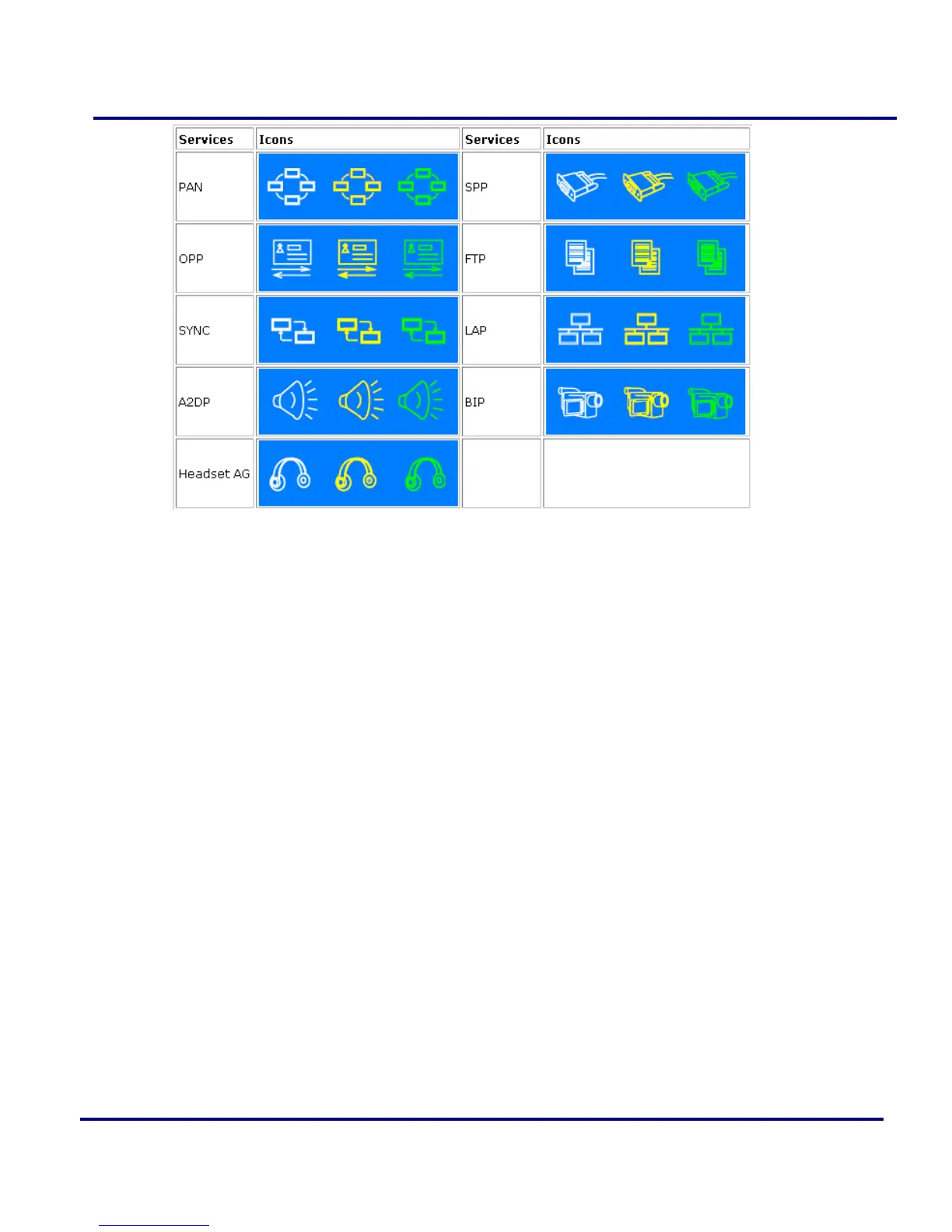
Figure 2-13: Local Service List
Icon Meanings
There are 3 states for the local Bluetooth services, indicated by different icon colors.
White- Idle. The service has not been started.
Yellow- Started. The local Bluetooth service has been started.
Green- Connected. Some remote device has connected to the service.
Operations
Single-click on the icon to select the service.
Double-click on the icon to Start/Stop a service.
Right-click to display a pop-up menu of related operations.
2.5 My Bluetooth
Configuration my Bluetooth device setting, there four items in the menu.
Bluetooth Device Discovery: Search for other Bluetooth enabled devices in
range.
Bluetooth Service Discovery: Browse for the services of the selected remote
device.



 To Next Page