- 6 -
English
Controls, Indicators and Operation
8. DW Key
The DW (Dual Watch) function allows automatic alternate monitoring of two programmable channels. Select the first
channel to be monitored using the UP (9) or DN (10) keys. To enable the DW function, close the Squelch by turning the
SQ/SQL knob, then press the DW (8) key for about 2 seconds, until the DW icon (G) appears on the LCD display. Now
select the second channel to be monitored using the UP (9) or DN (10) keys and press again the DW (8) key for about 2
seconds. The DW function is now enabled and the LCD display will alternately show the channel number of the two
programmed channels. The DW icon (G) will be lighted on the LCD display. Monitoring stops if a signal is detected on
one of the two channels, in order to let the user listen to the incoming signal and will start again when no signal is
detected on that channel. It is possible to transmit on that channel, by simply pressing the PTT key (21). If there is no
transmission within 5 seconds, monitoring will re-start. To exit the DW mode, shortly press the PTT button (21).
9. UP (QUICK UP) Key
Shortly press the UP (9) key to increase the channel number by one channel up at every key press. Press and hold the
UP (9) key to increase channels by 10 channels up at each time (quick up channel slection).
10. DN (QUICK DN) Key
Shortly press the DN (10) key to decrease the channel number by one channel down at every key press. Press and hold
the DN (10) key to decrease channels by 10 channels down at each time (quick down channel slection).
11. LC Key
Shortly press the LC (Last Channel Recall) key (11) to automatically re-set radio on the last used channel.
12. Built-in Speaker
Built-in front speaker.
13. Car Adaptor Contacts
Car adaptor contacs and fixing screw.
14. Built-in Microphone
Built-in microphone.
15. EM Key
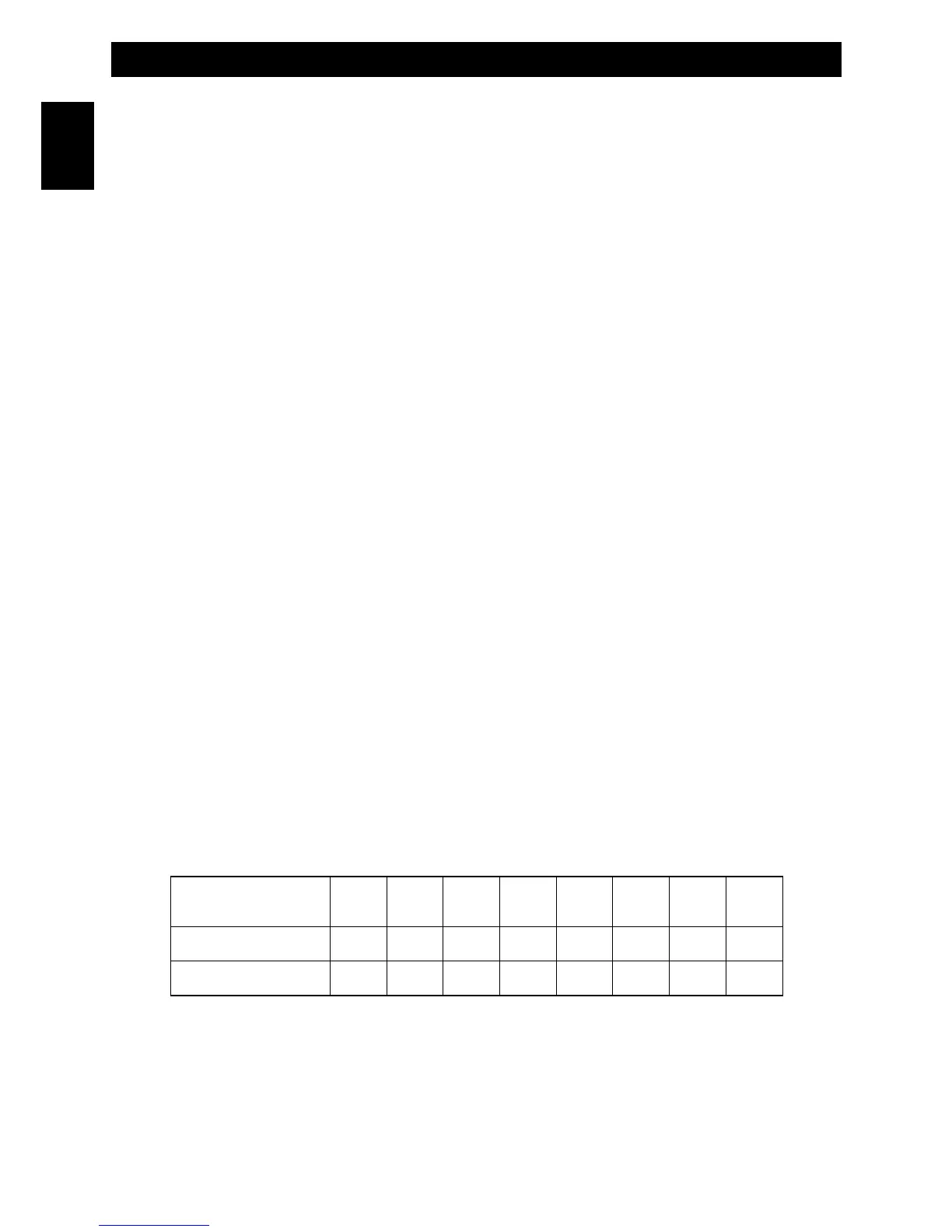
Press the EM key (15) to fast access the pre-programmed emergency channels (CH9 or CH19). Each time the EM key
(15) is pressed, radio will move to CH9, then to CH19, then back to the current operating channel. Please refer to the
below table for the factory pre-programmed emergency channels.
FREQUENCY BAND
ID CODE
CH-9
CH-19
E1
AM
AM
I2
AM
AM
DE
AM
AM
D2
AM
AM
EU
AM
AM
CE
FM
FM
UK
FM
FM
PL
AM
AM



 To Next Page