Installing and Replacing Desktop Board Components
27
Installing and Removing the Desktop Board
CAUTION
Only qualified technical personnel should do this procedure. Disconnect the computer from its
power source before performing the procedures described here. Failure to disconnect the power
before you open the computer can result in personal injury or equipment damage.
Refer to your chassis manual for instructions on installing and removing the desktop board.
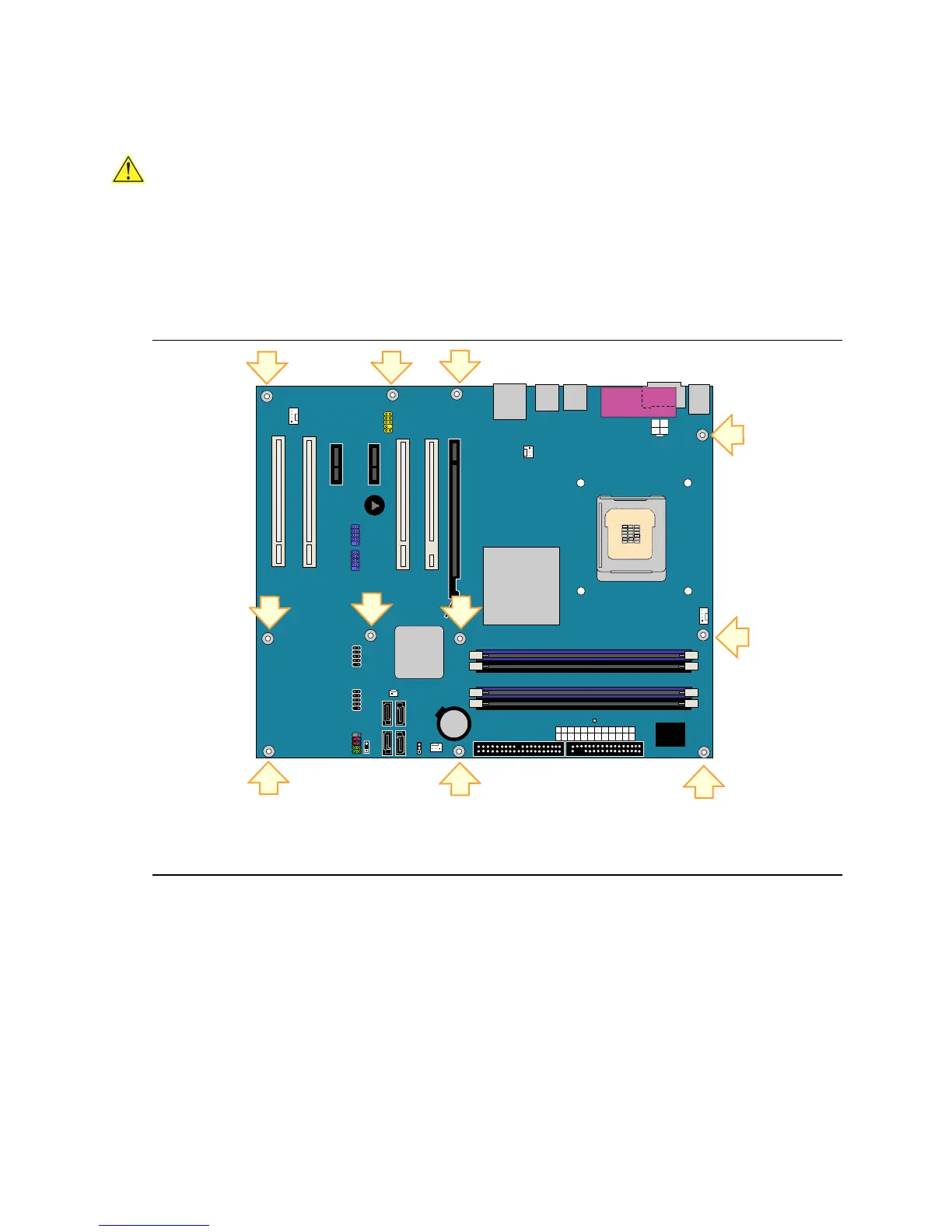
Figure 5 shows the location of the 11 mounting screw holes for desktop board D945PVS.
OM17671
Figure 5. Desktop Board D945PVS Mounting Screw Hole Locations





 To Next Page