Intel Desktop Board D945PVS Product Guide
38
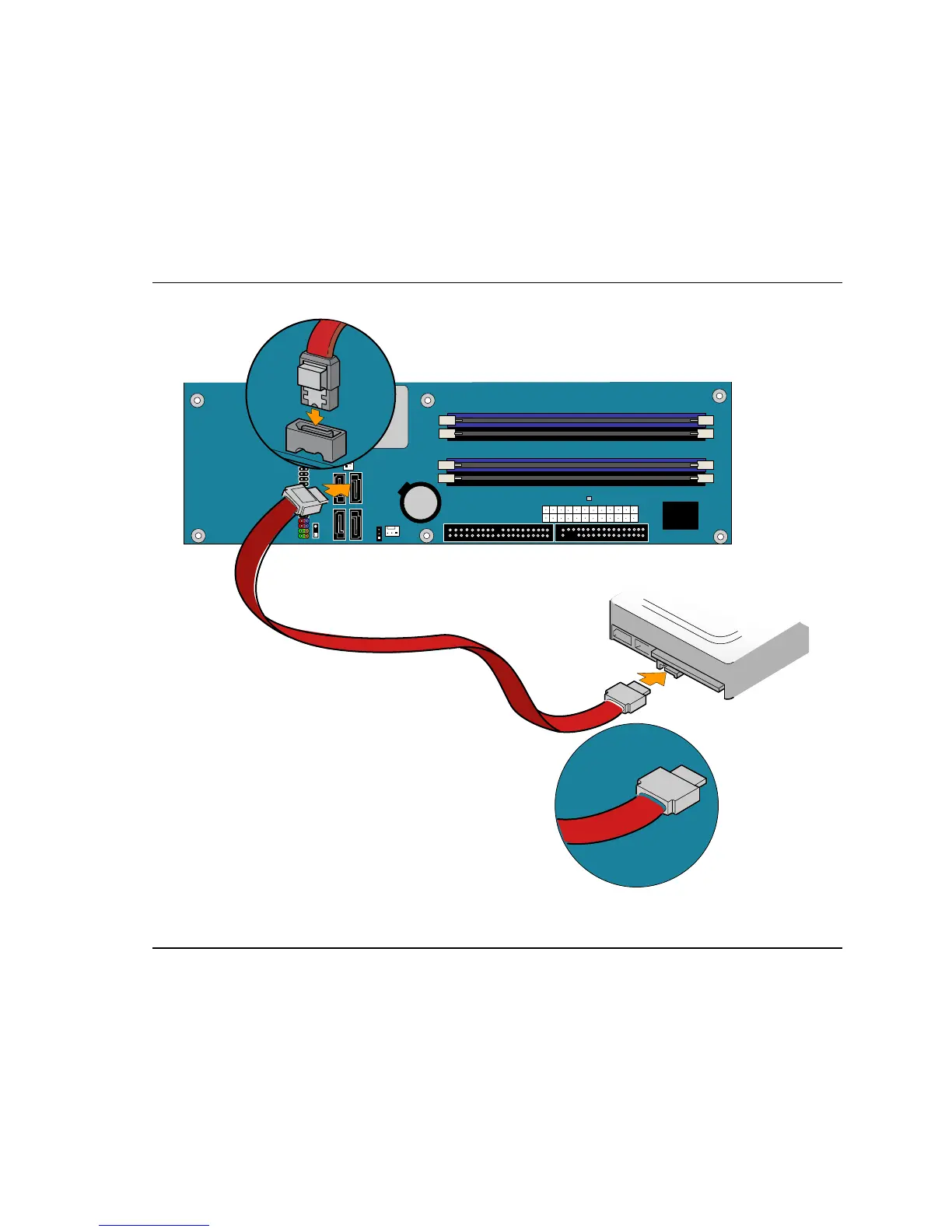
Connecting the Serial ATA (SATA) Cable
The SATA cable (4-conductor) supports the Serial ATA protocol and connects a single drive to the
desktop board. For correct cable function:
1. Observe the precautions in "
Before You Begin" on page 23.
2. Attach the locking cable end to the connector on the board (
Figure 19, A).
3. Attach the cable end without the lock to the drive (
Figure 19, B).
Intel
(ICH7)
R
OM17675
B
A
Figure 19. Connecting the Serial ATA Cable





 To Next Page