12
Intel Powerpack Battery
The Intel Powerpack Battery powers the Intel Falcon 8+ UAV, and the Intel Cockpit Controller, combining eciency with ease-of-
use. The battery features automatic balancing, storage mode and charging. The intelligent Battery Management System (BMS),
with a One-Button/Five-LEDs user interface, makes everyday battery handling easy.
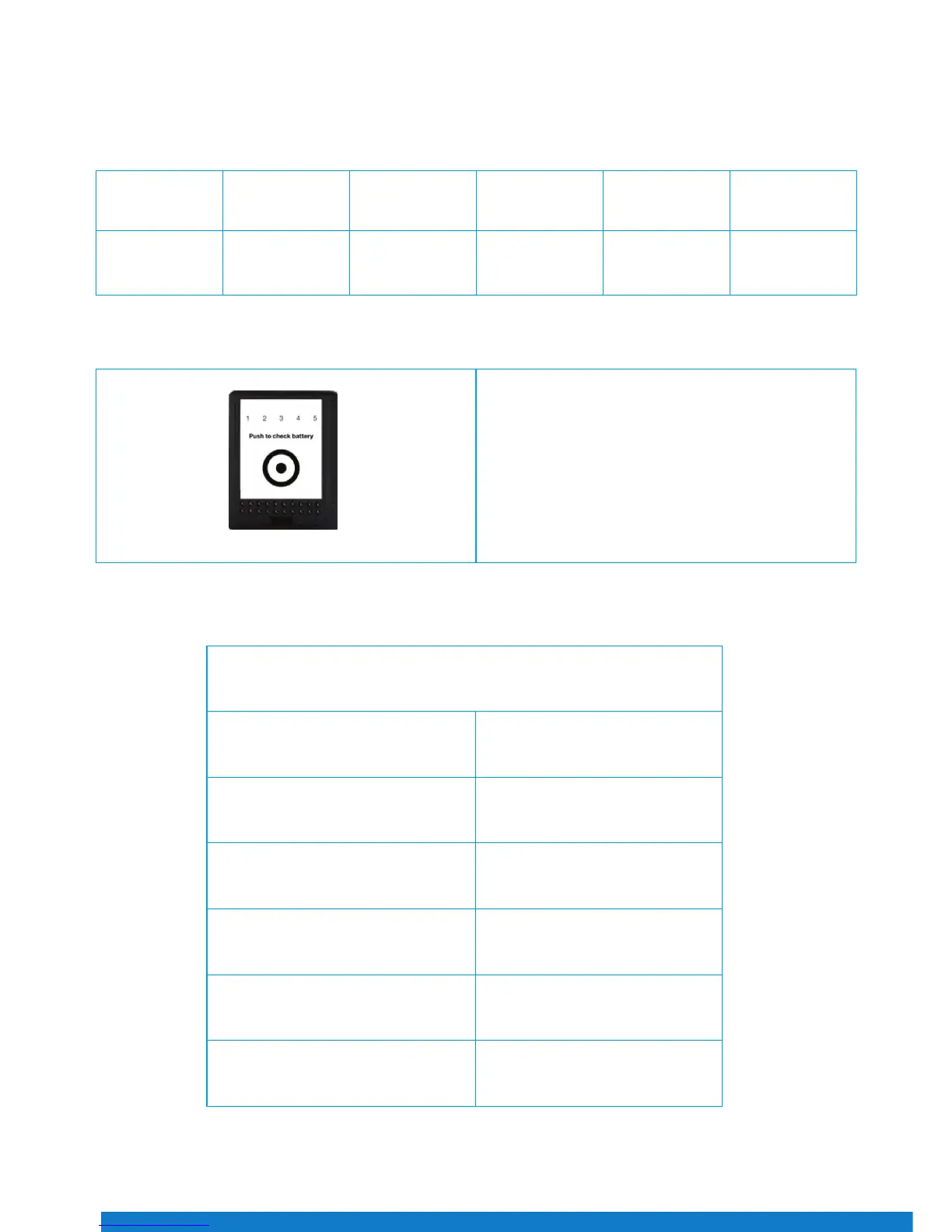
On the front panel of the battery, there is a sticker. An area is marked by a dot surrounded by a circle. This area has the function
of a button.
One short push (< 2 sec) on the button indicates the charging state of the battery, by showing the respective number of LEDs.
Battery Type Electric Charge
[mAh]
Voltage Standard
[V]
Voltage Fully
Charged [V]
Voltage Lowest
Recommended
(under load) [V]
TNo. of Cells
Intel
Powerpack
Battery
4000 14.8 16.8 14.0 4
The LEDs show the state/phase of charge of the battery.
Status of LED No. 1 2 3 4 5 Charging State
on - - - - 0% - 20%
on on - - - 20% - 40%
on on on - - 40% - 60%
on on on on - 60% - 80%
on on on on on 80% - 100%
The LEDs are integrated in the front panel of the battery.
LED number/color from left to right:
• 1 / Red
• 2 / Yellow
• 3 / Green
• 4 / Green
• 5 / Green
Figure 22


 To Next Page