14
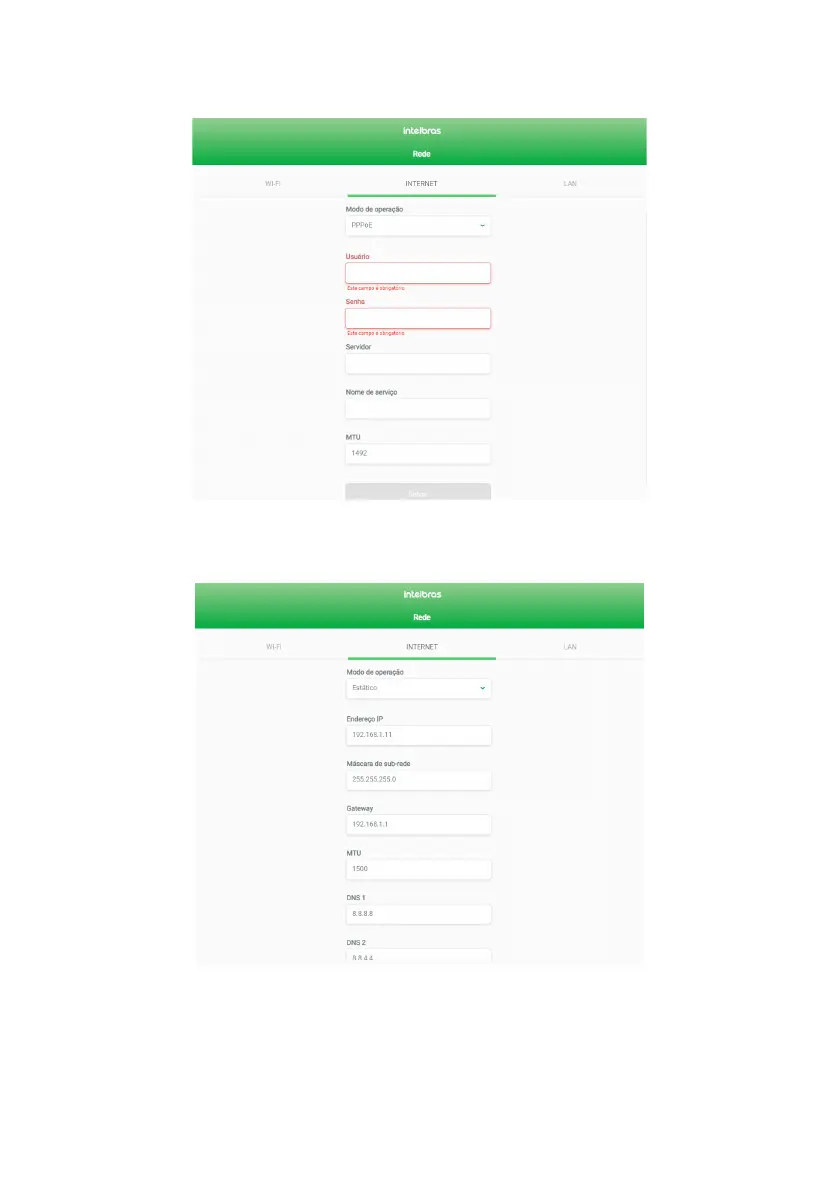
» PPPoE: use this mode if your Internet access requires authentication via PPPoE. If selected, you will need at least
one user and password (provided by your operator or internet provider) to authenticate with the Internet. It may be
necessary to ll in the other elds.
PPPoE mode Internet settings edit screen
» Static: use this mode if your Internet access is provided via a static IP address. All information for conguring this
mode must be provided by your operator or internet provider.
Static mode Internet settings edit screen



 To Next Page