13
» 20 MHz: In this option, all wireless devices will be forced to connect to the router using the 20 MHz band.
» For Wi-Fi 5 GHz network
» 20/40/80 MHz: in this option, the router will make available the 20 MHz option, the 40 MHz option and the 80
MHz option for wireless devices to connect.
» 20/40 MHz: in this option, the router will set the best bandwidth to be used (between 20 and 40 MHz, discarding
option 80 MHz) and will automatically set its operation in this mode.
» 20 MHz: in this option, all wireless devices will be forced to connect to the router using the 20 MHz band.
» Channel: in this eld, you can select the channel options you wish for each of the radios. If you use the
Automatic
option, the router will automatically choose the channel. This choice will be based on a scan to check which channel has
the least noise or amount of transmissions.
The scan is performed every time the router is restarted or when some radio setting is saved.
Internet
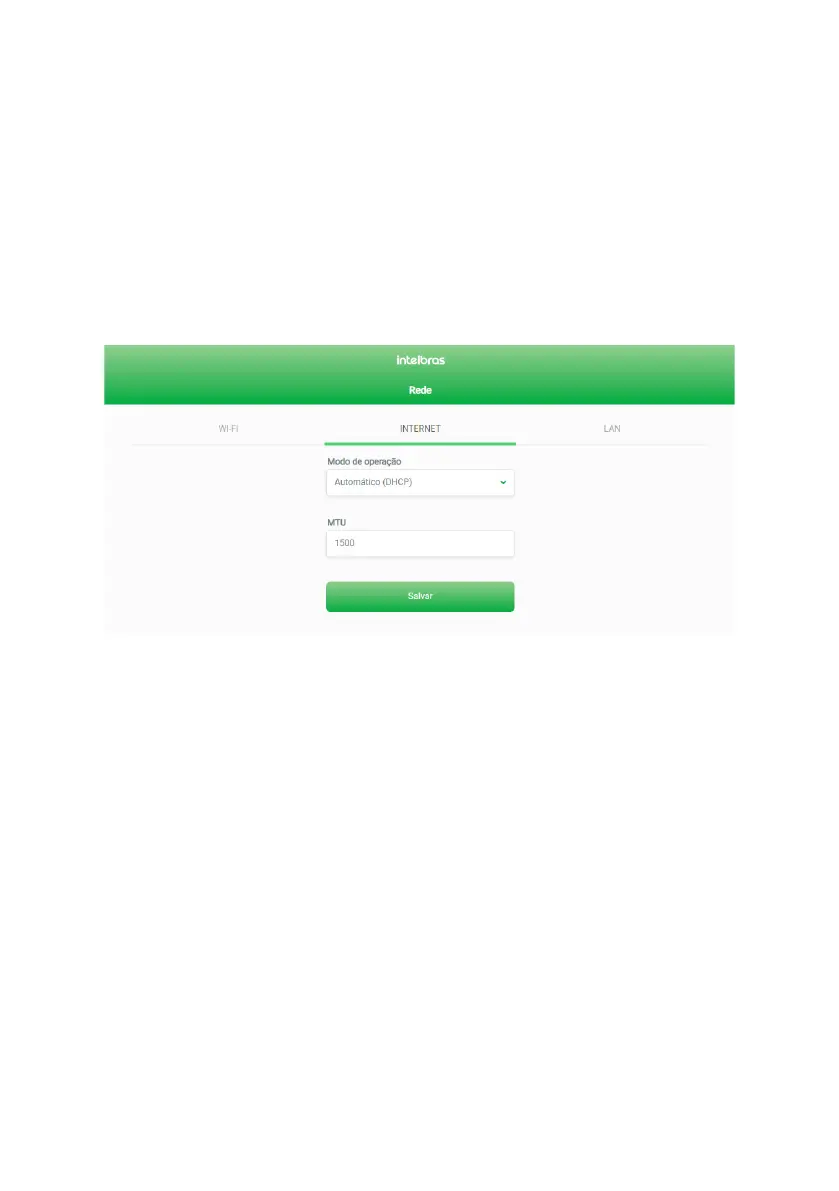
You can change the Internet settings via the
Internet
tab, available within the
Network
menu.
DHCP mode Internet settings edit screen
» Operation mode: you can select three connection modes, described below:
» Automatic (DHCP): use this mode if your connection settings are provided automatically via a DHCP server (image
above).



 To Next Page