Introduction of operation Introduction of operation
05 06
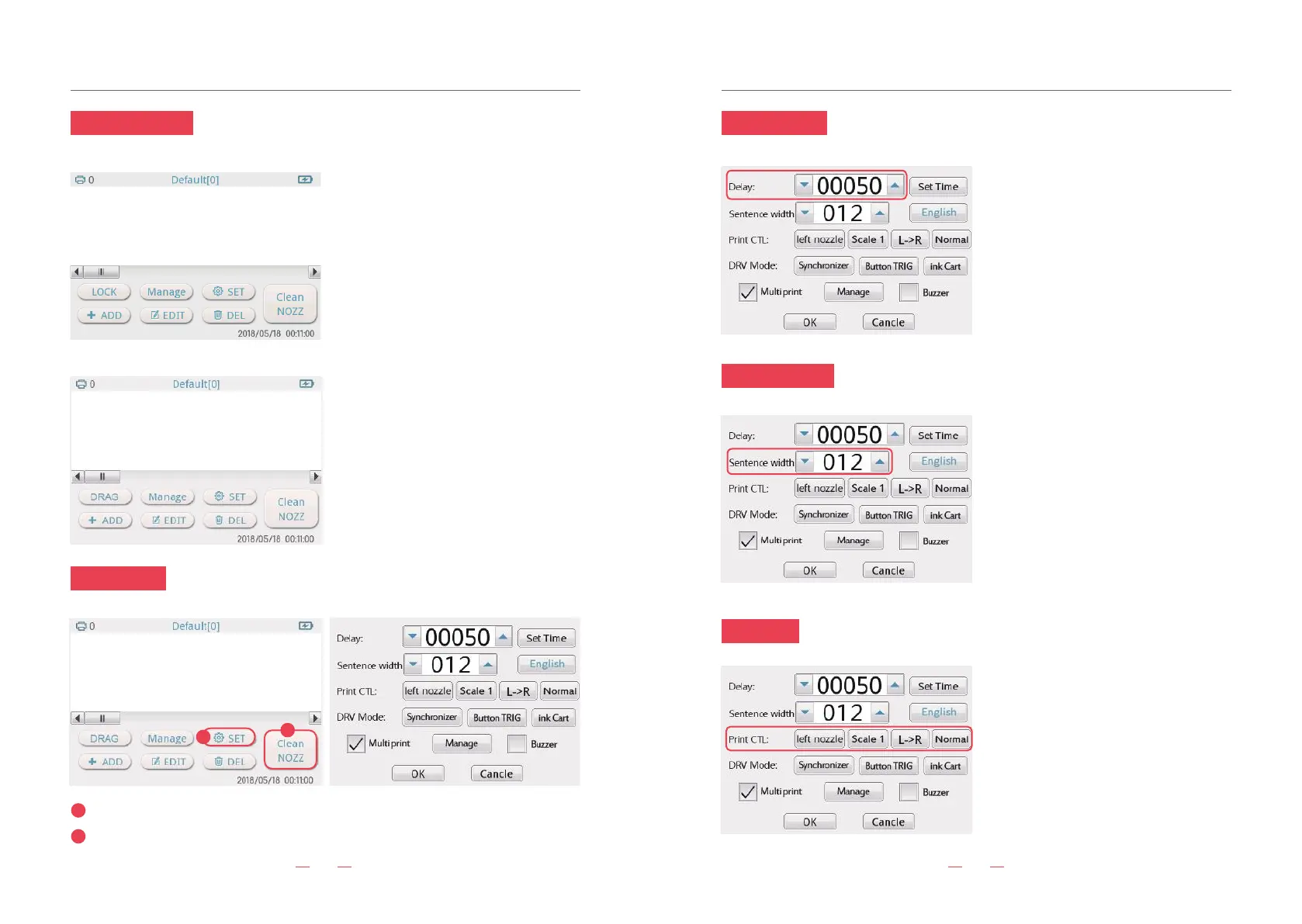
3. Editing interface
4. Clean NOZZ
6. Sentence width
7.Print CTL
Click interface "Clean NOZZ" to achieve cleaner nozzle function.
Click “SET” button, enter the setting backstage interface.
1
2
Adjust the width of font: the bigger the
value, the wider the width.
1
2
5. Delay setting
Adjust the print delay interval, the smaller
the value,the shorter the delay.
①Left nozzle/right nozzle: print by one
side of nozzle. Print accuracy is 300DPI.
②Double nozzle: Both sides of nozzle are
working. Print accuracy is 600DPI.
③Scale1-4: The higher the value of the
scale, the darker the color. Usually set in
scale2.
④“L->R” means printing from left to right.
⑤“R->L”means printing from right to left.
⑥Normal/Reverse: Print in normal way.
Print in Reverse way.
“LOCK”: In the locked state, content
cannot be dragged.
“DRAG”: Click "LOCK" to switch to "DRAG"
state, drag content to any position. To
adjust the font size to the finest, add up to
seven lines.
“ADD”: Add text, picture, time, etc
“EDIT”: Click your edit text first, then click
the “EDIT”, will enter to the editing
interface. You can adjust the size,
Pitch, font format, and dot matrix.
“DEL”: Delete current text.
“SET”: Set the system.
“Manage”: To create a new template to
save the information content.
“Clean NOZZ”: Cleaning nozzle function.


 To Next Page