Introduction of operation Introduction of operation
07 08
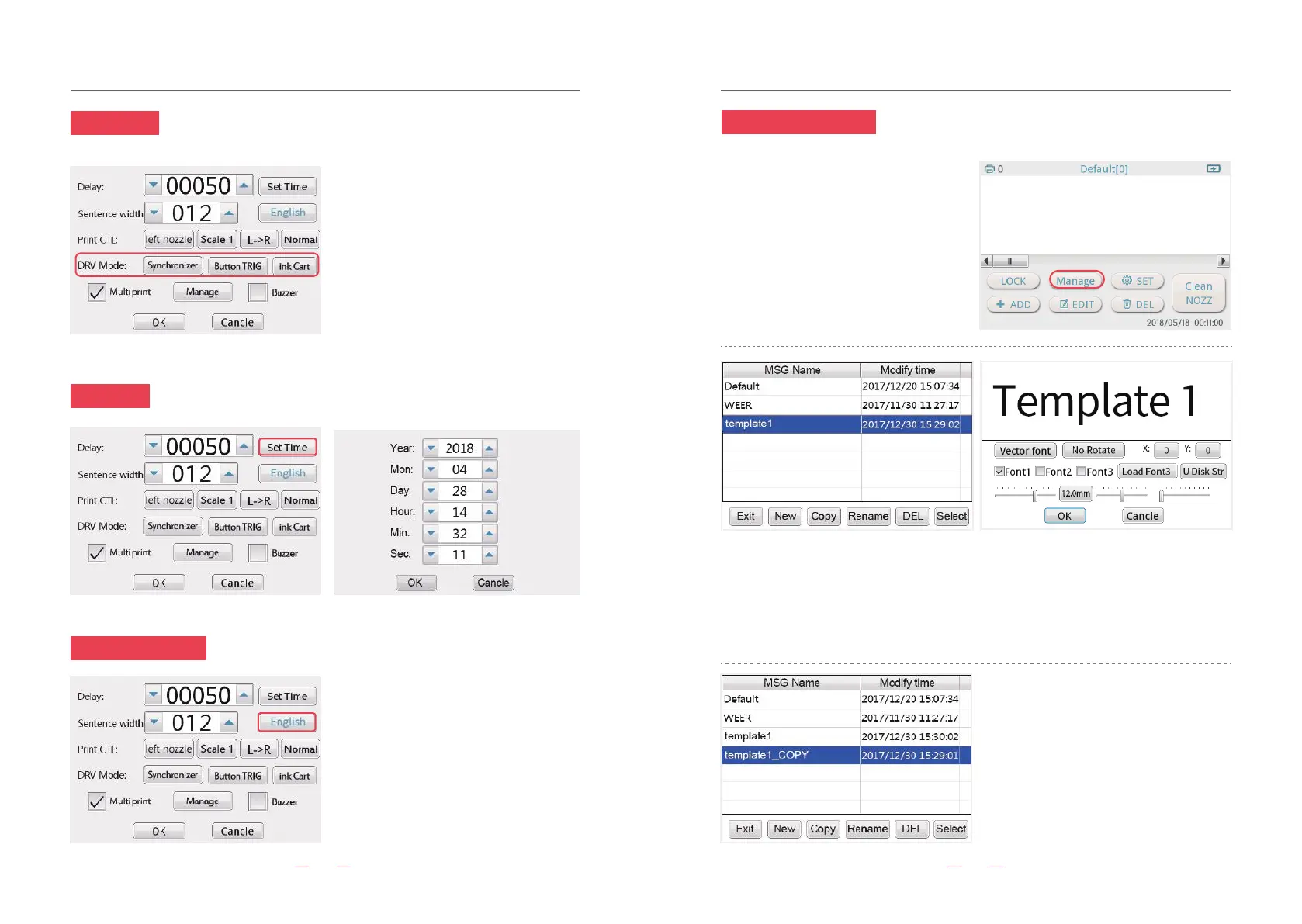
11. Manage information
9. Set Time
8. DRV Mode
10. Language setting
Click “ set time” button,can reset the time of system.
“copy” means copy a same template
“Rename” means rename the template.
“DEL” means delete the file.
“Select” means select your file.
Click “manage” button, you can store
different content information templates. You
can switch to your content at any time.
①Synchronizer/Time DVR: While printing by hands,
you can select “Synchronize”.While printing on convey-
or, you can select “Time DVR”.
②Button TRIG/Electric TRIG: Hand held mode please
click “Button TRIG”. Use on assemble line please click
“Electric TRIG”
③Ink Cart/Sol Cart: Choose Sol Cart means “solvent
ink cartridge”. Choose “Ink Cart” means water based
ink cartridge. According to the type of ink cartridge,
Machine parameter will be adjusted automatically.
④Multi print: If you choose “Multi print”, click the
“manage” button, you can add the file in the list. It will
print according to your list order.
⑤ “Buzzer”: If you choose the “Buzzer”, it will have
sound while printing.
Click for other language. When you
choose another language, the machine
will prompt “Reboot for the language
modify to take effect”, please restart the
machine to change the language.
“NEW” means add a new file, you can set up a new template, typing the information you
want to print.Or you can use USB to enter the information in input.txt file.(The steps for
saving the file to USB: 1. Add a new input.txt file 2. While enter the file, every content need to
distinguished by the using “Enter” button. The maximum read the contents of USB is the
first 100 content. 3.Cope the content from the input.txt to the USB.4. Click “add”,select
“text”, then click “U Disk Str”, choose your file in the USB. Click “ok”)


 To Next Page