EN- 17
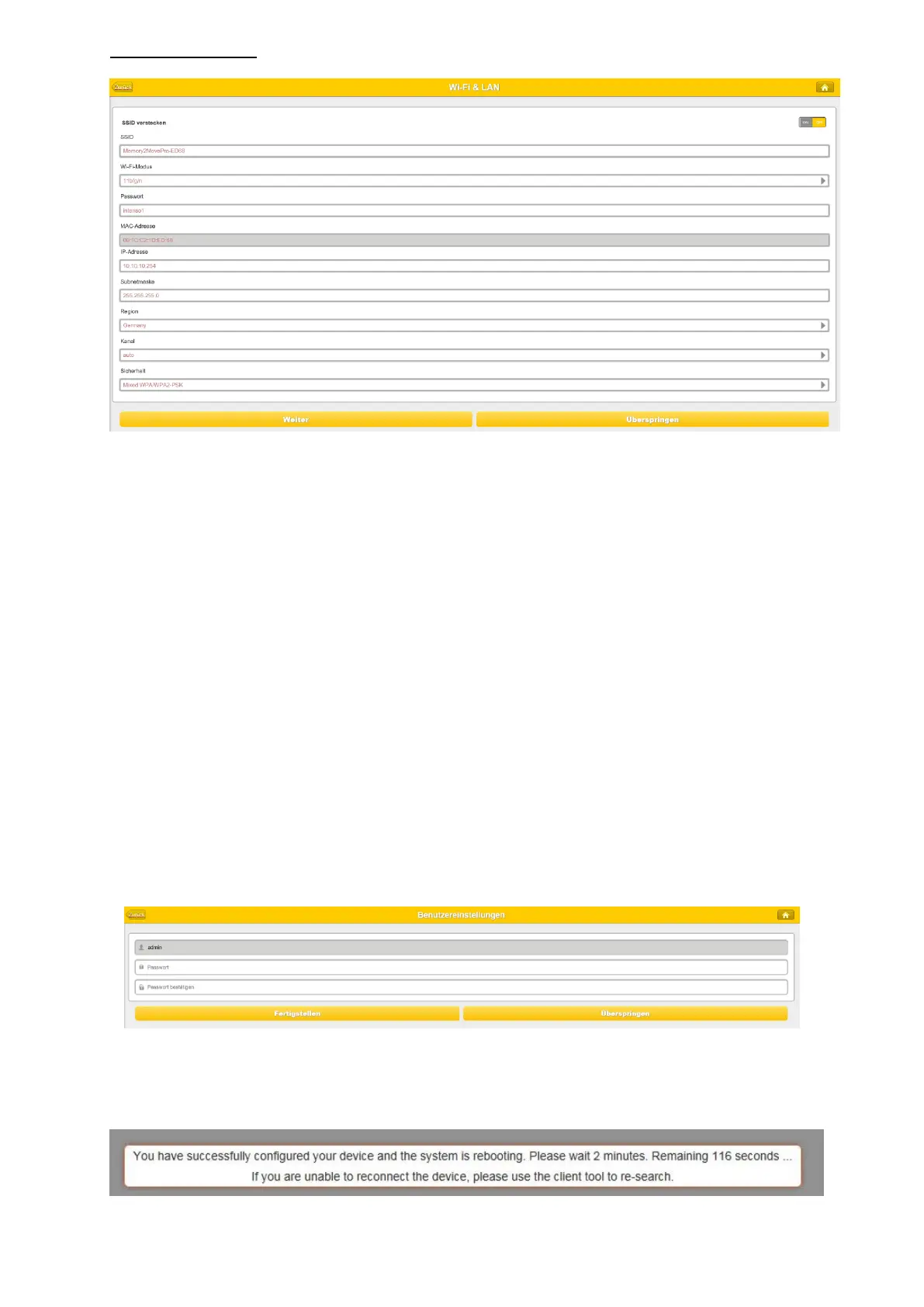
WiFi & LAN Setting
SSID: Type-in a combination of letters and numbers only. 32 characters is the
maximum allowable SSID length.
Channel: The default setting is set to Auto. There are 14 channels available to choose
from.
Modes: The default setting is 802.11b/g/n. You can also manually set the modes to
11Mbps (802.11b), 54MBPS (802.11G), and 150Mbps (802.11n).
Security: The WPA-PSK, WPA2-PSK , Mixed WPA/WPA2-PSK (default) are available.
Password: Minimum 8 (Maximum 63) characters.
IP Address: The default IP address is set to 10.10.10.254 with subnet mask of
255.255.255.0. The IP address can be changed.
Click on the “Next” button to change the admin default password. Click on the “Next”
button once the password has been modified. You may click on the “Skip” button to keep
the default password.
After finishing the startup wizard the system will start rebooting.
This process will take 2 minutes (see picture below)


 To Next Page
 Loading...



