EasyManua.ls Logo

Intenso TAB 814 - Device Overview and Package Contents; Device Components Identification

Intenso TAB 814
Print Icon
To Next Page IconTo Next Page
To Previous Page IconTo Previous Page
Loading...
EN - 4
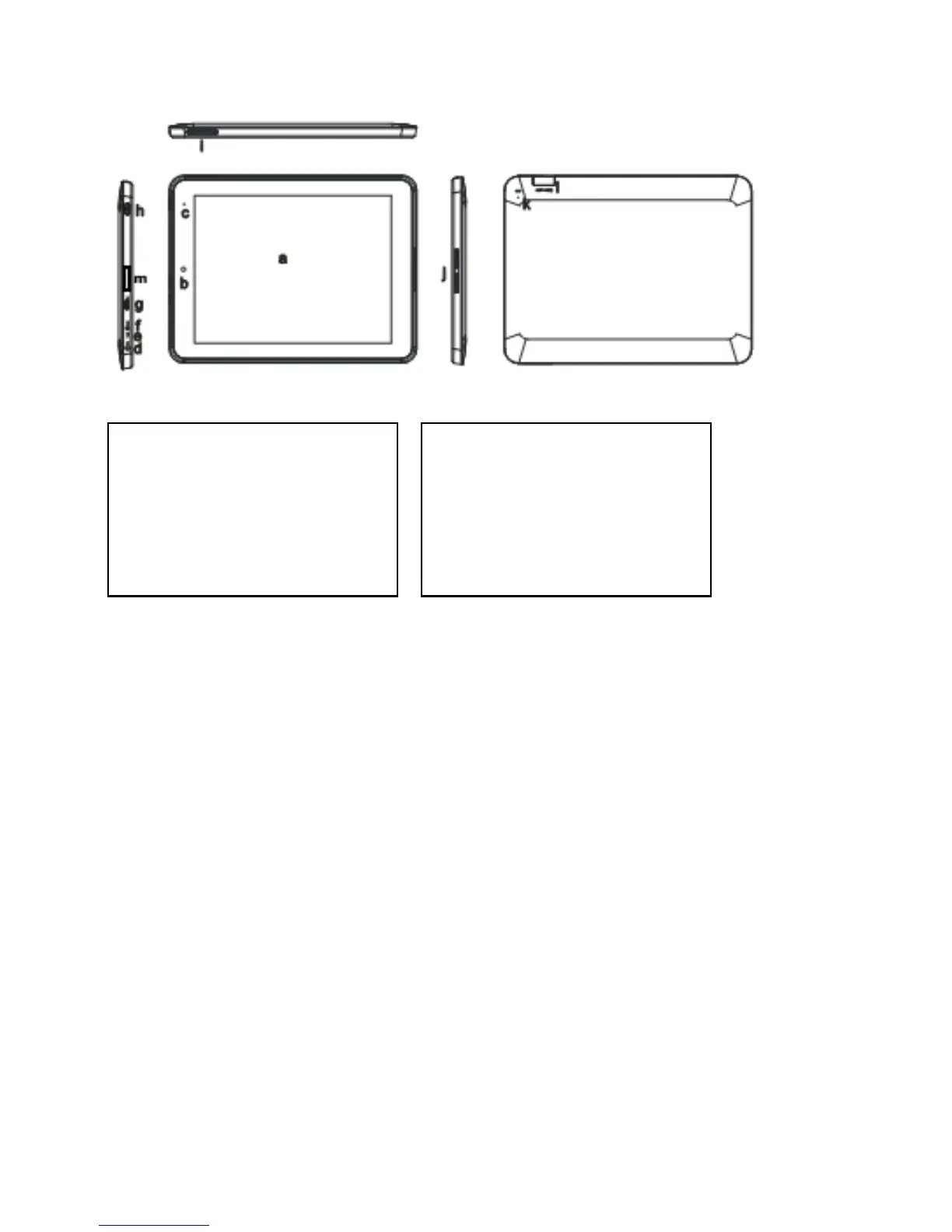
3.) Device overview
4.) Package contents
Please check if the contents are complete:
TAB 814
Stereo headphones
USB cable
Power supply 5V 2.0A
User Manual
Bag in leather look
a) Touchscreen
b) Front Camera
c) Loading Status LED. A red light flashes
while loading. A yellow light flashes, as
soon as the battery is completely loaded
d) 3.5mm headphone jack
e) Built-in microphone
f) DC 5V 2A input
g) Micro USB Socket
h) On / Off button: Press and hold to turn
the unit off, press briefly to switch
between standby and active mode
i) Volume +/-
j) Integrated speaker
k) Reset hole: Resets the unit should it no
longer respond.
l) Micro SD Card slot
m)HDMI

Table of Contents

Other manuals for Intenso TAB 814

Related product manuals