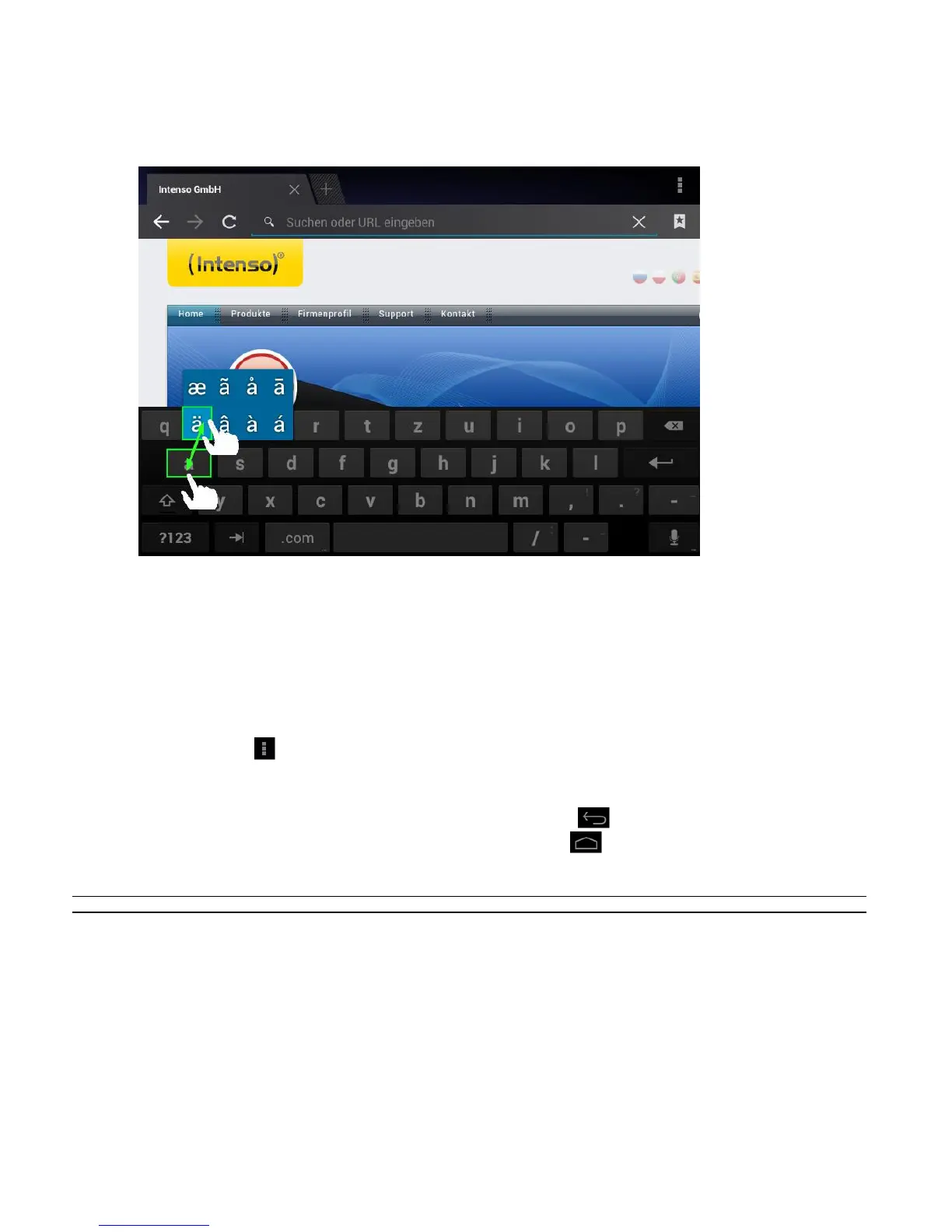
Special character input
In order to enter a special character such as `ä´, tap the `a´ key with your finger for a long time to call up
the special character menu. Now glide with your finger to the desired special character, for example an `ä´
and take your finger from the display. You now have entered an `ä´.
Using the web browser
You can scroll through the display by performing a vertical sweeping motion with your finger.
Please do not start the sweeping motion on a menu item or link because otherwise the existing link
will open.
To open an Internet link, simply tap on the link. The new page will open automatically.
Press the menu key to open the web browser menu. Here multiple functions are provided. Among
other things you can refresh the opened website here, open a new tab, make offline websites
readable or switch to the web browser settings.
To return to the previous page, please press the back button .
To go directly back to home screen, press the home button .
To enter a text, tap the appropriate field and use the virtual keyboard for entering the text.
Note: For this function, a wireless Internet connection is required.


 To Next Page
 Loading...
