I N S T A L L A T I O N M A N U A L X - S T R E A M 2 ™ S L I D E
10
XS2-IM Rev. 10/14 (SBK-XS2 INSTALL)
STEP TWO: Attach the Handrails to the Ladder and Entry Section - CONT.
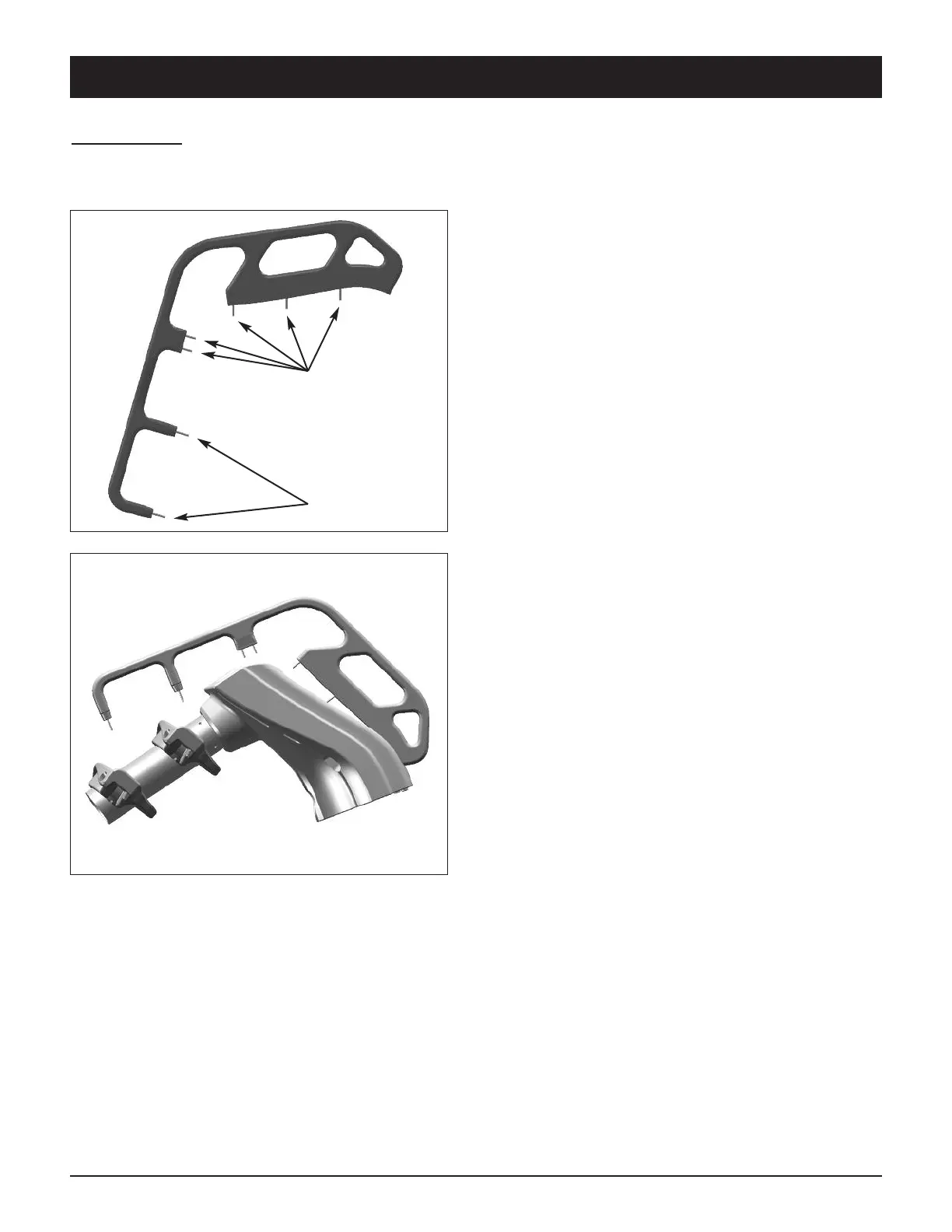
Insert the correct length of all-thread into the nuts embedded in the handrails then attach
the handrails as illustrated. (See Fig. 5 and 6)
Hand tighten all-thread into each of the 7
locations on the handrails. Ensure correct
length of all-thread is used at each location.
5/16” x 2” all-thread (5 each as shown)
5/16” x 2-1/2” all-thread (2 each as shown)
Make sure to use provided anti-seize on
the all-thread before inserting into the
embedded nuts.
Insert handrail into the top section first as
illustrated. Push or pull the handrail apart
until the all-threads pass through the 5
holes in the entry section and through the
holes drilled in the upper 2 steps.
Make sure to use the provided anti-seize
on the flange nut threads before attaching
to the all-thread.
2-1/2”x5/16”
2”x5/16”
Fig. 5
Fig. 6
Fig. 6



 To Next Page